PETERBILT 389 JAY65 SKIN
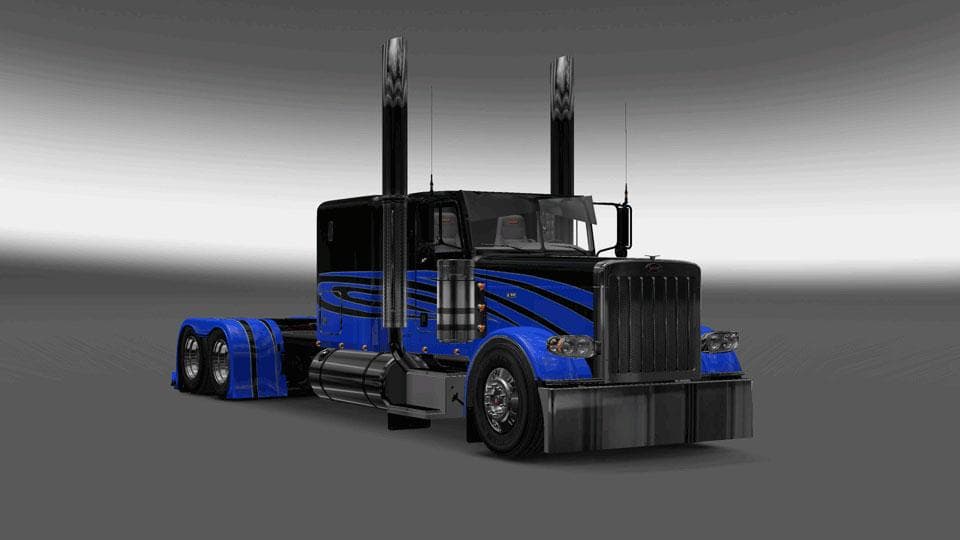
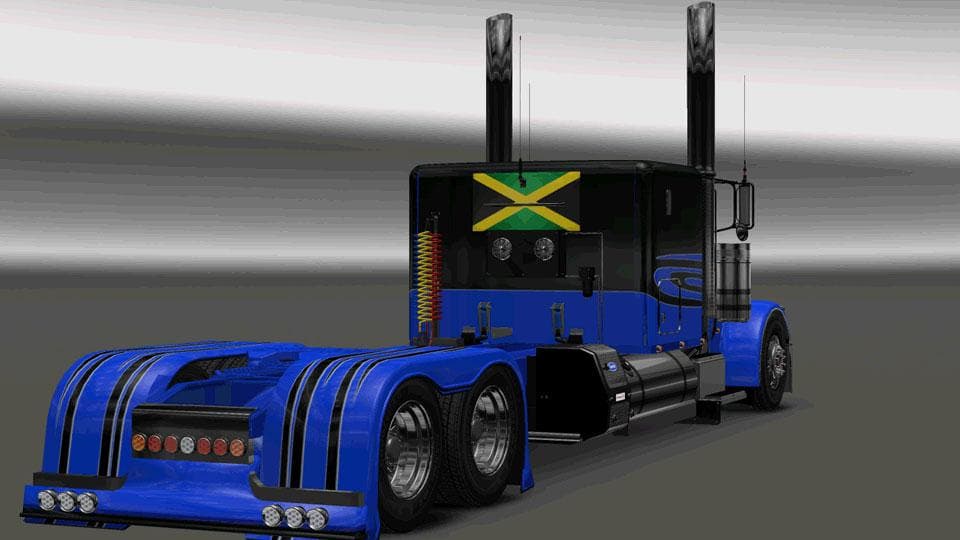
This mod is a skin for the Peterbilt 389 truck in ETS2, created by Euro Truck Simulator 2. It is tested for version 1.21.1 and features the Jay65 design. The fi
The PETERBILT 389 JAY65 SKIN is a repaint mod designed specifically for the Peterbilt 389 truck in Euro Truck Simulator 2. Rather than altering the truck's structure or performance, this skin changes its exterior appearance, giving it a fresh look without affecting gameplay mechanics. Skins like this one are applied directly through the paint shop in-game and rely on having the base vehicle model available.
Skin mods such as this serve to personalize trucks, allowing players to customize their rides with different color schemes and designs. They fit neatly into any modded setup where the original Peterbilt 389 model is present. Since they only modify visual aspects, they typically don’t interfere with other mods that affect physics or add new trucks.
When using skins, load order usually isn’t a major concern unless multiple skins target the same truck. In those cases, only one skin can be active at a time, so players may want to disable others to avoid conflicts. This particular skin was tested on ETS2 version 1.21.1, so compatibility with that game version should be solid.
Players who enjoy driving American trucks and want to refresh the look of their Peterbilt 389 will find this skin useful. It’s especially appealing for those who prefer straightforward cosmetic changes rather than extensive modifications. Adding a new paint job can help keep long hauls feeling fresh and visually interesting.
Since creator information isn’t specified and file size details are unknown, it's advisable to back up your profiles before installing any mod. The installation process usually involves placing files into the mod folder and activating them from the game’s mod manager interface.
How to install
1. Download the .scs file. 2. Drop it into `Documents/Euro Truck Simulator 2/mod/`. 3. Enable in Mod Manager. 4. Apply the skin in the truck/trailer paint shop.
After the mod loads, save your game inside a safe area (parking lot or service) before deciding whether to keep it. If the game refuses to load with the mod enabled, check that all required DLCs are installed and that the supported ETS2 version chips on this page include your installed game patch.
Reviews
No ratings yetNo reviews yet — be the first to rate this mod.





