PETERBILT 387 INTERIOR 1.22
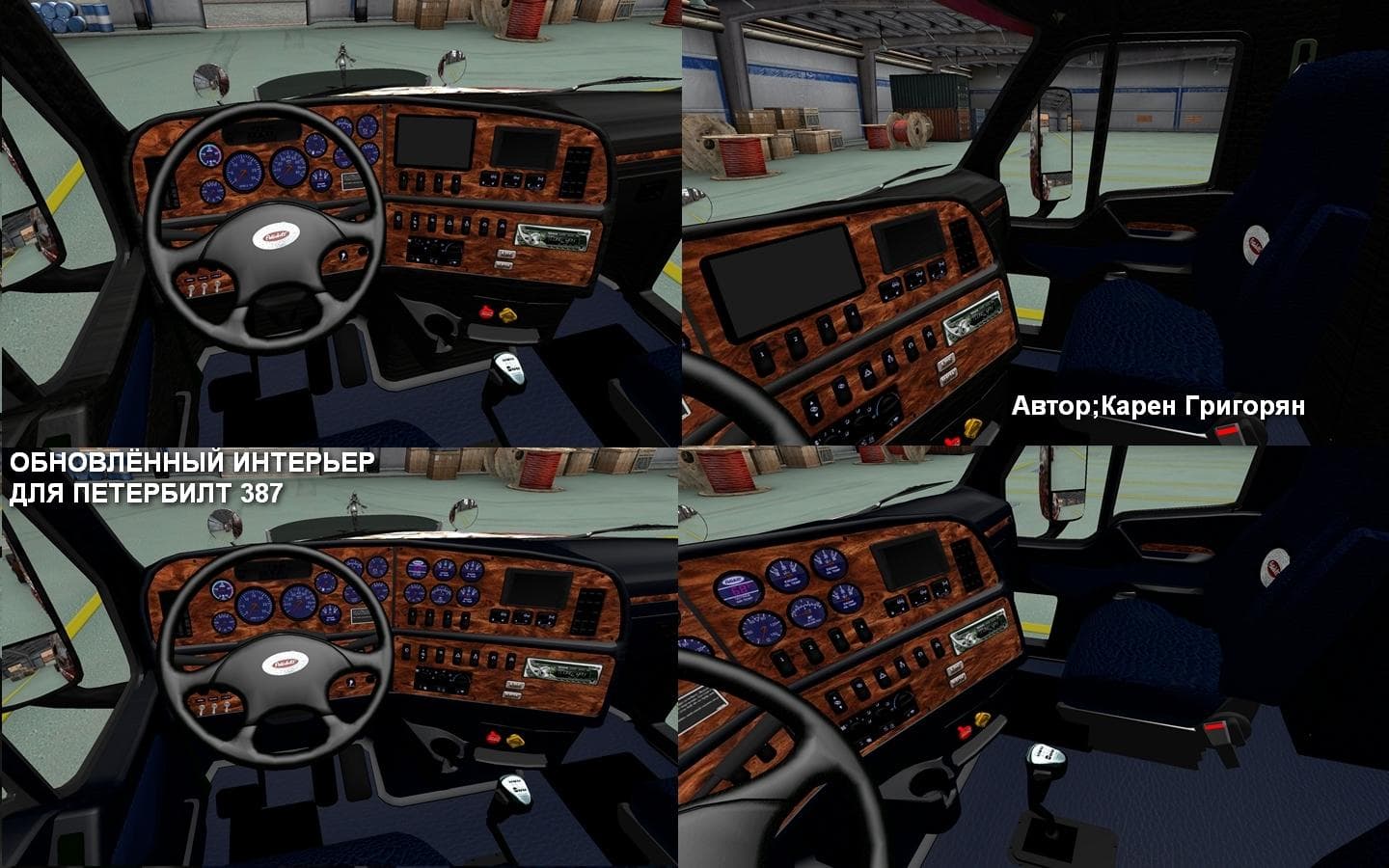
The "PETERBILT 387 INTERIOR 1.22" mod offers a new interior for the Peterbilt 387 truck in Euro Truck Simulator 2 version 1.22. Created by Euro truck simulator
The PETERBILT 387 INTERIOR 1.22 mod brings a fresh cabin design to the Peterbilt 387 truck in Euro Truck Simulator 2, tailored specifically for game version 1.22. This type of mod replaces or enhances the in-cab environment players experience while driving, focusing on visual updates rather than gameplay mechanics or performance tweaks. It’s loaded through the in-game Mod Manager like most other ETS2 modifications, making it straightforward to install and activate alongside your existing setup.
Interior mods like this one primarily affect the visual details inside the truck's cabin, offering a new look that can make long hauls more engaging. They don't alter how the vehicle handles or interacts with the world outside but give players a fresh perspective during their drives. This makes them popular among those who want variety without affecting compatibility with other mods that adjust trucks, maps, or gameplay features.
When integrating an interior mod into a heavily modded profile, it’s wise to pay attention to load order since some mods might overwrite interior files if placed later in the sequence. Generally, placing an interior mod near the top ensures its assets are prioritized unless you use another mod that also changes interiors for the same truck model.
This mod fits well for ETS2 drivers who enjoy customizing their rides beyond paint jobs and external parts. If you’re running a Peterbilt 387 and want something different inside your cab for version 1.22, this offers a simple swap that adds freshness without much hassle. It suits players who appreciate small touches that personalize their simulation experience.
Since this is an interior update specific to one truck and game version, it appeals mostly to fans of American trucks within ETS2 who seek more cabin variety while driving routes through states like Texas or California. Those focused on visual immersion will find value here without worrying about broader compatibility issues.
How to install
1. Download the file(s) from the original source linked above. 2. Drop them into `Documents/Euro Truck Simulator 2/mod/`. 3. Enable in Mod Manager and restart the game.
After the mod loads, save your game inside a safe area (parking lot or service) before deciding whether to keep it. If the game refuses to load with the mod enabled, check that all required DLCs are installed and that the supported ETS2 version chips on this page include your installed game patch.
Reviews
No ratings yetNo reviews yet — be the first to rate this mod.





