PAK SKINS VD VLIST NEW STYLE FOR TRUCK V1
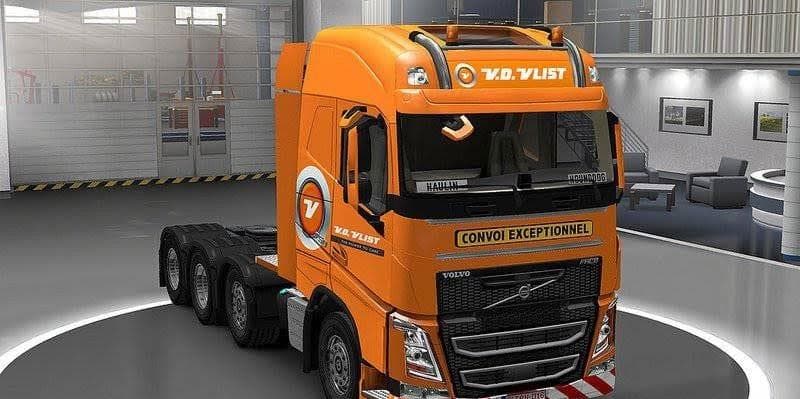
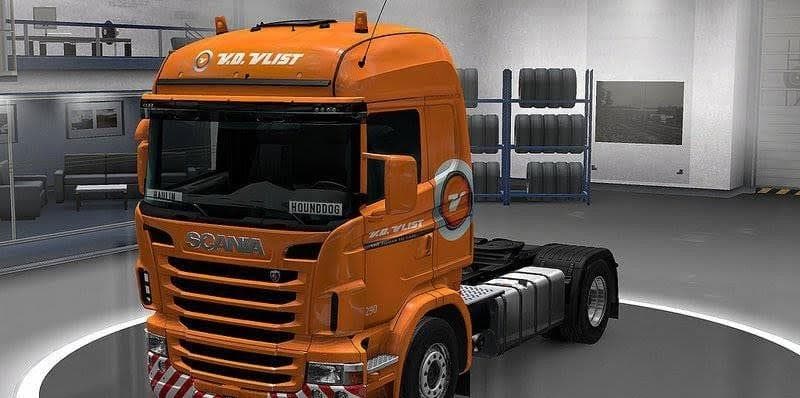
PAK SKINS VD VLIST NEW STYLE FOR TRUCK V1 offers new skin options for Volvo FH 2009 and 2013 by Ohaha, as well as Scania by RS RJL. Created by Euro Truck Simula
The PAK SKINS VD VLIST NEW STYLE FOR TRUCK V1 mod offers new paint jobs for several popular trucks in Euro Truck Simulator 2, including the Volvo FH 2009 and 2013 models by Ohaha, as well as the Scania R Highline P cab by RS RJL. These skins don't alter the truck's model or performance; instead, they provide fresh visual options that can be selected in the game's paint shop. Skins like this one are designed to fit over existing vehicle models, giving your fleet a different look without affecting gameplay mechanics.
In ETS2, skin mods repaint trucks or trailers but don't change their shape or features. This means they're generally easy to install and use, especially if you already have the base trucks these skins were made for. Since this pack supports multiple well-known truck variants, it can be a flexible addition to a modded setup focused on enhancing visuals rather than gameplay complexity.
When using multiple mods, it's wise to consider load order for skins because conflicting textures might override each other. Usually, skin packs should be loaded after any mods that alter truck models or add new vehicles to ensure they apply correctly. Compatibility is often smooth with skin mods as long as they're meant for the same base trucks you have installed in your game.
This kind of mod will appeal mostly to players who enjoy customizing their trucking experience visually. If you're running a modded ETS2 setup with popular truck models and want some variety in paintwork without switching up your entire fleet, these skins offer an easy way to refresh your rides' appearance without fuss.
Overall, this pack suits those who focus on aesthetics and want more options for Volvo and Scania trucks within ETS2. It's a straightforward way to mix things up visually while sticking with trusted truck models.
How to install
1. Download the .scs file. 2. Drop it into `Documents/Euro Truck Simulator 2/mod/`. 3. Enable in Mod Manager. 4. Apply the skin in the truck/trailer paint shop.
After the mod loads, save your game inside a safe area (parking lot or service) before deciding whether to keep it. If the game refuses to load with the mod enabled, check that all required DLCs are installed and that the supported ETS2 version chips on this page include your installed game patch.
Reviews
No ratings yetNo reviews yet — be the first to rate this mod.





