Painted BDF Traffic Pack by Jazzycat v1.1
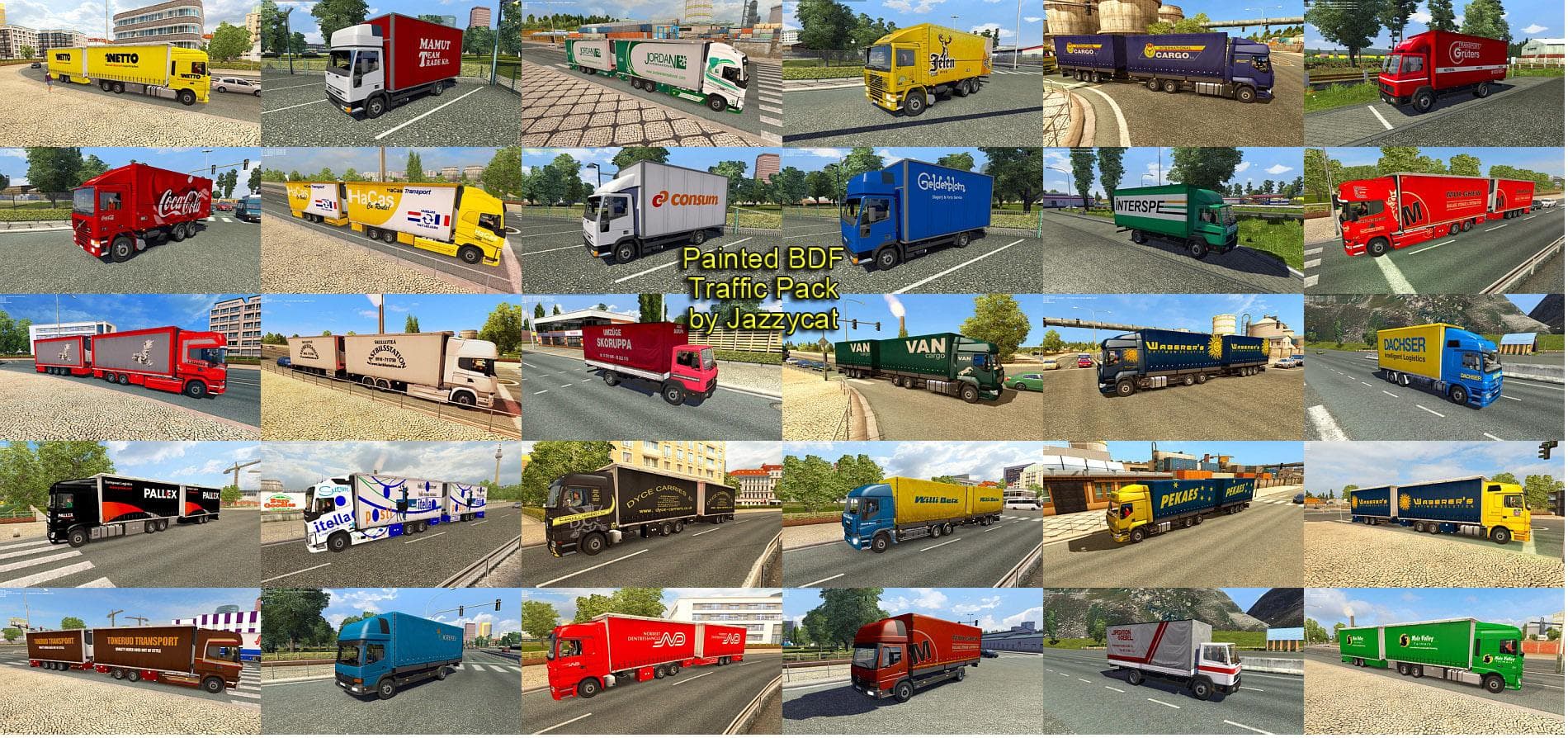
Painted BDF Traffic Pack by Jazzycat is an ETS2 traffic. Listed compatible with ETS2 1.1, 1.21.
The Painted BDF Traffic Pack by Jazzycat v1.1 introduces a collection of 76 BDF trailers adorned with liveries from real-world companies. These trailers appear as traffic, adding variety and authenticity to the in-game environment. Being standalone, they don't interfere with other mods that add or modify traffic vehicles, so they slot into existing setups without much hassle.
Mods like this one enhance the visual diversity of traffic in Euro Truck Simulator 2, making the world feel lived-in and dynamic. By featuring branded skins on BDF trailers, it adds a layer of realism to haulage routes across any map you play on. Since the pack is compatible with ETS2 versions 1.1 and 1.21, it supports both older and more recent game versions that players might be using.
Installation is straightforward through the game's Mod Manager, typical for mods in the 'other' category that affect traffic or environmental elements rather than gameplay mechanics or trucks. Load order usually matters less for standalone traffic mods; however, placing them near the top can help ensure their assets load properly alongside other Jazzycat packs or similar content.
Because these are traffic trailers rather than player-driven ones, they won't interfere with your own garage or deliveries but will contribute to a richer roadside atmosphere. They're designed to work well on any map and complement other mods aimed at expanding traffic variety without causing conflicts.
This mod is ideal for players who enjoy an immersive trucking experience enriched by realistic traffic compositions. If you're running a heavily modded game with various map expansions and skin packs, adding this pack helps keep your roads populated with recognizable trailer designs from genuine companies.
How to install
1. Download the file(s) from the original source linked above. 2. Drop them into `Documents/Euro Truck Simulator 2/mod/`. 3. Enable in Mod Manager and restart the game.
After the mod loads, save your game inside a safe area (parking lot or service) before deciding whether to keep it. If the game refuses to load with the mod enabled, check that all required DLCs are installed and that the supported ETS2 version chips on this page include your installed game patch.
Reviews
No ratings yetNo reviews yet — be the first to rate this mod.





