PACCAR STOCK SOUND MOD FOR THE PETERBILT 387
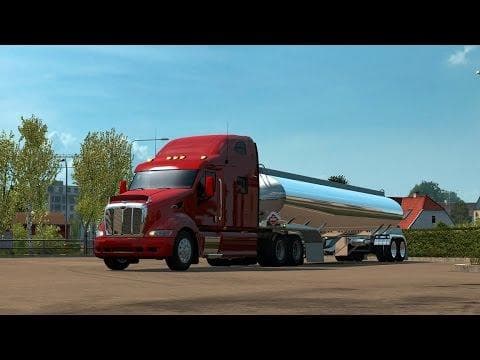
The "PACCAR STOCK SOUND MOD FOR THE PETERBILT 387" is a sounds mod created by Euro Truck Simulator 2. It offers alternative Paccar engine sounds for the upcomin
The PACCAR Stock Sound Mod for the Peterbilt 387 adds an alternative engine sound to this iconic American truck model in Euro Truck Simulator 2. Instead of changing the truck's visuals, it focuses solely on audio, giving players a different auditory experience that matches the style of PACCAR engines. This kind of mod is designed to enhance immersion by swapping out default sounds with something more specific or varied.
Sound mods like this one replace key noises such as engine roars, horn signals, or other environment audio related to the vehicle. They often improve the gameplay atmosphere by making each truck feel distinct through sound alone. To work properly, sound mods usually need to be placed higher in the game's load order than any truck mods they modify, ensuring their audio files take priority during gameplay.
In a modded setup, this PACCAR sound mod fits well among other American truck enhancements or complementary audio packs. Since it targets only sound assets, compatibility issues are minimal if users respect proper load order practices common to ETS2 mods. Players running multiple truck models with unique sounds should pay attention to which mods override others to avoid conflicts.
This mod will appeal mostly to enthusiasts who enjoy customizing their Peterbilt 387 experience beyond just visual tweaks. Those who appreciate detailed soundscapes or want their driving sessions in ETS2 to feel closer to real-life trucks might find value here. It’s a straightforward way to diversify your fleet’s acoustic profile without adding complexity elsewhere.
How to install
1. Download the .scs file. 2. Drop it into `Documents/Euro Truck Simulator 2/mod/`. 3. Enable in Mod Manager. Sound mods usually need to load **above** truck mods in load order. 4. Restart the game so the audio engine picks up new samples.
After the mod loads, save your game inside a safe area (parking lot or service) before deciding whether to keep it. If the game refuses to load with the mod enabled, check that all required DLCs are installed and that the supported ETS2 version chips on this page include your installed game patch.
Reviews
No ratings yetNo reviews yet — be the first to rate this mod.





