NEW SOUND FOR SCANIA T, R AND P SERIES
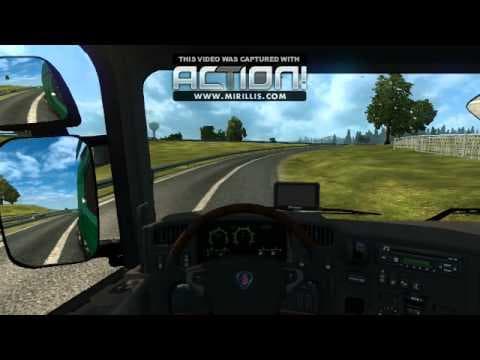
This mod offers a new sound for Scania T, R, and P series trucks in Euro Truck Simulator 2. The file size is 4.6 MB and the creator is Wallasy.
This mod changes the engine sounds for Scania's T, R, and P series trucks in Euro Truck Simulator 2. It offers an alternative audio experience by replacing the default truck noises with new sound files specifically tailored to these popular Scania models. Players looking to vary the auditory feel of their vehicles might find this mod interesting.
Sound mods like this one primarily focus on swapping out engine, horn, or other environmental sounds within ETS2. They usually require being placed high in the game's mod load order so that their audio overrides apply correctly, especially above any truck mods they complement or modify.
In a setup with multiple truck mods or other sound packs, it's wise to manage load order carefully. Since this mod targets specific Scania trucks, it fits well in collections aiming to enhance realism or variety for those particular vehicles without affecting others.
Those who enjoy customizing their ETS2 experience beyond visuals often look for sound mods to deepen immersion. Fans of Scania trucks who want a different engine tone or horn sound might appreciate this change as it directly affects how their rig feels on the road.
While details like supported game versions or file size aren't specified here, installing sound mods generally involves placing them in the mod folder and activating them via the game's menu. Compatibility is usually straightforward unless conflicting with other audio replacements targeting the same trucks.
Overall, if you drive Scanias frequently and are not satisfied with stock sounds, this mod offers a simple swap that could refresh your gameplay environment without requiring complex setup.
How to install
1. Download the .scs file. 2. Drop it into `Documents/Euro Truck Simulator 2/mod/`. 3. Enable in Mod Manager. Sound mods usually need to load **above** truck mods in load order. 4. Restart the game so the audio engine picks up new samples.
After the mod loads, save your game inside a safe area (parking lot or service) before deciding whether to keep it. If the game refuses to load with the mod enabled, check that all required DLCs are installed and that the supported ETS2 version chips on this page include your installed game patch.
Reviews
No ratings yetNo reviews yet — be the first to rate this mod.





