MINESOTTA VIKINGS MODIFIED PETERBUILT 389
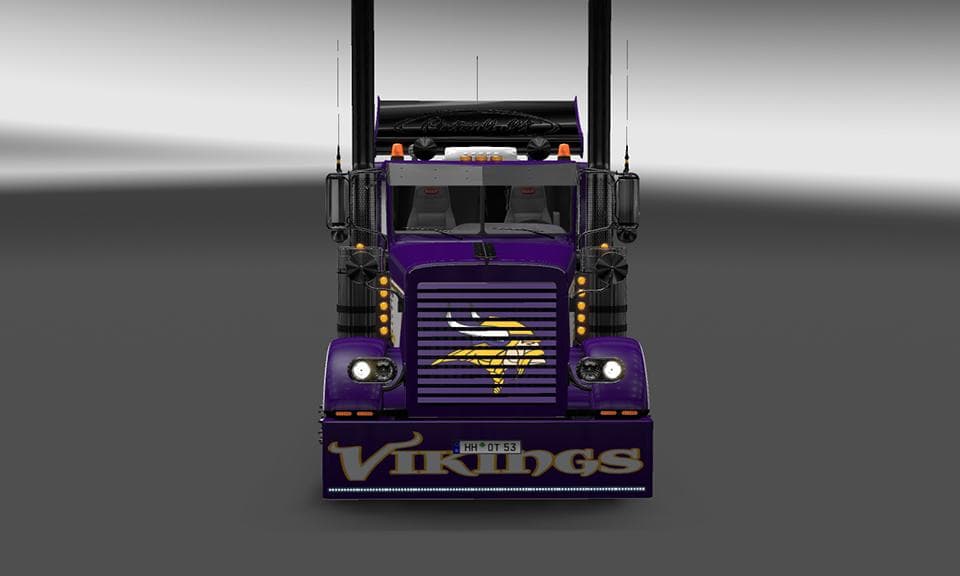
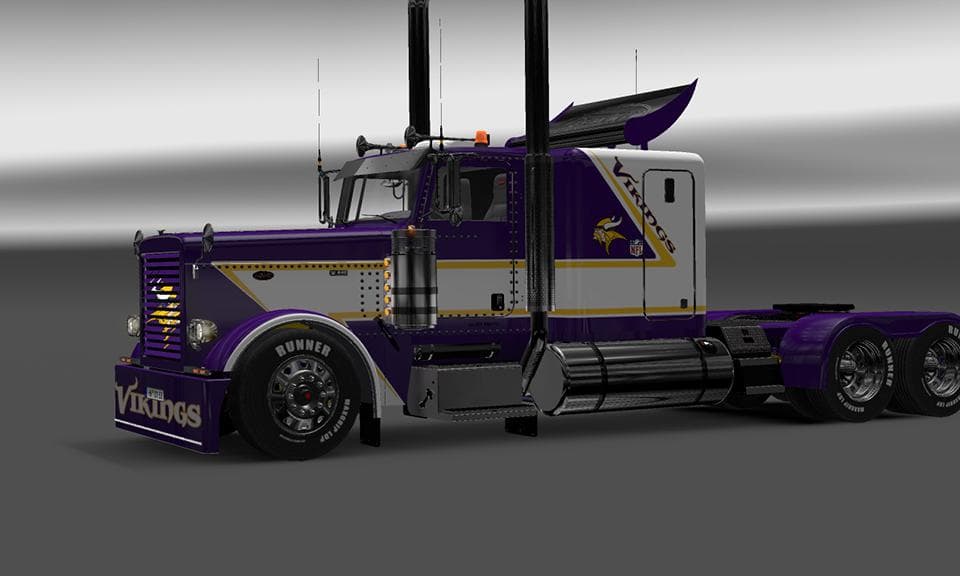
This mod is a skin for Viper2's Modified Peterbuilt 389, featuring a Minessota Vikings theme. It was created by Euro truck simulator 2 and credits Stas556 & dmi
The MINESOTTA VIKINGS MODIFIED PETERBUILT 389 is a skin mod designed for the Modified Peterbuilt 389 truck in Euro Truck Simulator 2. Instead of changing the truck's shape or mechanics, this mod applies a repaint featuring a Minnesota Vikings-themed design. Skins like this one are added through the paint shop in ETS2 and rely on the base vehicle model they were created for, meaning it only works with Viper2's Modified Peterbuilt 389 version.
Skin mods generally offer a way to personalize your trucks without affecting gameplay or requiring additional downloads beyond the skin files themselves. They don't interfere with other mods that alter performance or add new vehicles, so they fit well into heavily modded setups. However, it's wise to check load order if you run multiple skins for the same truck to ensure the desired paint job appears correctly.
Since this particular skin reflects a specific sports team from Minnesota, it might appeal most to players who have an interest in American football or those who want to add some regional flair related to Minnesota within their game world. It adds character to your truck without impacting how it drives or functions on European roads.
Because this is a repaint for a modified truck model, players need to have the original Modified Peterbuilt 389 installed beforehand. Without that base model, this skin won't show up in the paint shop options. Also, make sure any other mods modifying that truck don't conflict with skin loading by reviewing compatibility notes if available.
Overall, this kind of skin mod suits those looking to diversify their garage visually while sticking with familiar trucks. It’s an easy way to display support for a favorite team or just enjoy something different than standard paint jobs available in ETS2.
How to install
1. Download the .scs file. 2. Drop it into `Documents/Euro Truck Simulator 2/mod/`. 3. Enable in Mod Manager. 4. Apply the skin in the truck/trailer paint shop.
After the mod loads, save your game inside a safe area (parking lot or service) before deciding whether to keep it. If the game refuses to load with the mod enabled, check that all required DLCs are installed and that the supported ETS2 version chips on this page include your installed game patch.
Reviews
No ratings yetNo reviews yet — be the first to rate this mod.





