MERCEDES NEW ACTROS BLUE-BLACK INTERIOR 1.22
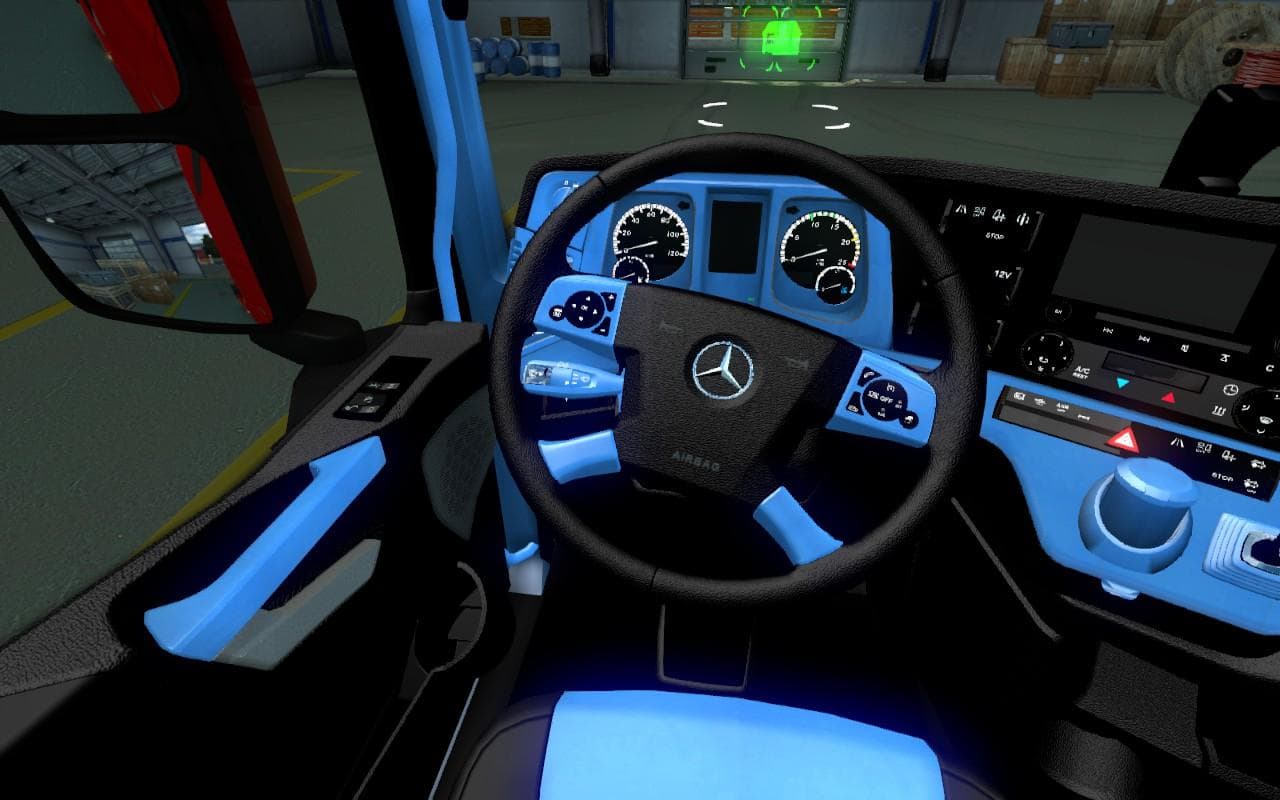
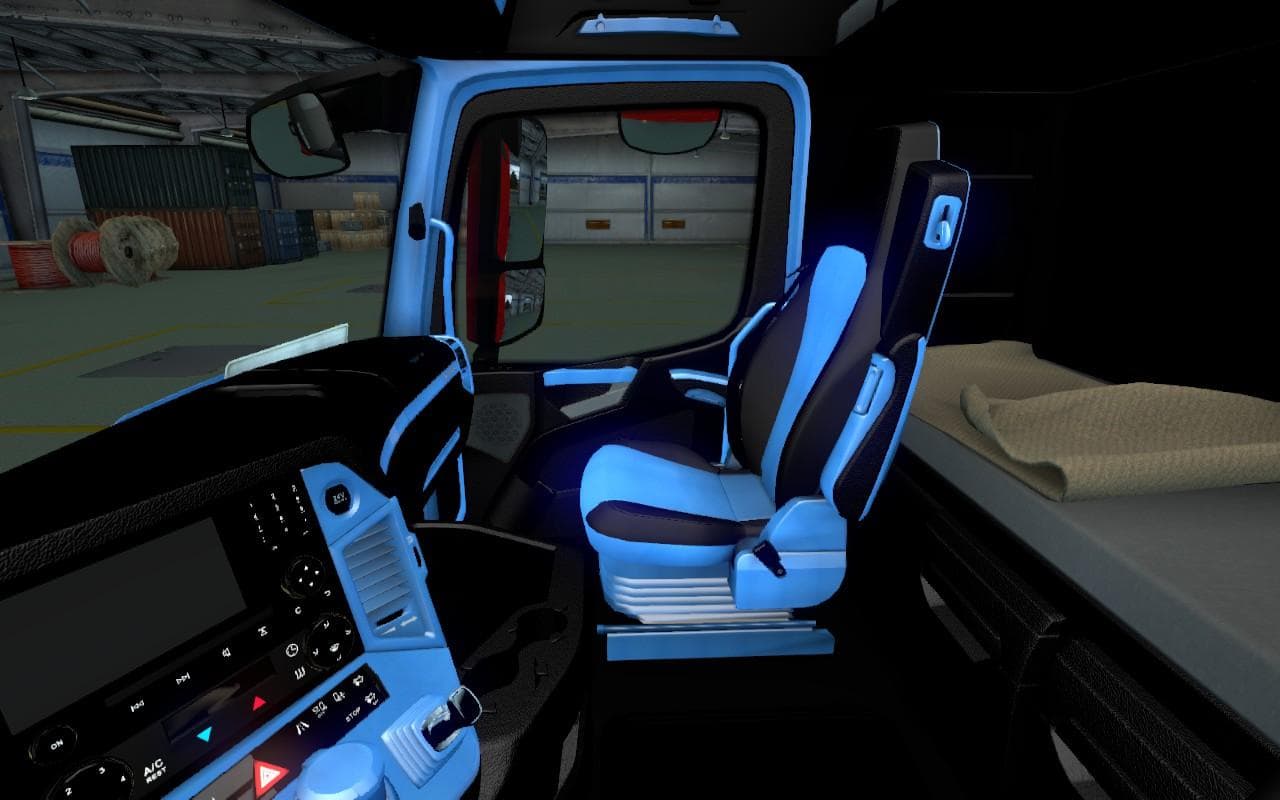
The MERCEDES NEW ACTROS BLUE-BLACK INTERIOR 1.22 mod offers a blue-black interior for the Mercedes New Actros truck in Euro Truck Simulator 2 version 1.22. Crea
This mod updates the interior of the Mercedes New Actros truck with a blue-black color scheme, designed specifically for ETS2 version 1.22. It's a straightforward modification that changes the cabin's visual details without altering gameplay mechanics or performance. These types of mods usually replace textures within the game's files and are loaded via the in-game Mod Manager, making installation relatively simple for most players.
Interior mods like this one add a fresh look to trucks you might be driving frequently. They don't impact how your vehicle handles or interacts with other in-game systems but enhance immersion by offering variety beyond stock options. Since it's categorized under 'other,' it focuses on customization elements rather than adding new vehicles or maps.
When integrating interior mods into a modded setup, pay attention to load order because conflicts can occur if multiple mods try to alter the same assets. Generally, you'll want this kind of skin or texture replacement to load after broader truck model mods but before any general game tweaks that affect UI or gameplay balance.
Players who enjoy personalizing their truck cabs will find value here. If you prefer a darker, more subdued interior color palette for your Mercedes New Actros, this mod fits well. It complements setups where visual consistency across various trucks is desired without impacting performance or compatibility significantly.
Keep in mind that since this mod supports only ETS2 1.22, it won't work correctly on newer game versions without updates from the creator. Also, no additional dependencies are indicated, so it should work fine on its own once properly activated through the Mod Manager.
How to install
1. Download the file(s) from the original source linked above. 2. Drop them into `Documents/Euro Truck Simulator 2/mod/`. 3. Enable in Mod Manager and restart the game.
After the mod loads, save your game inside a safe area (parking lot or service) before deciding whether to keep it. If the game refuses to load with the mod enabled, check that all required DLCs are installed and that the supported ETS2 version chips on this page include your installed game patch.
Reviews
No ratings yetNo reviews yet — be the first to rate this mod.





