MERCEDES MP4 2014 ROMANIA SKIN
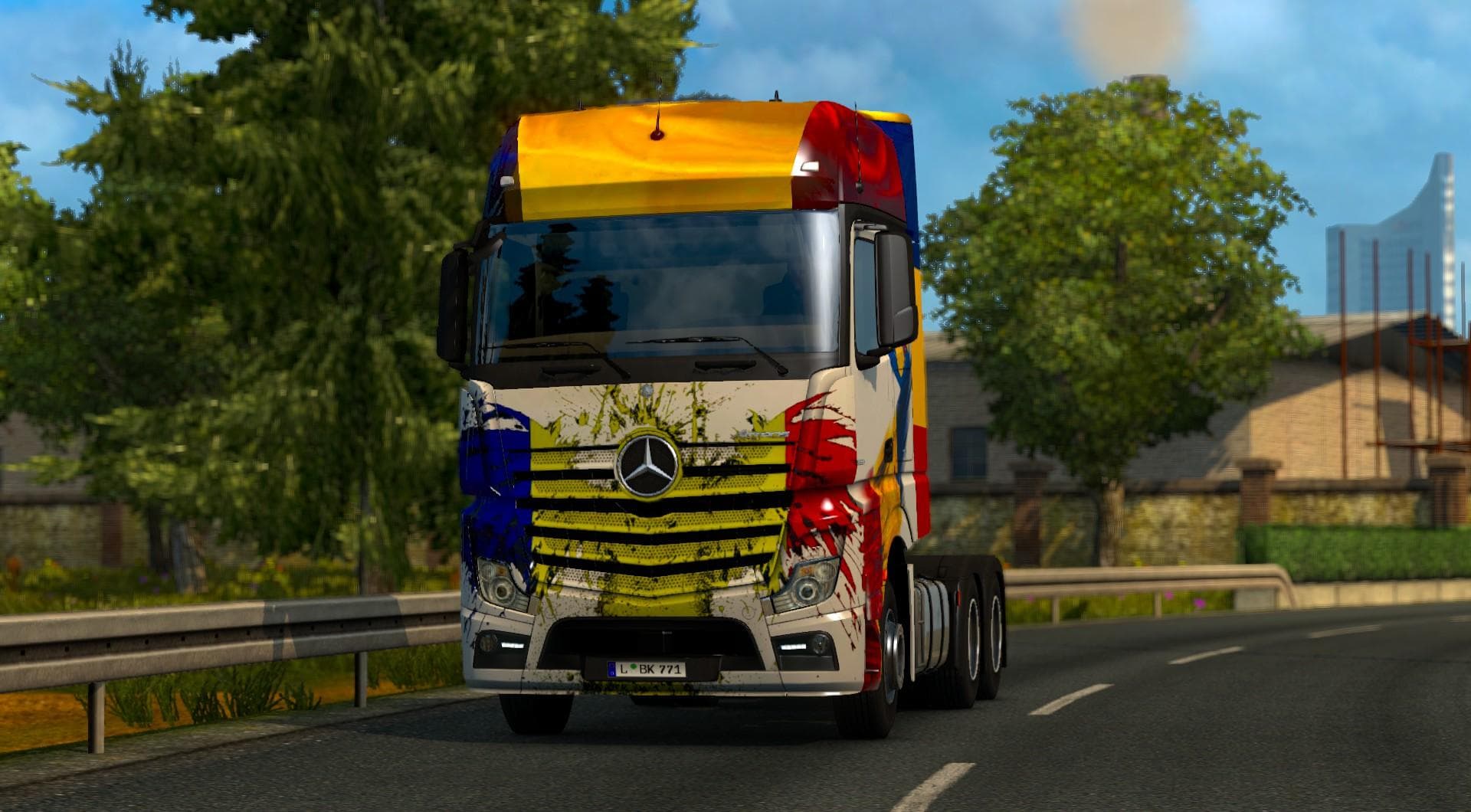
This mod is a Romania skin for the Mercedes MP4 2014 truck in ETS2, created by Narcis-Gabriel. The file size is 21.4 MB.
The MERCEDES MP4 2014 ROMANIA SKIN is a repaint mod designed specifically for the Mercedes MP4 2014 truck model in Euro Truck Simulator 2. This type of mod doesn't change the truck's physical model or mechanics but applies a new visual design that reflects Romanian themes or motifs. It gets applied through the in-game paint shop, allowing players to customize their vehicle's appearance with a unique style tied to Romania.
Skin mods like this one serve as a straightforward way to personalize your truck without affecting gameplay mechanics. They rely on the base vehicle they were created for, so you need to have the Mercedes MP4 2014 model installed before using this skin. Applying such skins can add variety and character to your fleet, especially if you like representing different countries or cultures in ETS2.
In a modded setup, skin mods are generally compatible with most other mods since they only alter textures and not functionality. However, it's wise to check load order if you're using multiple skins or mods that also modify the same truck model, as conflicts may arise if two skins try to overwrite each other’s files. Placing skin mods after other major truck mods typically helps avoid these issues.
This particular skin would appeal to players who want to showcase Romanian pride or simply want their Mercedes MP4 2014 truck to stand out with an authentic regional look. It's suitable for those who enjoy customizing their vehicles visually without changing performance aspects and fits well into collections that focus on European countries, including Romania.
Overall, the MERCEDES MP4 2014 ROMANIA SKIN offers an easy way to refresh your truck’s appearance with Romanian flair. As with most skins, installing it involves adding the mod file into your ETS2 mod folder and activating it from the game’s mod manager before selecting it at the paint shop.
How to install
1. Download the .scs file. 2. Drop it into `Documents/Euro Truck Simulator 2/mod/`. 3. Enable in Mod Manager. 4. Apply the skin in the truck/trailer paint shop.
After the mod loads, save your game inside a safe area (parking lot or service) before deciding whether to keep it. If the game refuses to load with the mod enabled, check that all required DLCs are installed and that the supported ETS2 version chips on this page include your installed game patch.
Reviews
No ratings yetNo reviews yet — be the first to rate this mod.





