MERCEDES-BENZ MP4 BLUE DASHBOARD LIGHTS 1.22
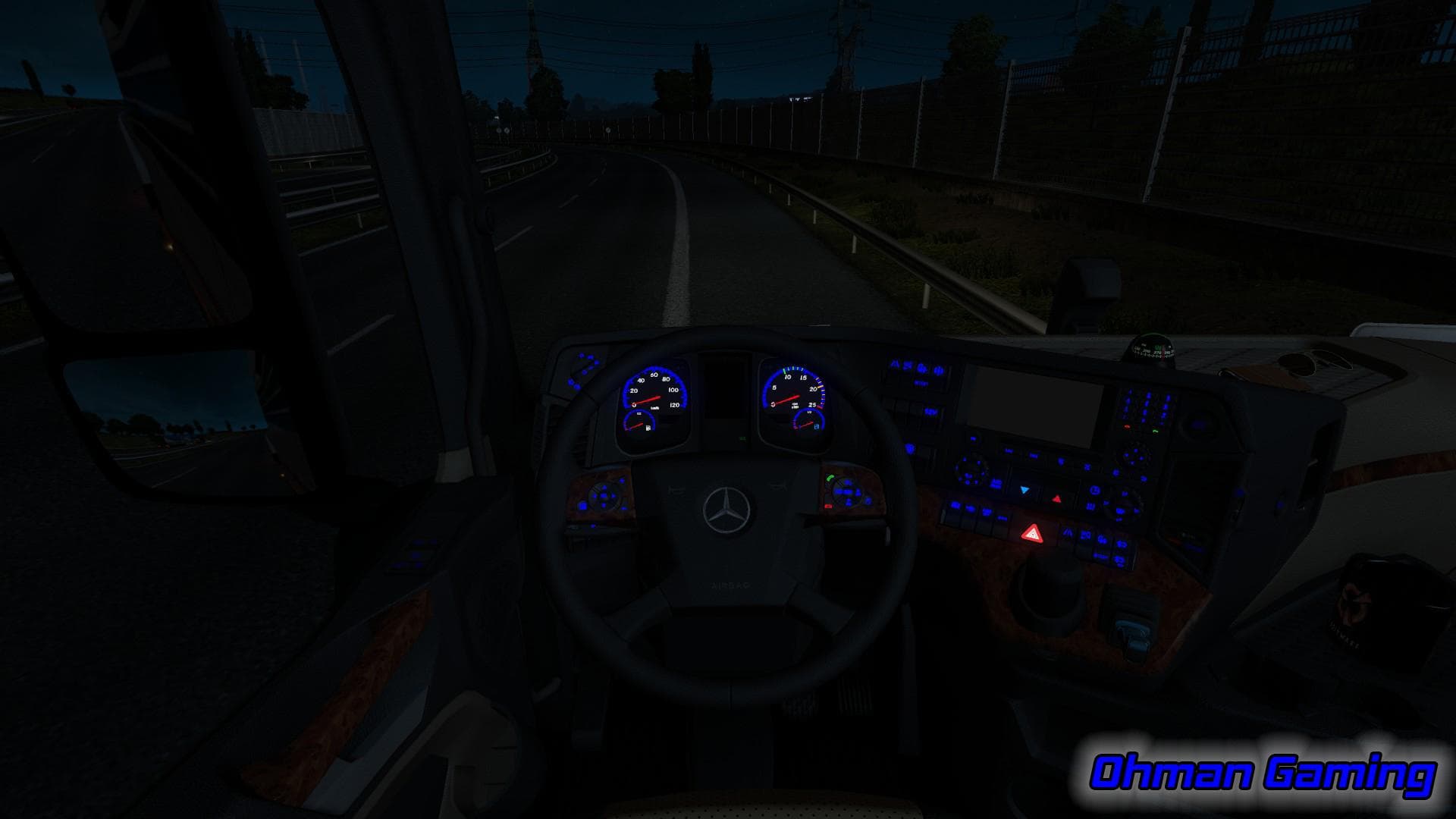
MERCEDES-BENZ MP4 BLUE DASHBOARD LIGHTS 1.22 is an ETS2 interior. Listed compatible with ETS2 1.22.
This mod changes the dashboard lights of the Mercedes-Benz MP4 truck to a blue color, specifically designed for ETS2 version 1.22. It gives the in-cabin lighting a different look, which can be a nice visual change if you want your virtual truck's interior to stand out from the standard setup.
Mods like these typically adjust cosmetic elements inside the truck cabin without affecting gameplay mechanics. They are installed through the in-game Mod Manager and usually come as simple texture replacements or tweaks. Since this one targets dashboard lighting, it alters how the instrument panel appears during night driving or low light conditions.
When adding mods that modify cabin visuals, it's wise to consider their load order if you use other cabin customization mods. Generally, skin and interior light mods should be loaded after any large truck model mods to ensure their changes apply correctly. Conflicts are rare but can happen if multiple mods alter similar textures or features.
This particular mod fits well into a modded setup where players focus on enhancing realism or personalization of their trucks without changing performance aspects. Blue dashboard lights might appeal to those who prefer cooler interior tones or want to differentiate their Mercedes-Benz MP4 from others on ETS2 servers or solo runs.
If you're someone who enjoys tweaking small details for immersion or aesthetics, this is worth trying out. The mod is straightforward, and since it's tested on ETS2 1.22, it should integrate smoothly with other content designed for that game version.
Overall, blue dashboard lights offer a subtle but noticeable change inside your cab environment. It's an easy way to freshen up the interior atmosphere while driving across Europe’s varied landscapes.
How to install
1. Download the file(s) from the original source linked above. 2. Drop them into `Documents/Euro Truck Simulator 2/mod/`. 3. Enable in Mod Manager and restart the game.
After the mod loads, save your game inside a safe area (parking lot or service) before deciding whether to keep it. If the game refuses to load with the mod enabled, check that all required DLCs are installed and that the supported ETS2 version chips on this page include your installed game patch.
Reviews
No ratings yetNo reviews yet — be the first to rate this mod.





