MERCEDES BENZ HALLOWEEN V1.0
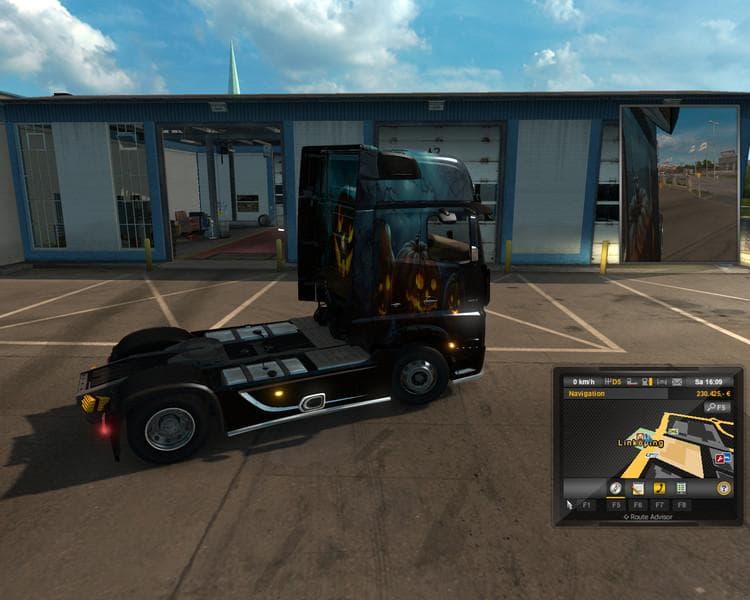
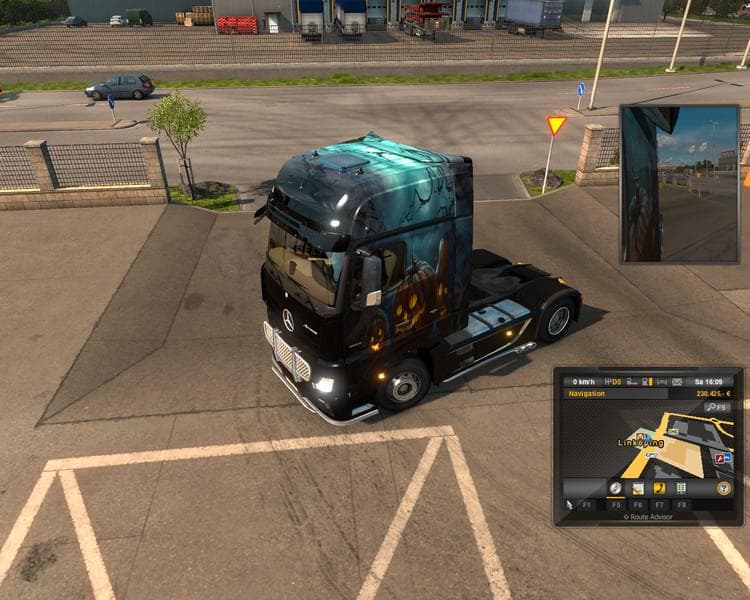
This mod adds a Mercedes Benz Halloween skin for Gigaliner trucks in ETS2. It is tested with versions 1.0 and 1.21, along with Going East and Scandinavia TSM Ma
The MERCEDES BENZ HALLOWEEN V1.0 is a skin mod designed for the Mercedes Benz Gigaliner in Euro Truck Simulator 2. This type of mod changes the truck's exterior appearance without altering its model, offering a thematic repaint that fits well with seasonal or event-based playstyles. Since it relies on the original Mercedes Benz model, it’s applied through the in-game paint shop where you customize your vehicle’s look.
Skin mods like this one typically don't impact gameplay mechanics but give trucks a fresh or themed visual style. They work by overwriting texture files linked to specific base vehicles, so compatibility depends on having the correct truck model installed. For this Halloween-themed skin, ETS2 versions 1.0 and 1.21 are supported, which means it should function fine with those game builds and associated map expansions like Going East and Scandinavia.
In terms of fitting into a modded setup, skins generally load after truck model mods to ensure their textures appear correctly. Conflicts rarely occur unless multiple skins target the same vehicle simultaneously; in that case, load order determines which skin displays. Since this skin was tested with popular map mods such as Scandinavia TSM 6.1.1, it should integrate smoothly in similarly modded environments without major issues.
Players who enjoy personalizing their rigs for thematic flair or seasonal events will appreciate this mod. It’s particularly suitable for those running a Mercedes Benz Gigaliner who want to add a bit of Halloween spirit to their convoy drives across various European regions covered by ETS2 maps.
If you’re into customizing your trucks beyond factory paint jobs and prefer skins that match specific occasions or moods, this Halloween design offers an alternative look while maintaining full compatibility with standard Mercedes models.
How to install
1. Download the .scs file. 2. Drop it into `Documents/Euro Truck Simulator 2/mod/`. 3. Enable in Mod Manager. 4. Apply the skin in the truck/trailer paint shop.
After the mod loads, save your game inside a safe area (parking lot or service) before deciding whether to keep it. If the game refuses to load with the mod enabled, check that all required DLCs are installed and that the supported ETS2 version chips on this page include your installed game patch.
Reviews
No ratings yetNo reviews yet — be the first to rate this mod.





