MERCEDES ACTROS VARNISHING
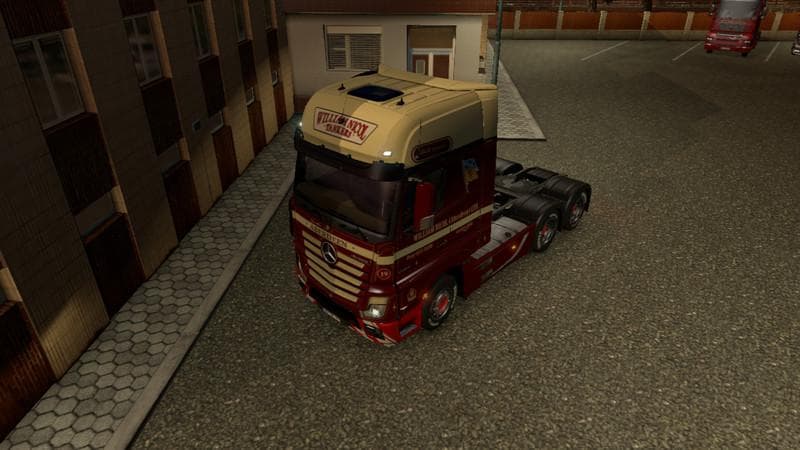
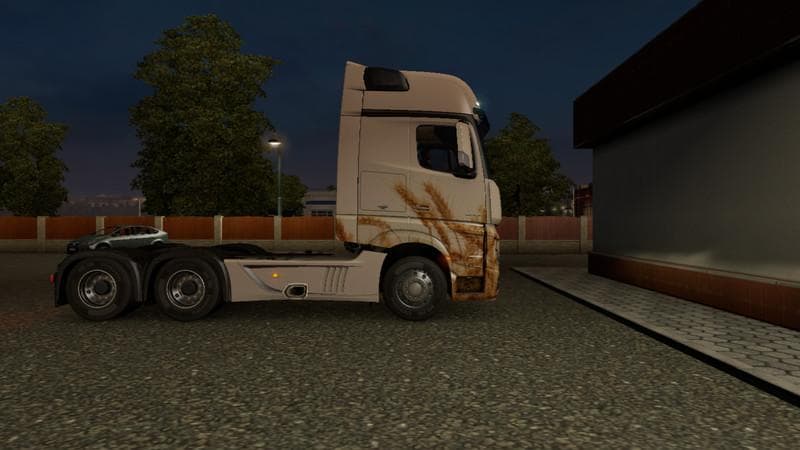
The MERCEDES ACTROS VARNISHING mod offers new paint designs for the Mercedes Actros truck in Euro Truck Simulator 2. This type of mod focuses on changing the truck's appearance by adding fresh skins, without altering the underlying model or performance. Players can select these skins in the paint shop, provided they have the base vehicle available in their game.
Skin mods like this one are a popular way to customize trucks and trailers, giving them a unique look that stands out on the road. Since they only affect visuals, they usually don't conflict with other mods that add new trucks or gameplay features. However, it's still wise to load skin mods after any model-changing mods to avoid accidental overrides.
This particular mod supports ETS2 version 1.19, so it fits well within setups running that version of the game. Installing it is straightforward: just place the mod file in your mod folder and activate it through the game's mod manager. Because it's focused solely on repainting, compatibility with other visual enhancements or map mods should be smooth.
Truck enthusiasts who enjoy personalizing their fleet will find this skin mod useful for refreshing their Mercedes Actros's look without having to buy a new vehicle mod. It’s especially suited for players who appreciate detailed visual tweaks and want to expand their collection of truck appearances.
While details about the creator and file size aren't provided, this kind of skin pack often comes from community members sharing their work on forums or YouTube channels. Players interested in exploring different styles might check out related channels for more content like this.
If you’re running a heavily modded setup with multiple trucks and skins, keep an eye on your load order to ensure skins apply correctly. Usually, placing skin mods after core truck mods helps maintain their intended look.
How to install
1. Download the .scs file. 2. Drop it into `Documents/Euro Truck Simulator 2/mod/`. 3. Enable in Mod Manager. 4. Apply the skin in the truck/trailer paint shop.
After the mod loads, save your game inside a safe area (parking lot or service) before deciding whether to keep it. If the game refuses to load with the mod enabled, check that all required DLCs are installed and that the supported ETS2 version chips on this page include your installed game patch.
Reviews
No ratings yetNo reviews yet — be the first to rate this mod.





