MERCEDES ACTROS MP3 PAINT INTERIOR 1.22.X
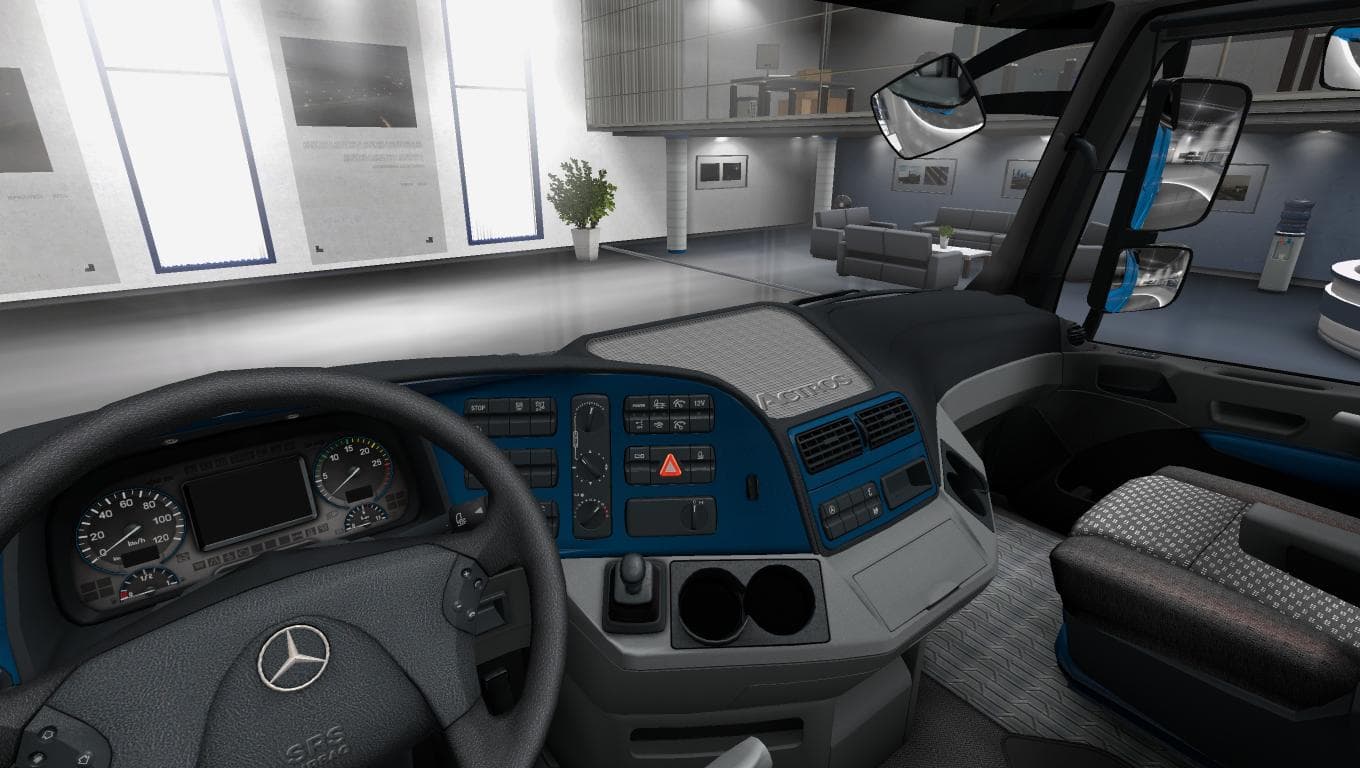
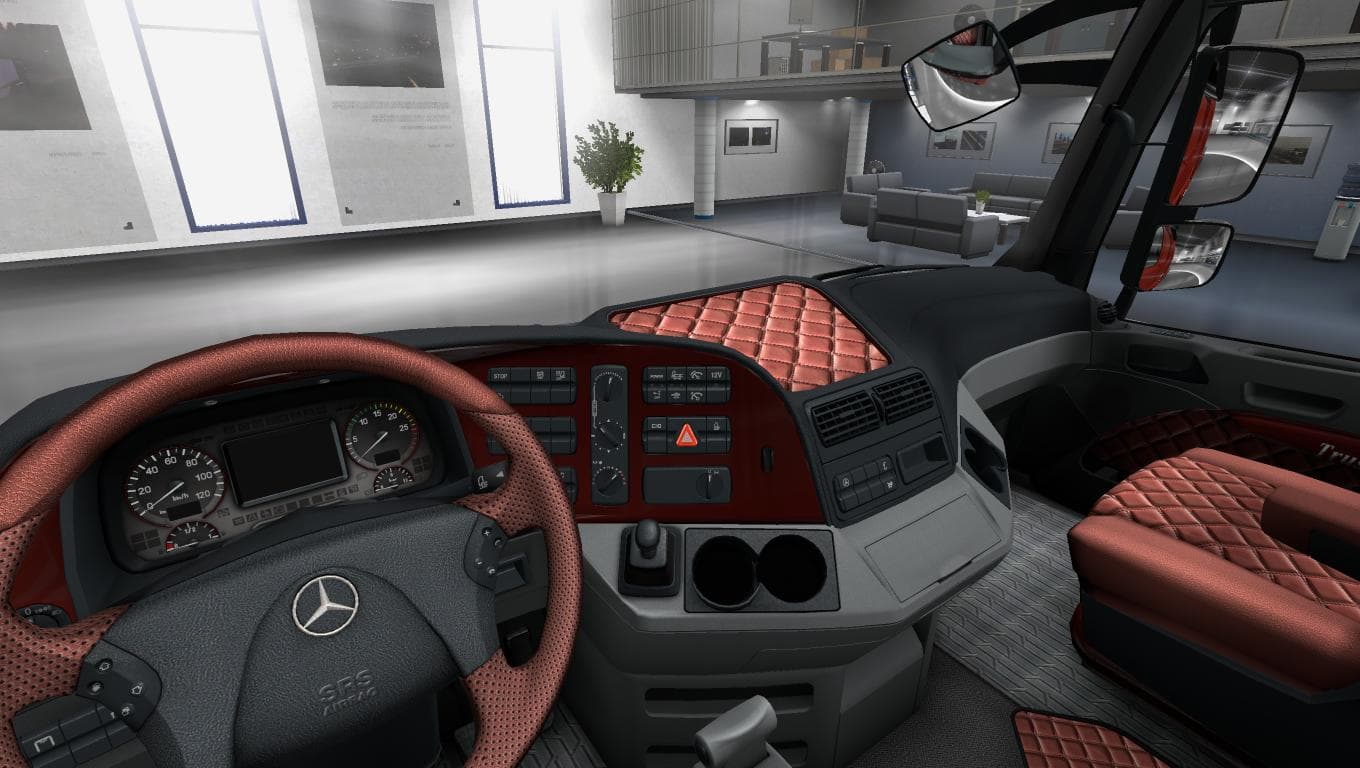
This mod adds a standalone interior for Mercedes Actros MP3 with painted panels matching the truck's color. It also includes UK salon support for DLC in ETS2 ve
This mod adds a standalone interior for the Mercedes Actros MP3, featuring painted panels that match the truck's exterior color. It also includes a UK-style cabin setup, catering to players who enjoy driving in a British context. Designed for ETS2 version 1.22, this addition fits neatly into the game's existing customization options without altering other aspects of gameplay.
Mods like this one usually come as plug-and-play files loaded through the in-game Mod Manager. Since it's an interior-only modification, it generally works alongside other mods such as skins or tuning packs without conflict. However, players should ensure they are running ETS2 version 1.22 to avoid compatibility issues, as mismatched versions can cause crashes or visual glitches.
Within a modded setup, standalone interiors provide fresh visual experiences inside the cab without affecting external truck models or physics. They tend to be lightweight and don’t require special load order adjustments beyond placing them after core truck mods if those are used. This makes them relatively easy to integrate even in heavily customized profiles.
Players who appreciate subtle visual enhancements inside their trucks will find this mod useful. It’s especially suitable for those who drive the Mercedes Actros MP3 and want their cabin interior colors to correspond with their truck's paint job. The added UK salon design might appeal to users who prefer British trucking environments or DLC content.
Overall, this type of mod enhances immersion by refining the driver's environment without impacting performance or gameplay mechanics. It’s a straightforward way to personalize your Actros experience while sticking close to the base game aesthetics.
How to install
1. Download the file(s) from the original source linked above. 2. Drop them into `Documents/Euro Truck Simulator 2/mod/`. 3. Enable in Mod Manager and restart the game.
After the mod loads, save your game inside a safe area (parking lot or service) before deciding whether to keep it. If the game refuses to load with the mod enabled, check that all required DLCs are installed and that the supported ETS2 version chips on this page include your installed game patch.
Reviews
No ratings yetNo reviews yet — be the first to rate this mod.





