MAN TGX D2868 680 V8 SOUND
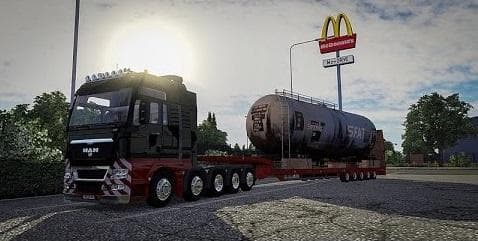
MAN TGX D2868 680 V8 SOUND is an ETS2 sounds.
The MAN TGX D2868 680 V8 SOUND mod brings the distinctive engine audio of the MAN TGX D2868 680 V8 to Euro Truck Simulator 2. It specifically works with the SCS MAN TGX and the MAN TGX Euro6 models, replacing their default engine sounds to provide a different auditory experience. Sound mods like this one focus on altering the in-game noises such as engines, horns, or environmental effects, aiming to add variety or realism.
In ETS2, sound mods typically need to be placed high in your mod load order. This ensures that they override the original sounds of truck models or other audio sources correctly. Since this mod targets specific MAN trucks, it should be loaded above any truck mods for those vehicles to take effect properly. Compatibility usually depends on matching versions and avoiding conflicts with other sound modifications.
This type of mod fits well into a setup where users want a more immersive or personalized driving atmosphere without changing visual aspects of their trucks. Players who favor realistic or unique engine noises might find this particularly appealing when driving MAN vehicles across regions like Germany, Austria, or neighboring countries represented in ETS2's map.
While details about version compatibility and file size aren't specified, sound mods often require checking for updates when new game versions release. They’re generally lightweight but can make a noticeable difference in gameplay feel. Anyone looking to vary their auditory experience behind the wheel of MAN trucks would likely appreciate this addition.
Overall, if you enjoy customizing your truck’s sound profile and want something tailored for popular MAN models in ETS2, this mod provides an alternative engine sound option that integrates smoothly into most setups.
How to install
1. Download the .scs file. 2. Drop it into `Documents/Euro Truck Simulator 2/mod/`. 3. Enable in Mod Manager. Sound mods usually need to load **above** truck mods in load order. 4. Restart the game so the audio engine picks up new samples.
After the mod loads, save your game inside a safe area (parking lot or service) before deciding whether to keep it. If the game refuses to load with the mod enabled, check that all required DLCs are installed and that the supported ETS2 version chips on this page include your installed game patch.
Reviews
No ratings yetNo reviews yet — be the first to rate this mod.





