Lamborghini Diablo AI Traffic Car
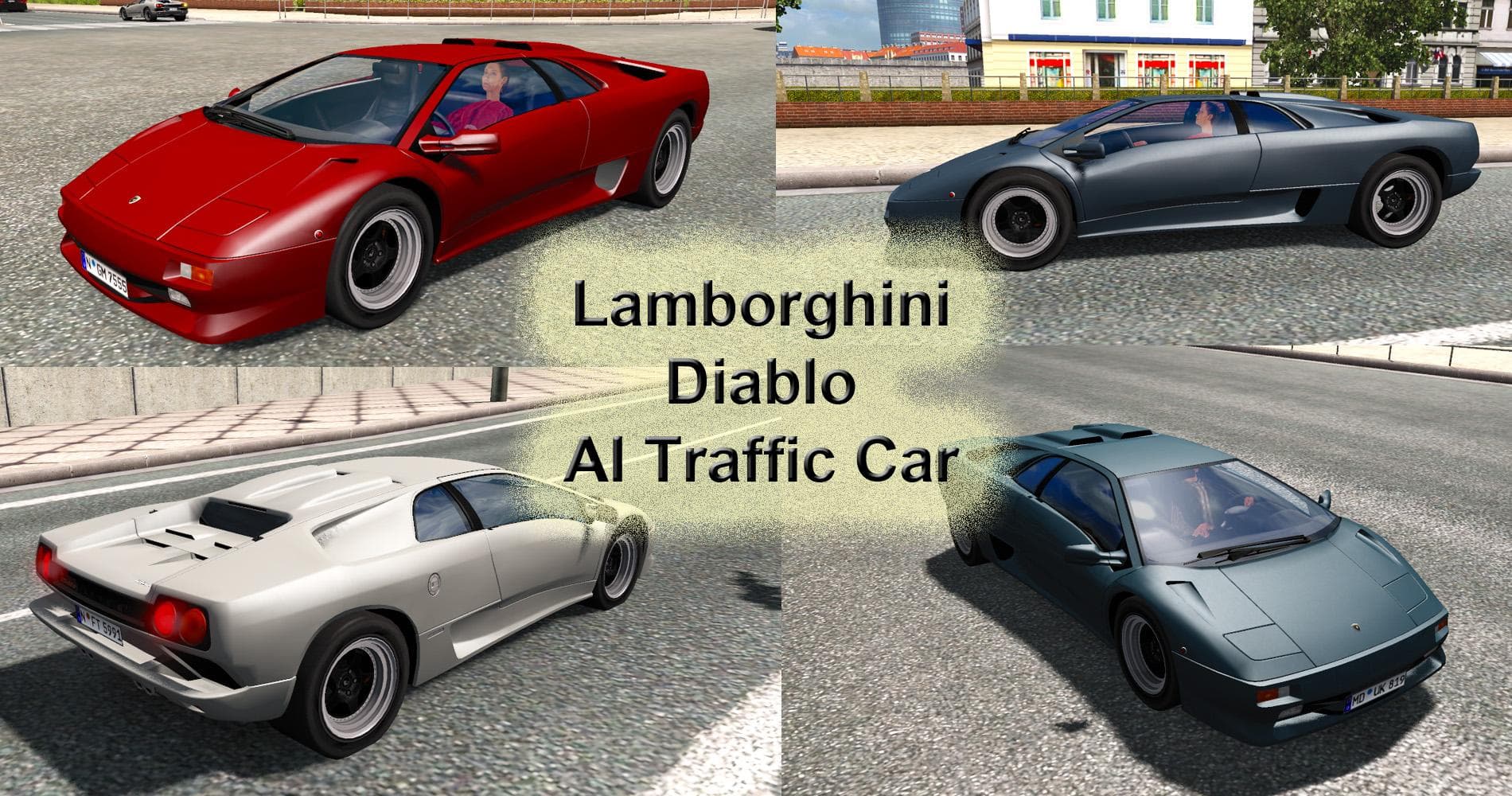
The Lamborghini Diablo AI Traffic Car mod for ETS2 is a standalone traffic vehicle tested on version 1.21.x. Created by Euro Truck Simulator 2, this mod feature
The Lamborghini Diablo AI Traffic Car mod adds a standalone AI vehicle to Euro Truck Simulator 2, specifically featuring the Lamborghini Diablo. This type of mod introduces unique car models into the game's traffic system, replacing or supplementing standard traffic vehicles with more exotic or rare cars. It enhances the variety of vehicles you encounter while driving, making the road experience feel less repetitive and adding some visual interest.
Mods like this one are typically installed through the in-game Mod Manager, which makes it straightforward to activate and manage alongside other mods. Since it's an AI traffic car, it doesn't interfere with your own trucks or trailers but influences what other drivers on the road look like. This can help diversify your gameplay without altering core mechanics or requiring heavy compatibility checks.
When using AI traffic car mods, it's generally a good idea to consider load order if you have multiple vehicle replacements or additions active. Conflicts might occur if two mods try to change the same vehicle slot in the traffic pool. Keeping such mods grouped or prioritizing them appropriately ensures smoother operation and avoids missing textures or unexpected behavior.
Players who enjoy seeing high-end sports cars roaming European highways will appreciate this mod. It fits well into setups aiming for a more immersive or visually varied traffic environment without changing map layouts or gameplay rules. The version supports ETS2 1.21, so it’s suited for users running that update level who want a bit of flair on their roads.
Since details about the creator and file size are unknown, users should always back up their profiles before installing new mods like this one. Testing in single-player first can also prevent issues from affecting longer game sessions.
How to install
1. Download the file(s) from the original source linked above. 2. Drop them into `Documents/Euro Truck Simulator 2/mod/`. 3. Enable in Mod Manager and restart the game.
After the mod loads, save your game inside a safe area (parking lot or service) before deciding whether to keep it. If the game refuses to load with the mod enabled, check that all required DLCs are installed and that the supported ETS2 version chips on this page include your installed game patch.
Reviews
No ratings yetNo reviews yet — be the first to rate this mod.





