KSW Peterbilt 352 v1.60 ATS - Euro Truck Simulator 2 Mods | American Truck Simulator Mods
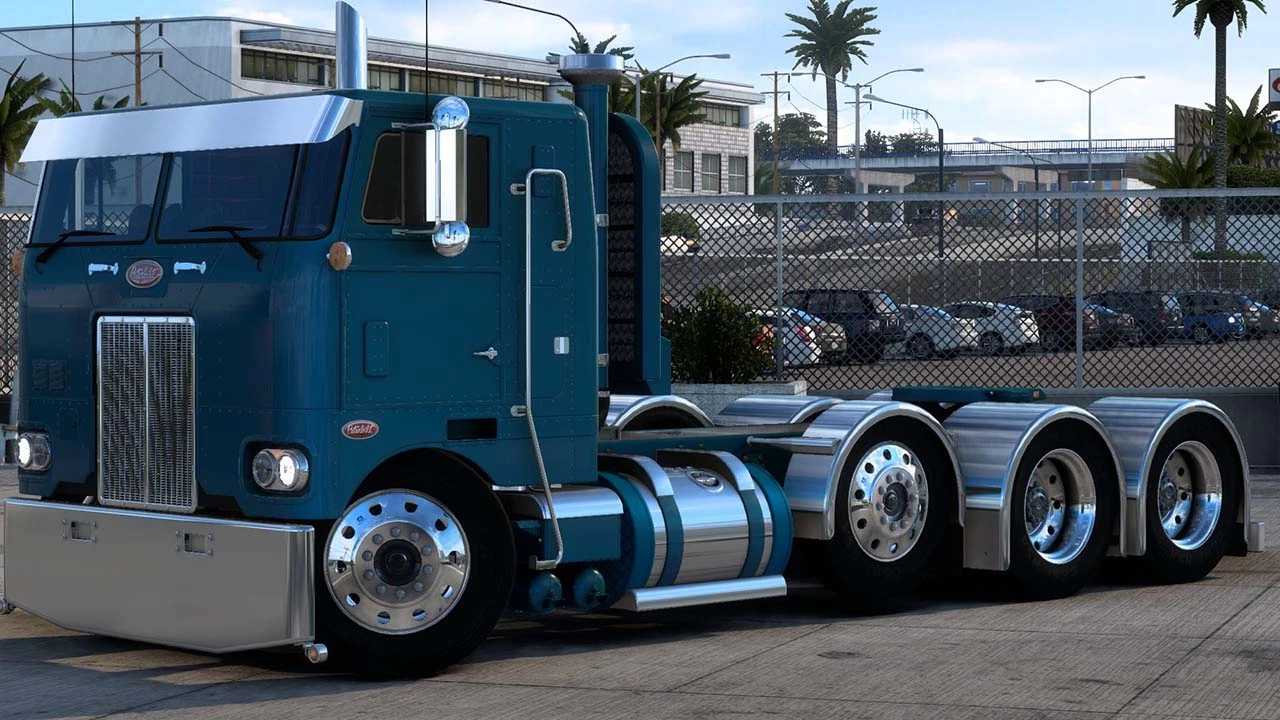
The KSW Peterbilt 352 mod version 1.60 offers high-quality exterior and interior models with 26 chassis options and 4 cabin variations. It is compatible with SI
The KSW Peterbilt 352 v1.60 mod brings a detailed Peterbilt 352 truck to Euro Truck Simulator 2, originally designed for American Truck Simulator but compatible here with ETS2 version 1.60. This mod includes multiple chassis configurations and cabin types, allowing players to customize the truck's size and style according to their preferences. It's a parts mod, meaning it offers a wide range of accessories like grills, headlights, bumpers, exhausts, and more that can be added through the truck customization menu.
Parts mods like this one focus on enhancing the visual and functional aspects of trucks by letting you install various add-ons. These add-ons don't just change looks; they help replicate real-world trucks more accurately or give your rig a unique personality. Since this mod supports compatibility with popular packs such as SISL’s mega pack and DLC Cabin Accessories Skinpack, it fits well into a heavily modded setup without causing conflicts if loaded properly.
When dealing with parts mods, load order matters because conflicting files can overwrite each other or cause display issues in-game. It's generally recommended to place vehicle-specific parts mods like this one after broader overhaul packs but before texture-only mods. Checking compatibility notes and using tools like a mod manager helps keep things running smoothly.
This mod will suit players who enjoy fine-tuning their trucks beyond paint jobs—those who want specific American truck models represented accurately in ETS2 or who appreciate detailed interior and exterior customization options. If you're building an American-style fleet or just like having different chassis and cabin variants at your disposal, this is worth trying out.
Video preview
How to install
1. Download the file(s) from the original source linked above. 2. Drop them into `Documents/Euro Truck Simulator 2/mod/`. 3. Enable in Mod Manager and restart the game.
After the mod loads, save your game inside a safe area (parking lot or service) before deciding whether to keep it. If the game refuses to load with the mod enabled, check that all required DLCs are installed and that the supported ETS2 version chips on this page include your installed game patch.
Reviews
No ratings yetNo reviews yet — be the first to rate this mod.