JOST GROUP RENAULT PREMIUM 1.22
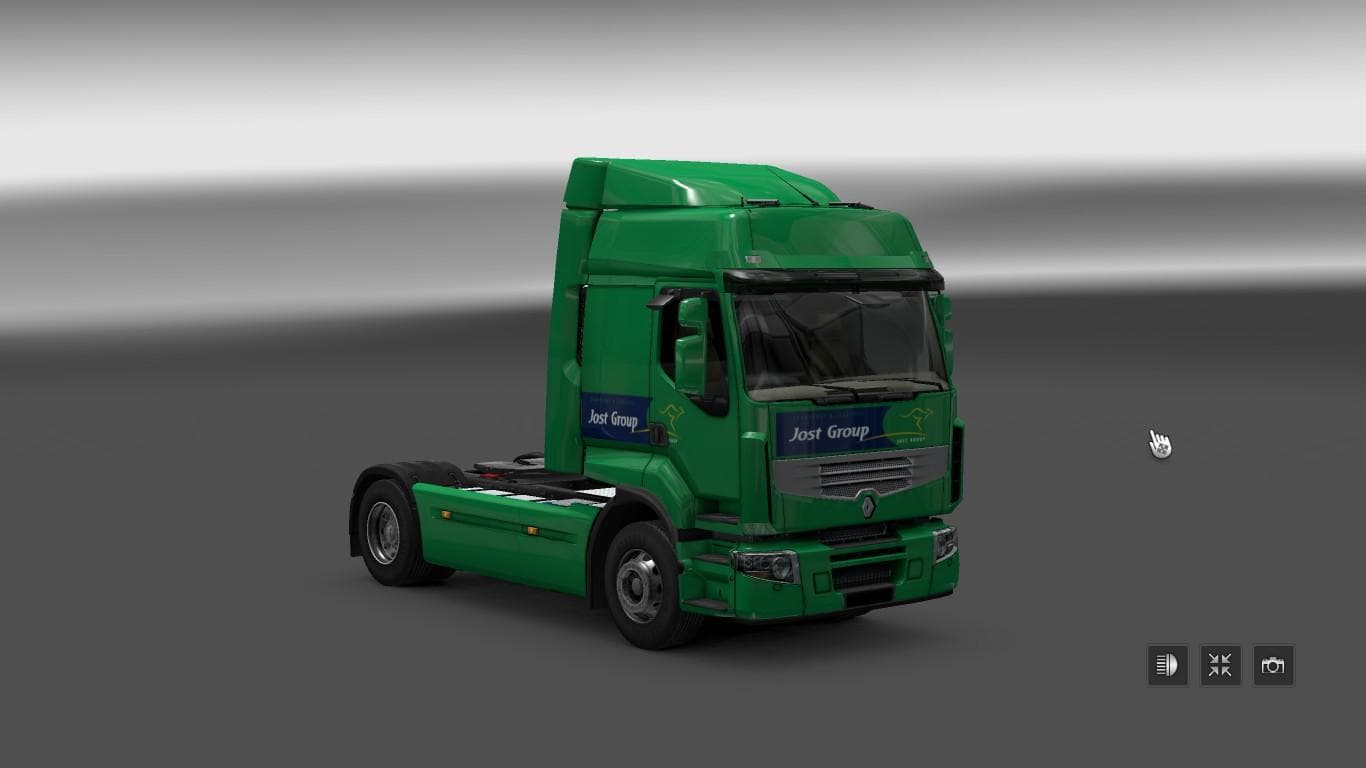
This mod adds the Jost Group skin for the Renault Premium truck in ETS2 version 1.22. Created by Euro Truck Simulator 2, it allows players to create skins for a
The JOST GROUP RENAULT PREMIUM 1.22 mod adds a custom skin for the Renault Premium truck in Euro Truck Simulator 2. It doesn't alter the truck model itself but changes its appearance with a fresh paint job representing the Jost Group. This type of mod is applied through the game's paint shop, letting you customize your vehicle's look without touching gameplay mechanics or performance.
Skin mods like this one are popular for players who want to personalize their fleet or add more variety to their trucks. Since it only repaints an existing vehicle, it requires that you have the Renault Premium truck available in your game. Compatibility depends on matching the correct game version, here specified as 1.22, so make sure your ETS2 installation corresponds to avoid issues.
When using skin mods within a modded setup, load order can matter if multiple skins target the same base truck. Generally, skins overwrite each other based on which loads last, so it's good practice to keep backups and organize your mods folder carefully. This particular skin should slot in smoothly if no other Renault Premium skins conflict at the same version level.
Players who enjoy adding company-specific branding or just want a new visual style for their Renault Premium will find this mod useful. It fits well with other cosmetic additions and doesn't interfere with gameplay mods that enhance driving or map features. The ability to request company skins indicates ongoing community involvement.
While details like file size or creator information aren't provided here, the presence of credits hints at some community contribution behind this work. If you prefer tweaking aesthetics over mechanical changes, skins like this offer a simple way to refresh your truck's look without much hassle.
How to install
1. Download the .scs file. 2. Drop it into `Documents/Euro Truck Simulator 2/mod/`. 3. Enable in Mod Manager. 4. Apply the skin in the truck/trailer paint shop.
After the mod loads, save your game inside a safe area (parking lot or service) before deciding whether to keep it. If the game refuses to load with the mod enabled, check that all required DLCs are installed and that the supported ETS2 version chips on this page include your installed game patch.
Reviews
No ratings yetNo reviews yet — be the first to rate this mod.





