JBK-PACK KENNIS BV HOLLAND V1
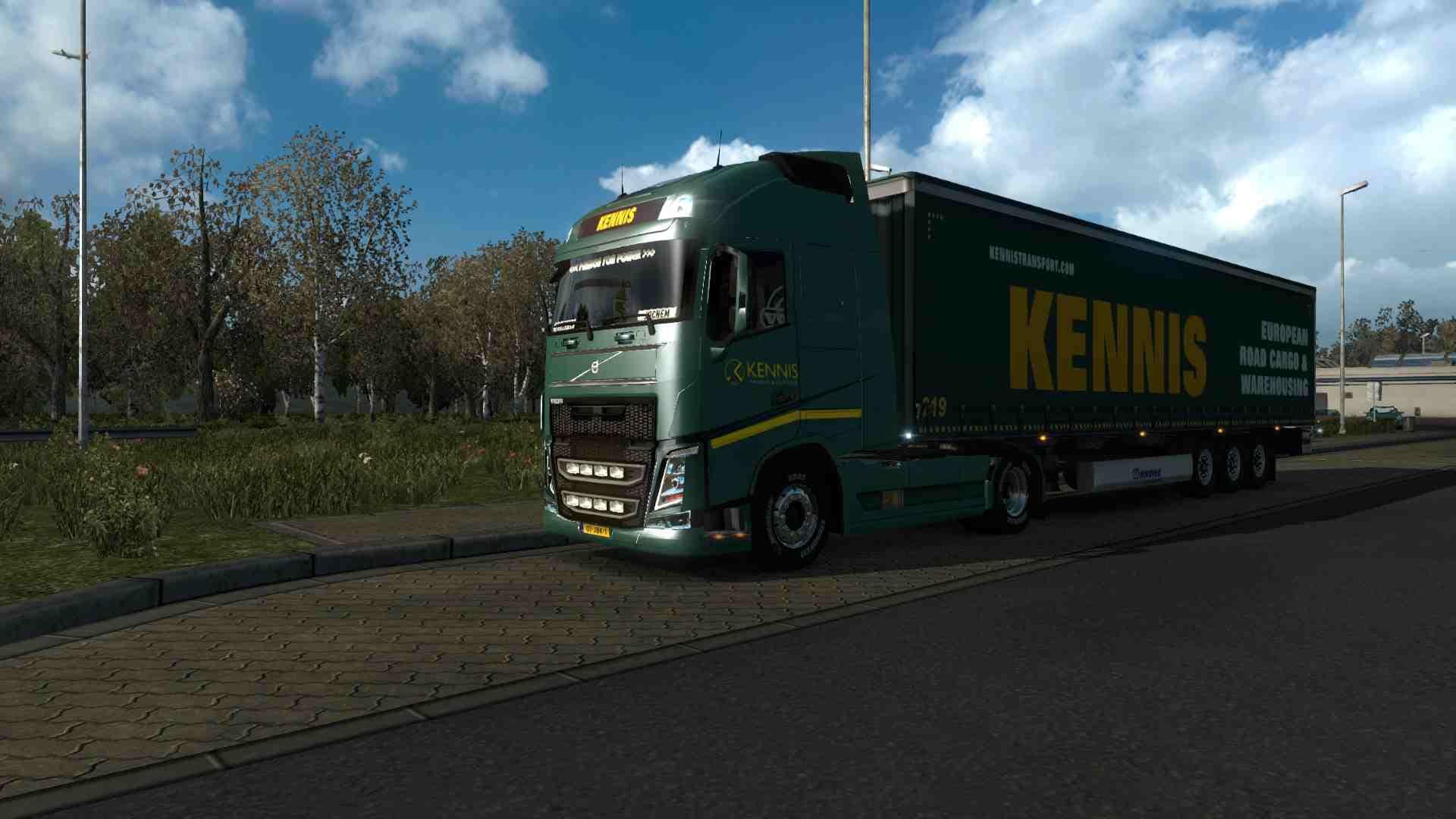
JBK-PACK KENNIS BV HOLLAND V1 is an ETS2 skins.
JBK-PACK KENNIS BV HOLLAND V1 is a skin mod designed for Euro Truck Simulator 2 that repaints specific truck models with liveries from Kennis BV, a company based in Breda, Holland. This mod doesn't add new vehicles but updates the appearance of existing ones, specifically tailored for the Ohaha-Volvo FH16 2013 and DAF E6 Ohaha trucks. Skin mods like this one provide players with fresh visual options without altering gameplay or vehicle mechanics.
In ETS2, skin mods are applied through the paint shop interface and rely on compatible base vehicles to work correctly. They offer a way to customize your fleet’s look by giving trucks and trailers unique designs that reflect real-world companies or fictional brands. This particular pack brings a Dutch flavor to your game, enriching the variety of liveries you can choose from when driving or managing your trucking business in the game.
When using skin packs such as JBK-PACK KENNIS BV HOLLAND V1 alongside other mods, it's important to load skins after any model-changing mods to ensure textures display properly. Since it requires specific base trucks, players need to have those installed first for the skins to appear in-game. Compatibility issues usually arise if the base vehicle versions don’t match or if conflicting skin packs target the same truck models.
This mod fits well into a modded setup focused on enhancing visual realism and diversity without impacting core gameplay elements. It's suited for players who enjoy personalizing their fleet with liveries inspired by European transport companies, particularly those interested in Dutch trucking aesthetics. It complements other cosmetic mods rather than overhaul or functional tweaks.
If you're someone who likes adding more detailed skins to your Volvo FH16 or DAF trucks and wants a taste of Holland's transport scene in ETS2, this pack offers an easy way to do so. It's especially useful for those running fleets where appearance matters or simply want more variety while cruising across European highways.
How to install
1. Download the .scs file. 2. Drop it into `Documents/Euro Truck Simulator 2/mod/`. 3. Enable in Mod Manager. 4. Apply the skin in the truck/trailer paint shop.
After the mod loads, save your game inside a safe area (parking lot or service) before deciding whether to keep it. If the game refuses to load with the mod enabled, check that all required DLCs are installed and that the supported ETS2 version chips on this page include your installed game patch.
Reviews
No ratings yetNo reviews yet — be the first to rate this mod.





