IVECO STRATOR MASERATI SKIN 1.22
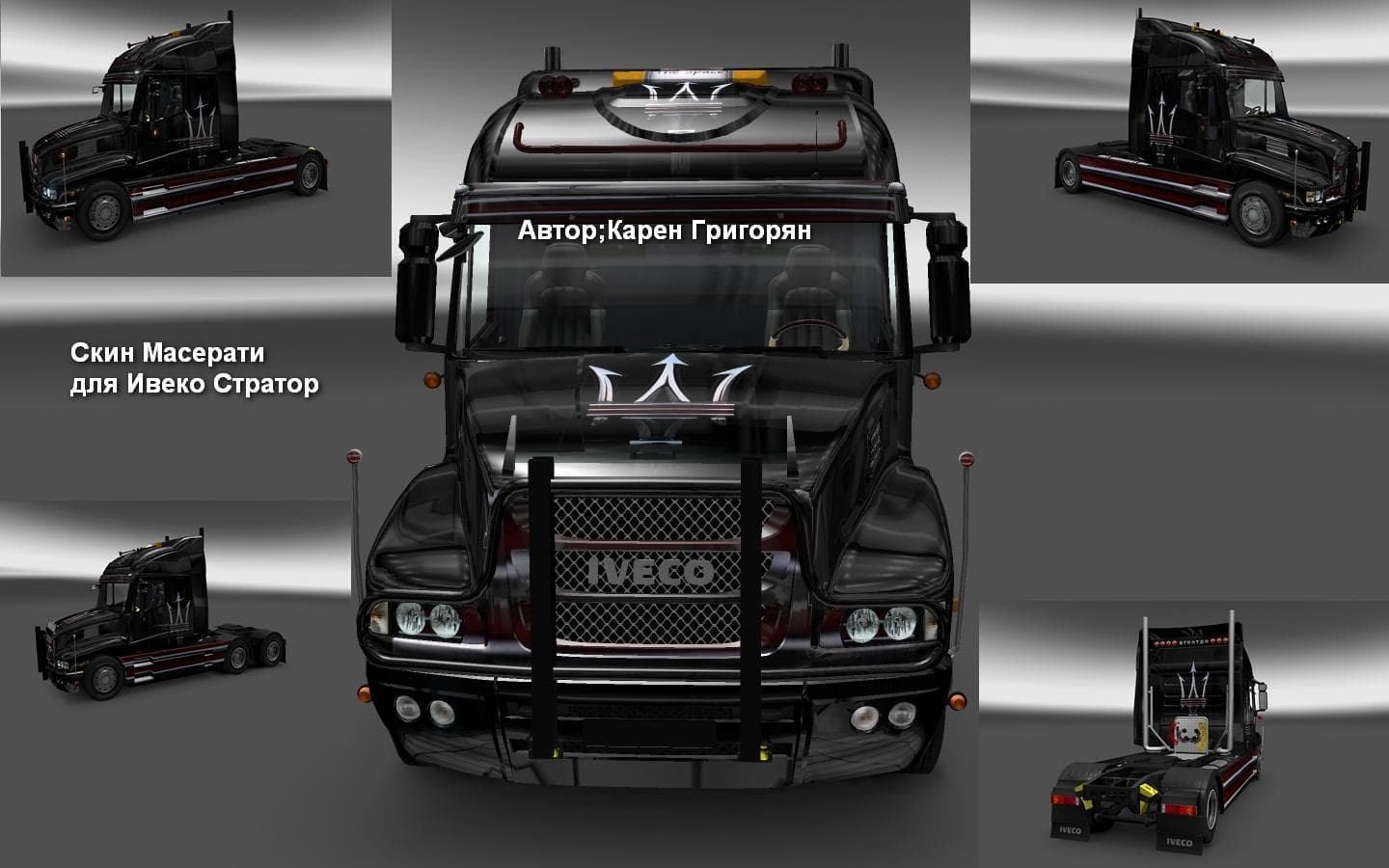
This mod adds a Maserati skin for the Iveco Strator truck in Euro Truck Simulator 2 version 1.22. Created by Euro truck simulator 2, the file size and update de
The IVECO STRATOR MASERATI SKIN 1.22 mod offers a fresh repaint for the Iveco Strator truck in Euro Truck Simulator 2. This type of mod doesn't alter the truck's model or performance but provides a new visual style by applying a unique skin that reflects Maserati branding. It's designed specifically for game version 1.22, ensuring compatibility with that release of ETS2.
Skin mods like this one are applied directly in the game's paint shop, where players can select and customize their trucks with different liveries. They depend on the base vehicle model—in this case, the Iveco Strator—and won't work if used on other trucks. Since it only changes appearance, it fits well alongside other types of mods without conflicts.
When building a modded setup, skins generally come late in the load order because they overwrite textures and visual elements. It's wise to place skin mods after any tuning or parts mods for the same truck to avoid unexpected overrides. This particular skin should be compatible with most add-ons that don't modify the Iveco Strator's textures themselves.
Players who enjoy personalizing their fleet will appreciate adding this skin to their collection, especially if they're fans of Maserati branding or want something different from default paint jobs. It works well for those who run realistic or themed setups where brand variety adds immersion.
Given that the creator is unknown but the mod is tested on ETS2 version 1.22, users should ensure their game matches this version before installing to prevent issues. Like most skins, installation usually involves placing files into the mod folder and activating them in-game through the Mod Manager.
How to install
1. Download the .scs file. 2. Drop it into `Documents/Euro Truck Simulator 2/mod/`. 3. Enable in Mod Manager. 4. Apply the skin in the truck/trailer paint shop.
After the mod loads, save your game inside a safe area (parking lot or service) before deciding whether to keep it. If the game refuses to load with the mod enabled, check that all required DLCs are installed and that the supported ETS2 version chips on this page include your installed game patch.
Reviews
No ratings yetNo reviews yet — be the first to rate this mod.





