INTERIOR LIGHT 1.22.X
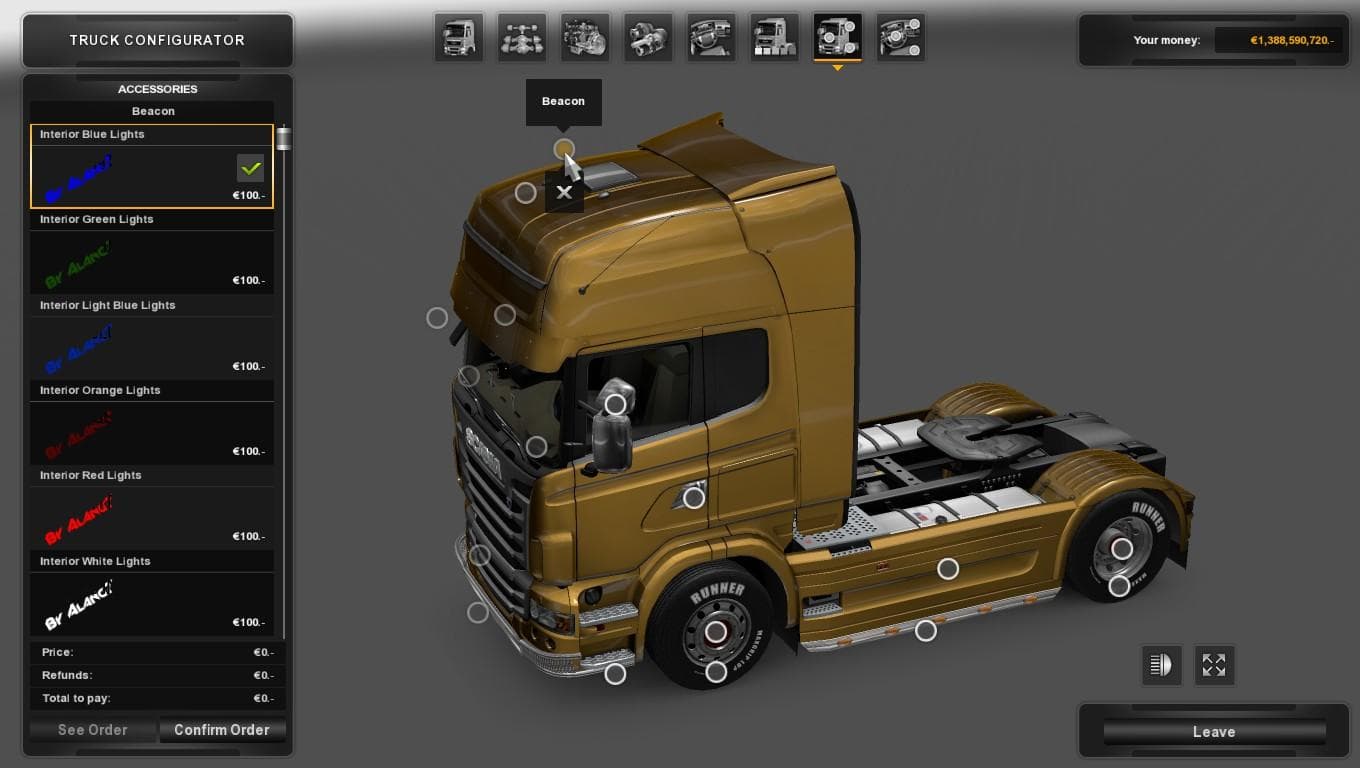
Interior Light 1.22.X is a mod for Euro Truck Simulator 2 that adds interior lights to various truck models including Daf Xf, Man Tgx, and Volvo Fh16 2009. The
INTERIOR LIGHT 1.22.X is a mod designed to adjust or enhance the interior lighting for various truck models in Euro Truck Simulator 2, specifically supporting version 1.22 of the game. It covers several popular trucks like Daf XF, Iveco Hiway, Man TGX, Mercedes Actros 2009, Renault Magnum 2009 and Premium, Scania Rcab 2009 and Streamline, as well as Volvo FH16 2009. This kind of mod tweaks the in-cab lighting effects, which can impact the atmosphere inside the truck during night driving or dark conditions.
Mods that modify interior lighting usually work by replacing or adding textures and light settings within the truck cabins. They’re installed through ETS2’s Mod Manager and typically require compatibility with your current game version—in this case, 1.22—to function properly without conflicts. Since these changes focus on visual details inside specific trucks, they generally coexist well with other mods that affect external parts or gameplay mechanics.
When integrating this into a modded setup, it’s advisable to load it after any other truck texture or skin mods to ensure its lighting adjustments take effect correctly. Conflicts are uncommon but can arise if multiple mods try to alter the same truck interiors at once. Because it targets a defined set of trucks from an older model year range, players using those vehicles will find this mod relevant if they want improved cabin lighting effects.
This mod suits players who pay attention to immersive details while driving at night or those who want a subtle change in how their truck interiors look under different lighting conditions. It doesn’t overhaul gameplay but adds a layer of realism that some drivers appreciate during long hauls across Europe’s varied landscapes.
How to install
1. Download the file(s) from the original source linked above. 2. Drop them into `Documents/Euro Truck Simulator 2/mod/`. 3. Enable in Mod Manager and restart the game.
After the mod loads, save your game inside a safe area (parking lot or service) before deciding whether to keep it. If the game refuses to load with the mod enabled, check that all required DLCs are installed and that the supported ETS2 version chips on this page include your installed game patch.
Reviews
No ratings yetNo reviews yet — be the first to rate this mod.





