IJ'S MODS - A GIFT TO THE COMMUNITY (STOBART SKINS)
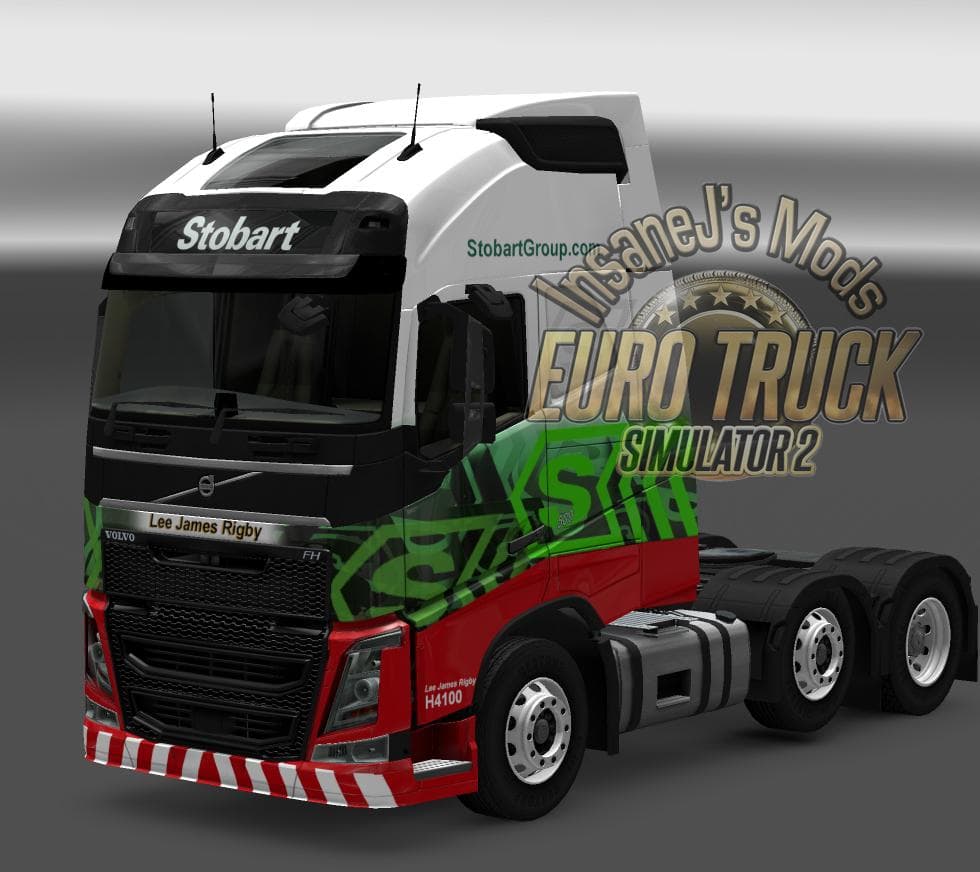
This mod offers Stobart skins for Euro Truck Simulator 2, emphasizing a gift-giving ethos within the modding community. Details such as mod version, supported E
IJ'S MODS - A GIFT TO THE COMMUNITY (STOBART SKINS) is a skin mod for Euro Truck Simulator 2 that offers new paint designs specifically tailored for Stobart trucks. Rather than altering the truck model itself, this mod changes the visual appearance by applying custom liveries through the game's paint shop. Skin mods like this one let players personalize their vehicles without affecting gameplay mechanics or performance.
In ETS2, skins serve as a way to refresh your fleet's look by repainting existing trucks or trailers. They're dependent on the base vehicle they were created for, so you'll need the compatible Stobart truck model to see these designs in action. These mods integrate smoothly with other cosmetic additions, making them easy to slot into a modded setup alongside sound packs, AI traffic changes, or map expansions.
When running multiple skin mods, it's wise to consider load order since conflicting files can cause issues with textures not displaying correctly. Usually, skin mods load after map and truck model mods but before any tweaks that alter game physics or AI behavior. Keeping skins grouped and separate from more complex mod types reduces chances of conflicts.
This type of community-driven project reflects a spirit of sharing where creators give freely without expecting anything in return. For players who appreciate authentic liveries and want their virtual trucks to stand out with company branding like Stobart's, this mod fits nicely into themed fleets or roleplaying scenarios.
If you enjoy customizing your trucks' appearances and prefer adding variety without changing gameplay fundamentals, skin mods like this one are a straightforward way to do so. They appeal especially to those focusing on visual immersion and fleet aesthetics within ETS2's extensive customization options.
How to install
1. Download the .scs file. 2. Drop it into `Documents/Euro Truck Simulator 2/mod/`. 3. Enable in Mod Manager. 4. Apply the skin in the truck/trailer paint shop.
After the mod loads, save your game inside a safe area (parking lot or service) before deciding whether to keep it. If the game refuses to load with the mod enabled, check that all required DLCs are installed and that the supported ETS2 version chips on this page include your installed game patch.
Reviews
No ratings yetNo reviews yet — be the first to rate this mod.





