ICOM TRANSPORT MP4 COMBO SKIN 1.22.X
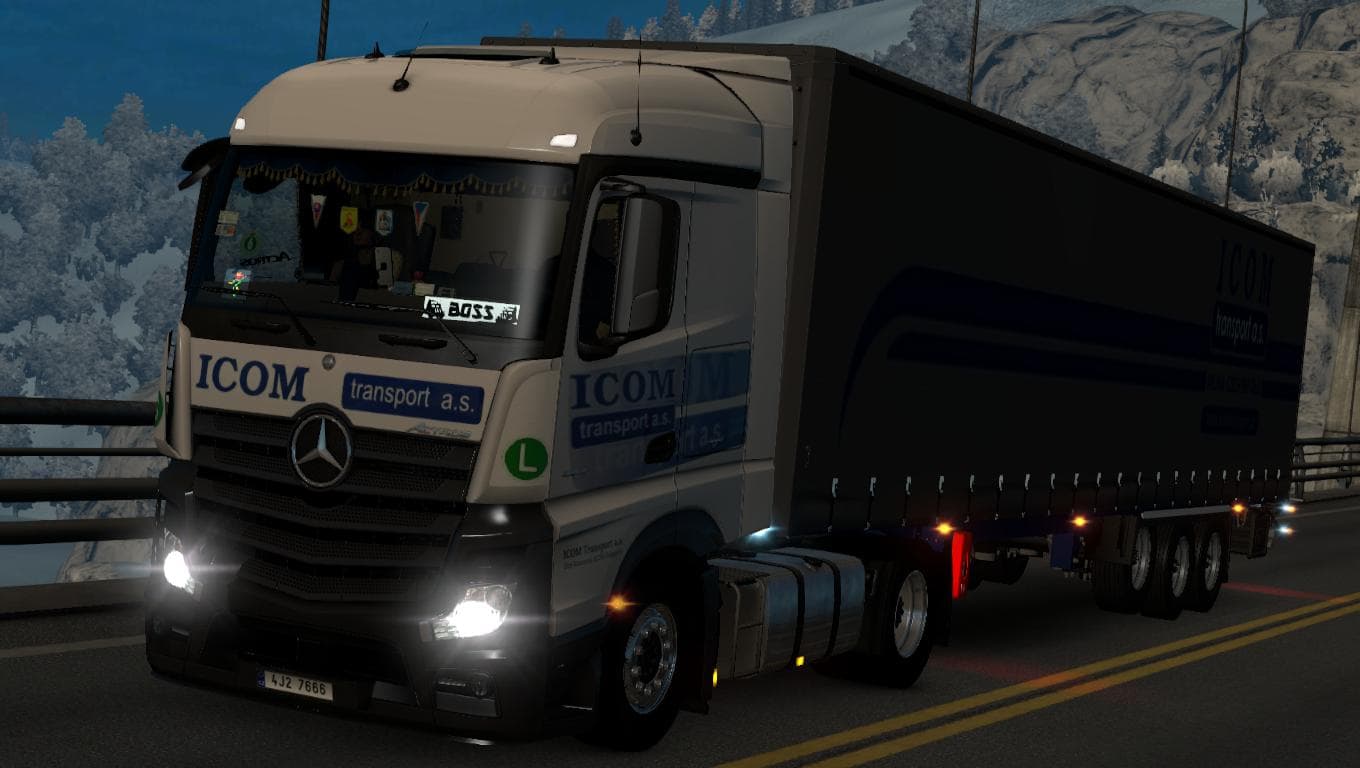
ICOM TRANSPORT MP4 COMBO SKIN 1.22.X is an ETS2 skins. Listed compatible with ETS2 1.22.
The ICOM TRANSPORT MP4 COMBO SKIN 1.22.X mod offers a repaint option specifically designed for the Scania MP4 truck and its matching trailer. This skin replaces the default Krone Profiliner trailer texture with a custom combo look that represents the Icom Transport company, providing a fresh visual identity within Euro Truck Simulator 2 version 1.22.
Skin mods like this one focus on changing the appearance of existing trucks or trailers without altering their models. Players apply these skins in the paint shop, and they depend on having the corresponding base vehicle available in the game to work correctly. This means you need to have the Scania MP4 truck and Krone Profiliner trailer to see this mod's changes.
When adding skin mods to your setup, it's useful to keep them organized by load order since multiple skins can conflict if they target the same vehicle or trailer. Generally, skins overwrite each other based on load priority, so placing this combo skin after other Scania or trailer paint jobs ensures it displays properly. Compatibility is usually straightforward for skins as long as you match versions with your ETS2 build; this one supports version 1.22.
This mod suits players who want to diversify their fleet visuals with company-specific liveries rather than generic colors. It’s especially relevant for those who enjoy using realistic or themed transport companies in their gameplay, adding variety when hauling freight across Europe.
Since it's a repaint skin, it integrates well into most modded setups without causing issues beyond typical skin conflicts. If you run multiple paint mods for Scania MP4 trucks or Krone trailers, just watch your load order to ensure the desired appearance shows up during play.
How to install
1. Download the .scs file. 2. Drop it into `Documents/Euro Truck Simulator 2/mod/`. 3. Enable in Mod Manager. 4. Apply the skin in the truck/trailer paint shop.
After the mod loads, save your game inside a safe area (parking lot or service) before deciding whether to keep it. If the game refuses to load with the mod enabled, check that all required DLCs are installed and that the supported ETS2 version chips on this page include your installed game patch.
Reviews
No ratings yetNo reviews yet — be the first to rate this mod.





