Horror Night Skin Pack for All Trucks
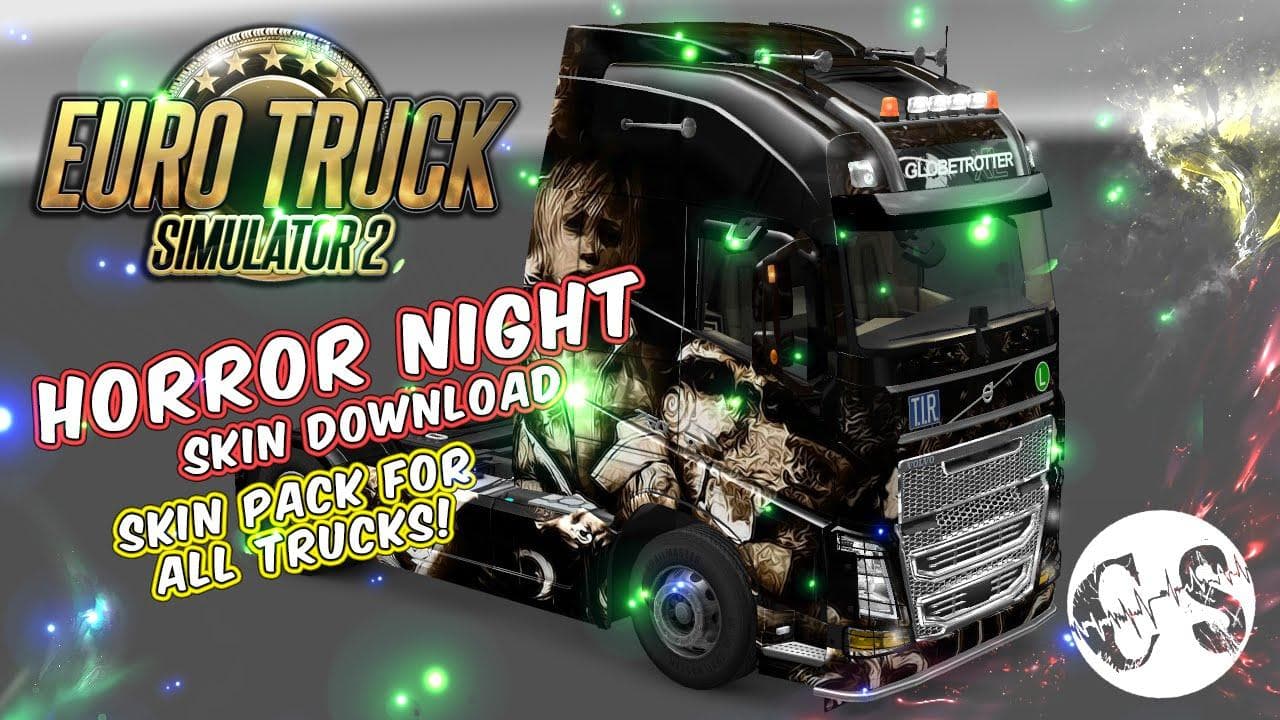
HORROR NIGHT SKIN PACK FOR ALL TRUCKS - ETS2 mods download is an ETS2 skins.
The Horror Night Skin Pack for All Trucks offers a collection of themed paint jobs designed to give your vehicles a distinct, spooky appearance. This type of mod modifies the visual look of trucks by applying new textures, without altering the actual model or mechanics. It lets you customize your fleet's style directly from the paint shop in Euro Truck Simulator 2, making it easy to switch between different designs as you prefer.
Skin mods like this one work by replacing or adding new artwork to existing trucks, trailers, or cabins. Since they don't change the base vehicle models, they usually integrate well with other mods that affect gameplay or add new truck models. You'll want to make sure this pack is loaded after any other skin packs if you have multiple installed, to avoid conflicts and ensure the desired graphics appear properly.
Installation typically involves extracting files into the mod folder inside your ETS2 documents directory and activating them through the profile editor before starting a game session. Because these skins depend on base trucks provided by either the game or additional truck mods, compatibility depends mostly on what vehicles you're running alongside them.
This pack fits well in a modded setup where aesthetics are important but you don't want to interfere with performance or core gameplay mechanics. Drivers who enjoy customizing their rigs with a horror-themed twist will find it a straightforward way to add atmosphere without extra complexity.
Those who prefer their ETS2 experience with some creative flair might appreciate this skin pack for its thematic approach. It complements various map mods and other cosmetic enhancements, especially if you're playing routes set during night time or around Halloween events.
How to install
1. Download the .scs file. 2. Drop it into `Documents/Euro Truck Simulator 2/mod/`. 3. Enable in Mod Manager. 4. Apply the skin in the truck/trailer paint shop.
After the mod loads, save your game inside a safe area (parking lot or service) before deciding whether to keep it. If the game refuses to load with the mod enabled, check that all required DLCs are installed and that the supported ETS2 version chips on this page include your installed game patch.
Reviews
No ratings yetNo reviews yet — be the first to rate this mod.





