HOCHLAND ROMANIA TRAILER SKIN
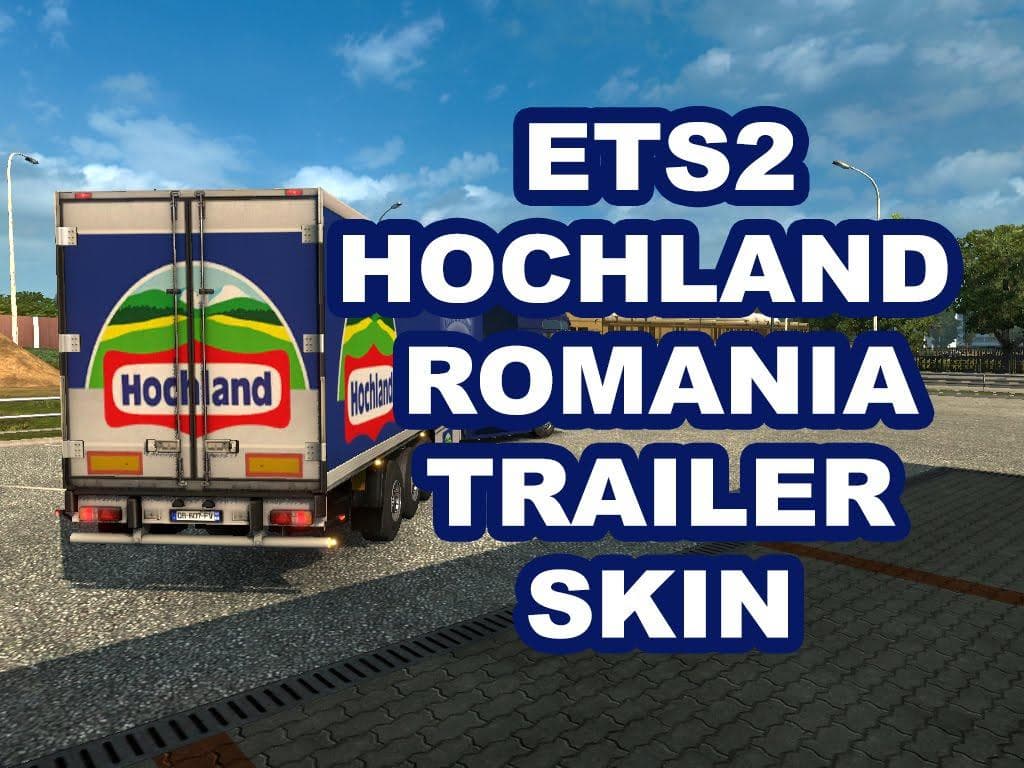
The HOCHLAND ROMANIA TRAILER SKIN is a skin mod for ETS2 version 1.22, created by Euro Truck Simulator 2. It replaces EUROGOODIES with a Hochland Romania traile
The HOCHLAND ROMANIA TRAILER SKIN is a repaint mod designed for trailers in Euro Truck Simulator 2. It gives the Eurogoodies trailer a fresh look themed around Romania, adding variety to the usual trailer designs you see on the roads. Since this type of mod only changes the texture without altering the model itself, it fits neatly into any existing setup without causing conflicts with other vehicle mods.
Skin mods like this one are applied through the paint shop in ETS2, meaning you can customize your trailers directly from within the game interface. They rely on having the base trailer available—in this case, the Eurogoodies trailer—so you'll need that original content for this skin to work properly. It's a straightforward way to add regional flavor or personal style to your fleet without needing extra vehicles.
When building a modded profile, skins generally load without much fuss as they only replace visuals and don't interfere with gameplay mechanics or AI traffic. However, it's still a good practice to keep an eye on your load order if you run multiple skins affecting similar assets. Making sure this trailer skin loads after any other Eurogoodies-related mods will help avoid visual glitches.
This particular skin supports ETS2 version 1.22, so it’s suited for players running that or compatible versions. Given that its creator is unknown and specific details like file size aren’t listed, users should always back up their profiles before installing new mods. Testing in a separate profile first can also prevent issues with save files.
Players who enjoy adding regional touches to their trucking experience might appreciate this Romania-themed trailer skin. It enhances immersion when hauling loads across Eastern Europe or simply adds some variety if you’re tired of stock liveries. Skins like these are perfect for those who want subtle cosmetic changes rather than large-scale map or truck overhauls.
How to install
1. Download the .scs file. 2. Drop it into `Documents/Euro Truck Simulator 2/mod/`. 3. Enable in Mod Manager. 4. Apply the skin in the truck/trailer paint shop.
After the mod loads, save your game inside a safe area (parking lot or service) before deciding whether to keep it. If the game refuses to load with the mod enabled, check that all required DLCs are installed and that the supported ETS2 version chips on this page include your installed game patch.
Reviews
No ratings yetNo reviews yet — be the first to rate this mod.





