HHA SKIN1 VIPER2 MODIFIED 389
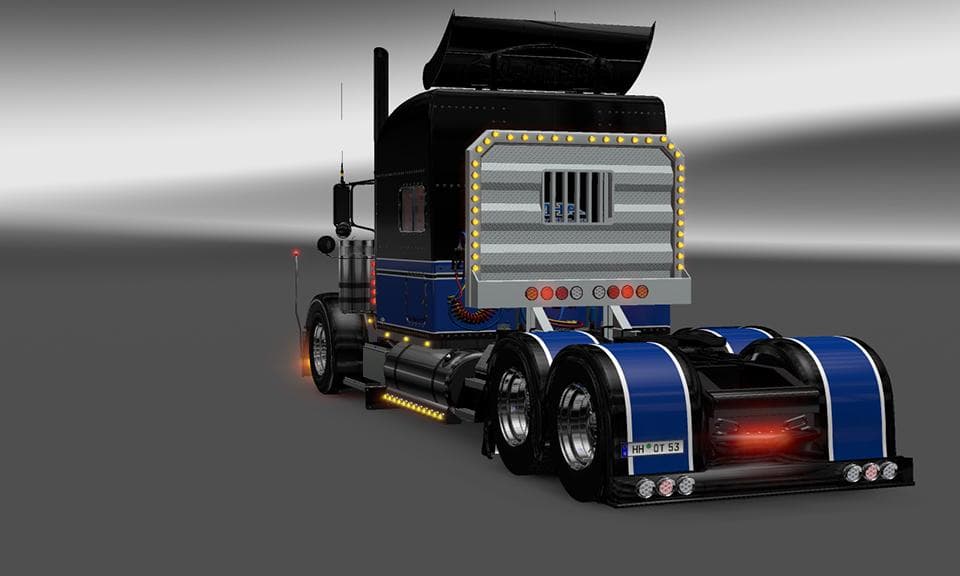
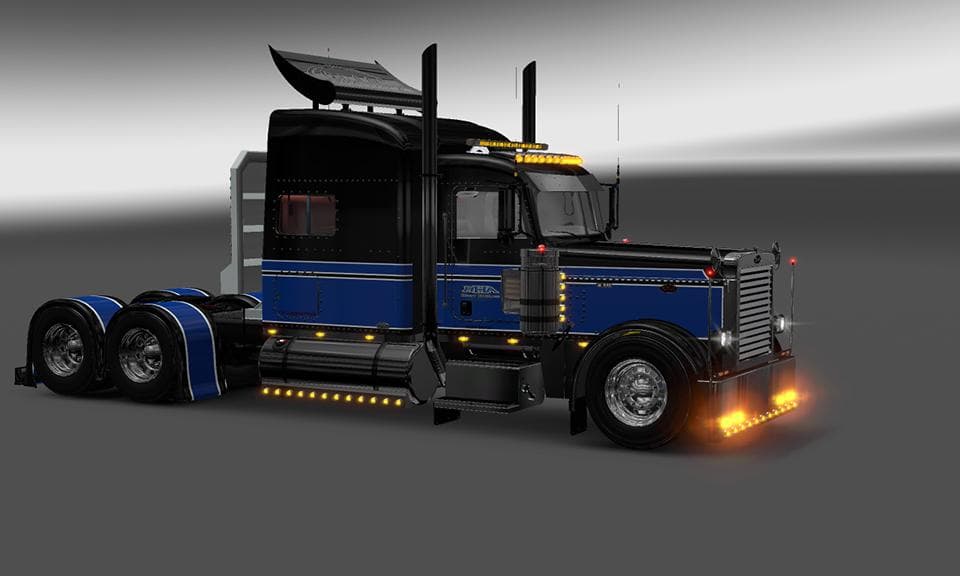
This skin mod is designed for the Viper2 modified Peterbilt 389 in Euro Truck Simulator 2. Created by Stas556 & Dmitry58, modified by Viper2, the file size is 3
The HHA SKIN1 VIPER2 MODIFIED 389 is a paint job designed specifically for the Viper2 modified Peterbilt 389 truck model. This type of mod doesn't alter the truck's shape or mechanics but simply changes its exterior look by applying a new texture layer in the game's paint shop. Skin mods like this one rely on having the original base truck model installed, since they act as a visual update rather than a standalone vehicle.
In Euro Truck Simulator 2, skin mods provide an easy way to personalize your trucks without affecting gameplay. You can find them in the paint shop when customizing your rig, allowing you to switch between different appearances depending on your mood or convoy theme. Because they only modify textures, they're usually lightweight and won't impact performance much.
When using this skin in a modded setup, it’s important to load it after the base Peterbilt 389 truck mod and any other skins that may override similar files. This helps prevent conflicts or missing textures while driving. Generally, skin mods are compatible with most other types of ETS2 mods unless those mods also change the same model's textures extensively.
This particular repaint might appeal to players who own the Viper2 modified Peterbilt 389 and want a fresh look that differs from default skins or popular liveries. It fits well in themed convoys or for those who just enjoy switching up their trucks' appearance regularly during their trucking sessions.
Because details like version compatibility and file size are unknown, users should verify that their ETS2 version supports both the base truck mod and this skin before installation. Typically, skin mods are easy to install by placing them in the mod folder and activating them through the game's mod manager interface.
How to install
1. Download the .scs file. 2. Drop it into `Documents/Euro Truck Simulator 2/mod/`. 3. Enable in Mod Manager. 4. Apply the skin in the truck/trailer paint shop.
After the mod loads, save your game inside a safe area (parking lot or service) before deciding whether to keep it. If the game refuses to load with the mod enabled, check that all required DLCs are installed and that the supported ETS2 version chips on this page include your installed game patch.
Reviews
No ratings yetNo reviews yet — be the first to rate this mod.





