Henry Klop SCANIA R520 Beauty Class
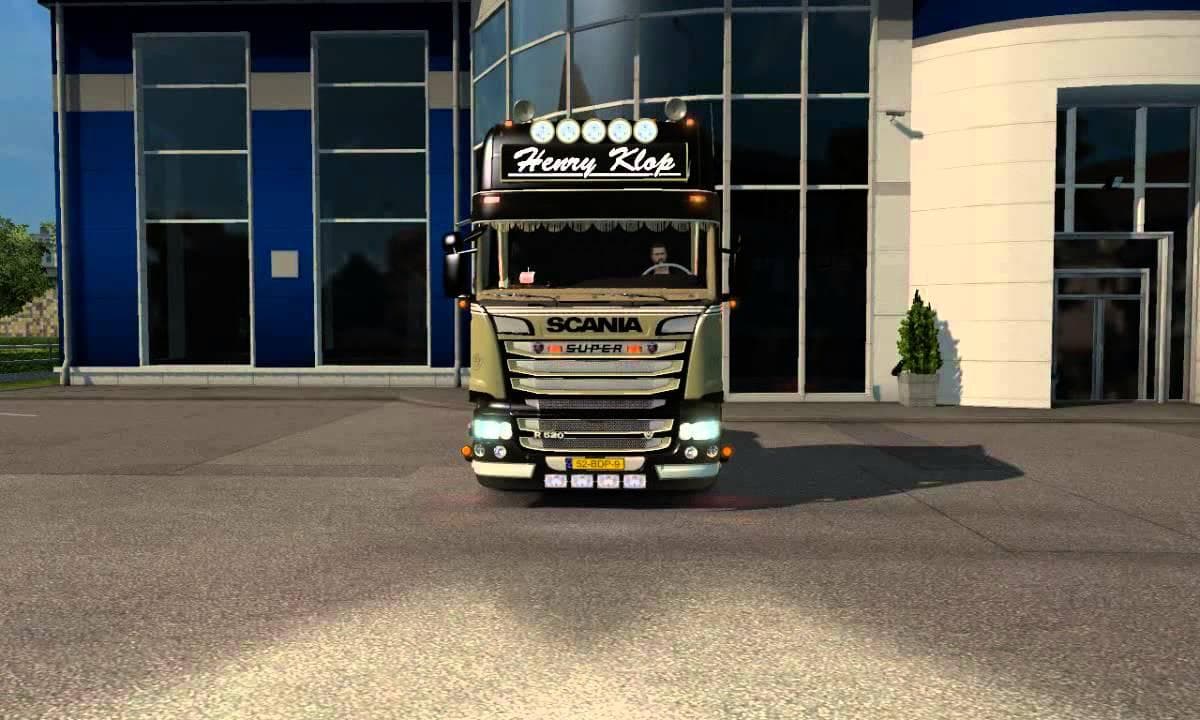
The Henry Klop SCANIA R520 Beauty Class mod is a skin mod for Euro Truck Simulator 2. It was last updated on April 26, 2015, but details such as mod version, su
The Henry Klop SCANIA R520 Beauty Class is a skin mod designed specifically for the SCANIA R520 truck in Euro Truck Simulator 2. This type of mod doesn't change the truck's model or mechanics but instead offers a fresh paint job that can be applied in the game's paint shop. It effectively repaints the base vehicle, providing a new visual style without altering performance or functionality.
Skin mods like this one are popular because they allow players to customize their vehicles to better fit their personal tastes or thematic setups. They work by replacing or adding textures to existing trucks, meaning they're compatible with any gameplay version that supports the base vehicle. Since no new models are introduced, these skins usually have fewer conflicts with other mods, though players should still consider load order if using multiple skins or visual enhancements.
When integrating this skin into a modded setup, it's wise to place it after any general graphic overhauls or other skin mods targeting the same truck. Doing so ensures that the Henry Klop paint job displays correctly without being overwritten. Compatibility is generally straightforward here, but users should avoid stacking multiple skins for the SCANIA R520 unless they intend to switch between them manually.
This mod suits players who want to add some variety and personality to their fleet, especially those who favor SCANIA trucks. It's a simple way to refresh the look of your rig without delving into more complex modifications. If you're running a themed convoy or just like collecting distinctive paint jobs, this could be a neat addition.
Since specific details about versions and creators aren't provided, users should test compatibility carefully when updating ETS2 or combining with other mods. Still, skins remain one of the easiest ways to customize your experience with minimal risk of technical issues.
How to install
1. Download the .scs file. 2. Drop it into `Documents/Euro Truck Simulator 2/mod/`. 3. Enable in Mod Manager. 4. Apply the skin in the truck/trailer paint shop.
After the mod loads, save your game inside a safe area (parking lot or service) before deciding whether to keep it. If the game refuses to load with the mod enabled, check that all required DLCs are installed and that the supported ETS2 version chips on this page include your installed game patch.
Reviews
No ratings yetNo reviews yet — be the first to rate this mod.





