Gloomy Weather Mod v1.0
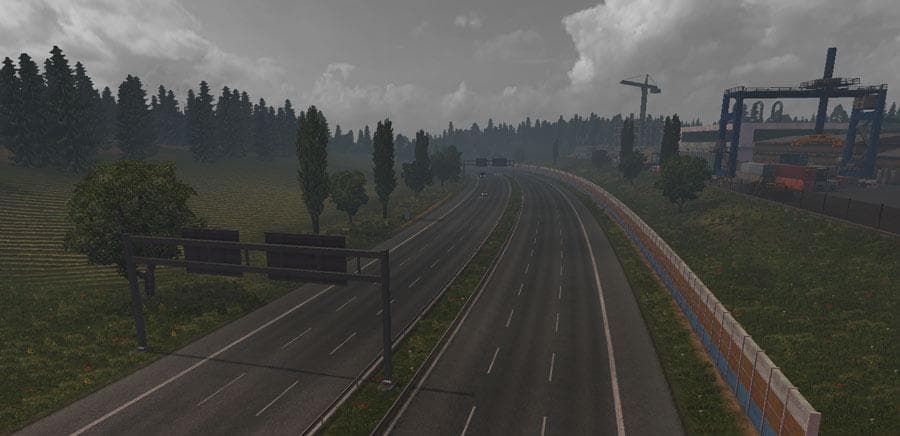
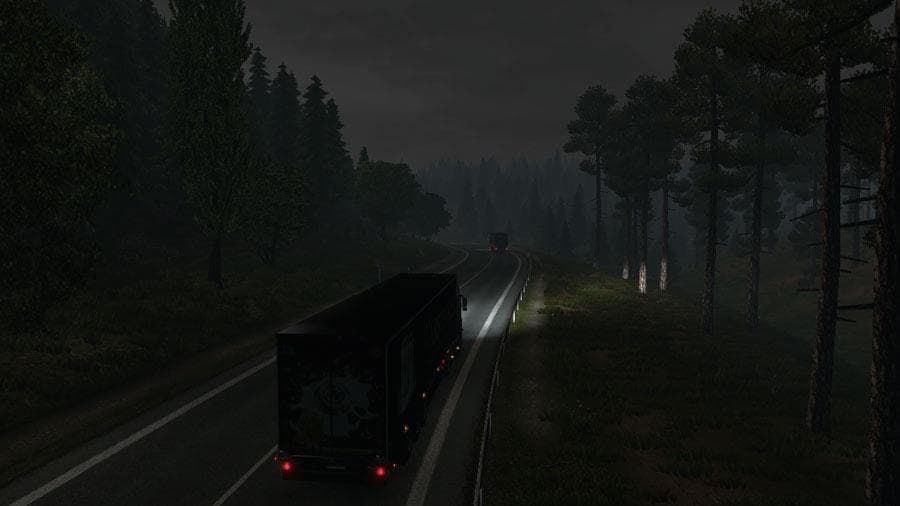
Gloomy Weather is an ETS2 unknown. Listed compatible with ETS2 1.0.
The Gloomy Weather Mod v1.0 is a sound mod for Euro Truck Simulator 2 that shifts the game's atmosphere toward dull, overcast conditions. Instead of bright skies, it brings grey, misty weather with subdued lighting throughout the day. Rain effects are also enhanced to match this darker ambiance. This type of mod doesn't alter visuals directly but changes the environmental sounds to complement the mood.
Sound mods like this one usually replace ambient noises related to weather and environment rather than vehicle-specific sounds. Because of how ETS2 loads these files, sound mods typically need to be placed higher in the load order, especially above truck or map mods they interact with. This helps ensure their changes take effect properly without being overwritten.
Integrating a sound mod focused on gloomy weather can add a layer of immersion for players who prefer a more somber or realistic driving experience during their journeys across regions like Germany or France. While it works well alongside visual weather mods, its main role is auditory enhancement rather than graphical overhaul.
For those running several mods, it's worth noting that sound replacements should be managed carefully in your mod manager to avoid conflicts. Since this mod targets weather sounds specifically, it generally won't interfere with gameplay mechanics or map expansions but should still be loaded appropriately.
Players who enjoy ETS2 drives under varied atmospheric conditions might find this mod appealing if they want their audio landscape to reflect dull skies and persistent mist rather than clear weather. It complements setups aiming for moodier or more immersive road trips through diverse European locales.
How to install
1. Download the .scs file. 2. Drop it into `Documents/Euro Truck Simulator 2/mod/`. 3. Enable in Mod Manager. Sound mods usually need to load **above** truck mods in load order. 4. Restart the game so the audio engine picks up new samples.
After the mod loads, save your game inside a safe area (parking lot or service) before deciding whether to keep it. If the game refuses to load with the mod enabled, check that all required DLCs are installed and that the supported ETS2 version chips on this page include your installed game patch.
Reviews
No ratings yetNo reviews yet — be the first to rate this mod.





