FUTURA SKIN FOR G7 1800 BY LINUX
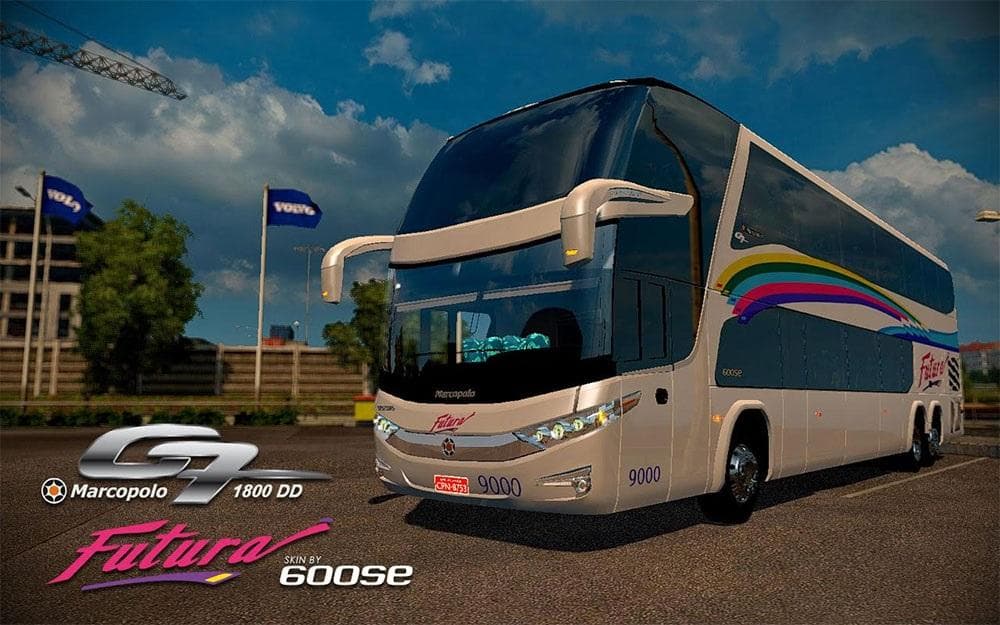
The FUTURA SKIN FOR G7 1800 BY LINUX is a repaint designed specifically for the G7 1800 truck model in Euro Truck Simulator 2. This kind of mod doesn't change the truck's physical structure but applies a new visual style or livery, giving your vehicle a fresh look without altering its performance or specifications. Skins like this are installed by placing files into the game directory and selecting them in the paint shop for the compatible base truck model.
Skin mods operate within ETS2 by providing cosmetic variations for trucks, trailers, or cabins. They're popular among players who want to personalize their fleet or match certain themes without adding new models or gameplay elements. Since they're tied to specific vehicles, it's essential to have the matching base mod—in this case, the G7 1800 by LINUX—to see this skin appear properly in-game.
When used alongside other mods, skin packs generally don't conflict with gameplay mechanics but can occasionally overlap if multiple skins target the same truck and load order isn't managed carefully. It's wise to load skins after any major truck model mods to ensure they override default textures correctly. Compatibility is usually straightforward with skins since they focus on visuals and work well with other enhancements like sound or traffic mods.
This mod supports ETS2 versions 1.18 and 1.19, so users running these game releases should have no trouble applying it. Players who enjoy customizing their trucks visually, especially those who already use the G7 1800 by LINUX edition, will find this skin useful for expanding their aesthetic options without switching out hardware mods.
Overall, this skin suits drivers looking to refresh their virtual rides subtly but noticeably. If you're fond of tweaking your truck's appearance and prefer variety without complicated installs or compatibility headaches, adding this repaint could be a straightforward way to enhance your driving experience.
How to install
1. Download the .scs file. 2. Drop it into `Documents/Euro Truck Simulator 2/mod/`. 3. Enable in Mod Manager. 4. Apply the skin in the truck/trailer paint shop.
After the mod loads, save your game inside a safe area (parking lot or service) before deciding whether to keep it. If the game refuses to load with the mod enabled, check that all required DLCs are installed and that the supported ETS2 version chips on this page include your installed game patch.
Reviews
No ratings yetNo reviews yet — be the first to rate this mod.





