FANTASTIC FOUR SKIN FOR SCANIA TRUCKS
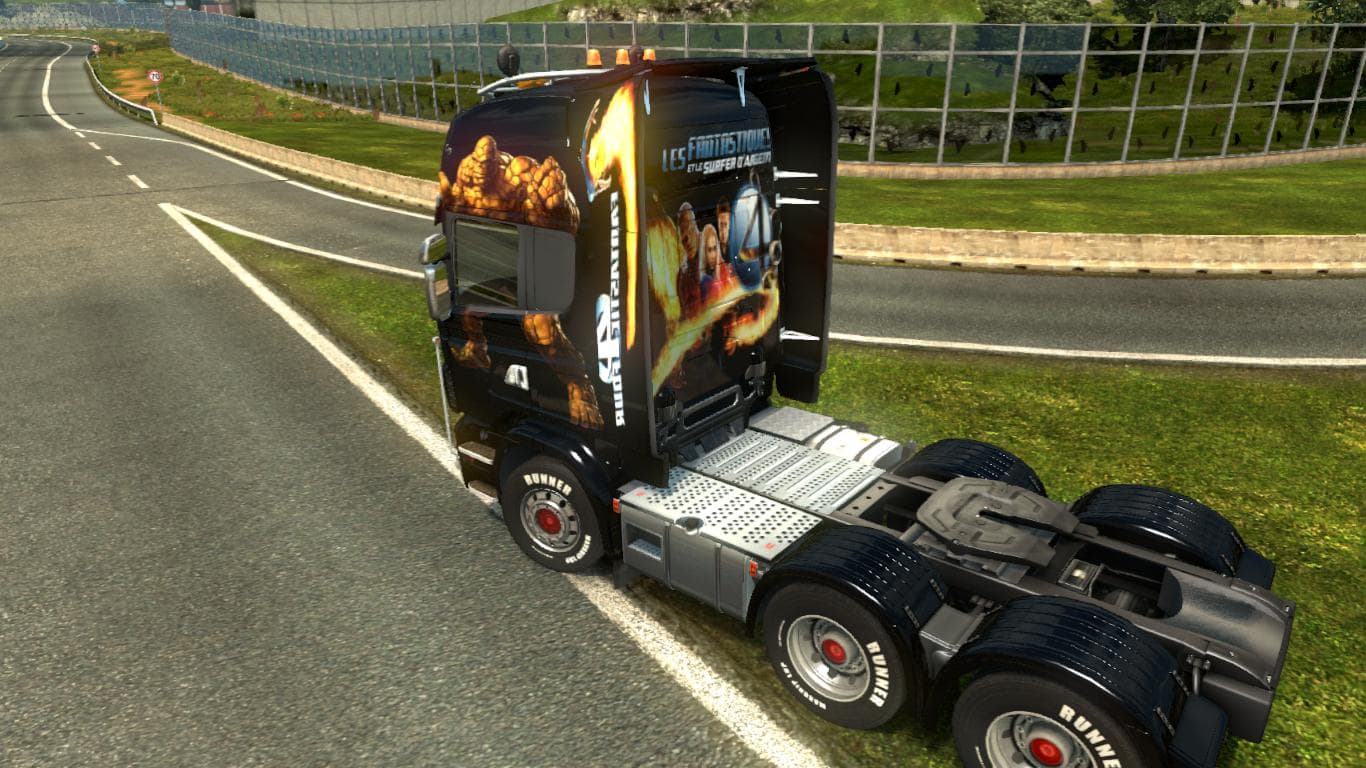
This mod offers a Fantastic Four skin for Scania trucks in Euro Truck Simulator 2 version 1.22. Created by EaveBuilder, the skin has been tested and comes in a
The Fantastic Four Skin for Scania Trucks gives your vehicle a fresh paint job inspired by the iconic superhero team. This mod doesn't alter the truck model itself but changes its appearance, so it fits perfectly on Scania trucks as intended. Skins like this one are applied in the paint shop within ETS2, replacing or adding to the base textures of the truck to offer a new look without affecting gameplay mechanics.
Skin mods generally depend on the specific truck model they were designed for, which means this skin works only with Scania trucks and might not be compatible with other brands. Since it's tested on ETS2 version 1.22, players running that version or close variants should have no trouble loading it alongside other mods. However, as with most skins, it's wise to keep it lower in your load order if you use multiple skins or paint-related mods to avoid conflicts.
In a modded setup, skins like this one add personal flair without requiring complex installation steps beyond placing the file in your mod folder and activating it through the game’s mod manager. They usually coexist well with performance or map mods since they only change visual elements related to truck aesthetics. If you run multiple skins for different trucks, managing load order can help ensure each appears correctly when selected.
This kind of skin appeals mostly to players who want their Scania trucks to stand out on European roads or just enjoy customizing their fleet with themes from pop culture. It fits those who prefer cosmetic changes rather than functional ones and adds variety for users who like switching up their truck’s style regularly.
Overall, anyone looking for a straightforward way to refresh their Scania's look without altering gameplay should consider this skin. It's a simple addition that brings character and lets fans of the Fantastic Four show off their interest while hauling cargo across various ETS2 regions.
How to install
1. Download the .scs file. 2. Drop it into `Documents/Euro Truck Simulator 2/mod/`. 3. Enable in Mod Manager. 4. Apply the skin in the truck/trailer paint shop.
After the mod loads, save your game inside a safe area (parking lot or service) before deciding whether to keep it. If the game refuses to load with the mod enabled, check that all required DLCs are installed and that the supported ETS2 version chips on this page include your installed game patch.
Reviews
No ratings yetNo reviews yet — be the first to rate this mod.





