ETS2 Overtaking Allowed
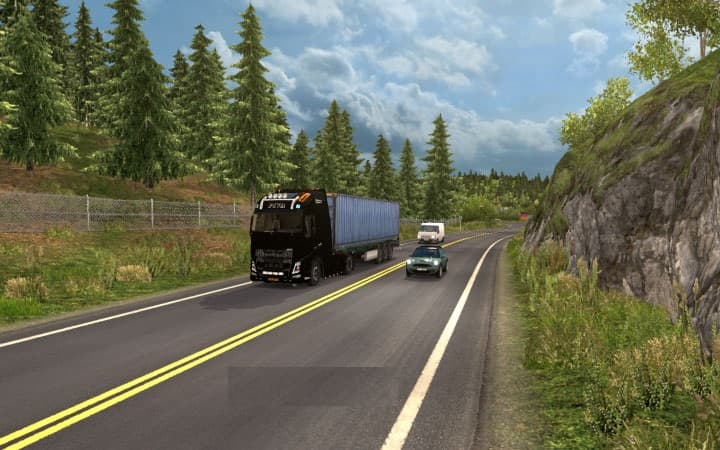
ETS2 Overtaking Allowed - ETS2 mods download is an ETS2 traffic.
The ETS2 Overtaking Allowed mod changes the behavior of traffic vehicles by enabling them to overtake on roads with single and double lines, which isn't typical in the base game. This tweak can affect how AI trucks and cars interact on narrow roads, potentially reducing bottlenecks and making traffic flow feel a bit more natural in some situations.
Mods like this one are installed through the in-game Mod Manager, so they're easy to add or remove without fuss. Since it adjusts core traffic AI behavior rather than adding new assets or maps, it generally fits well into a modded setup focused on enhancing realism or traffic dynamics. That said, because it modifies vehicle overtaking logic, it’s wise to test for any conflicts with other AI or traffic-related mods you might have.
When dealing with mods that alter AI driving patterns, load order can sometimes matter depending on what else is installed. Usually, placing this mod higher in the load order ensures its overtaking rules take precedence over other traffic tweaks. However, users should keep an eye out for any unusual traffic behavior after activating it and adjust accordingly.
This mod could appeal to players who find the default overtaking restrictions too limiting or those aiming for a more fluid driving experience amid heavier traffic conditions. It might also interest those running mods that increase truck density since overtaking can help prevent frequent slowdowns caused by AI convoys.
While details like exact version compatibility or file size are unknown, such mods usually support a wide range of ETS2 versions since they focus on gameplay mechanics rather than content additions. Players interested in tweaking how AI vehicles behave on highways and rural roads may want to give this one a try.
How to install
1. Download the file(s) from the original source linked above. 2. Drop them into `Documents/Euro Truck Simulator 2/mod/`. 3. Enable in Mod Manager and restart the game.
After the mod loads, save your game inside a safe area (parking lot or service) before deciding whether to keep it. If the game refuses to load with the mod enabled, check that all required DLCs are installed and that the supported ETS2 version chips on this page include your installed game patch.
Reviews
No ratings yetNo reviews yet — be the first to rate this mod.





