EASYDRIVERS DRIVING SCHOOL SKIN FOR NEW VOLVO
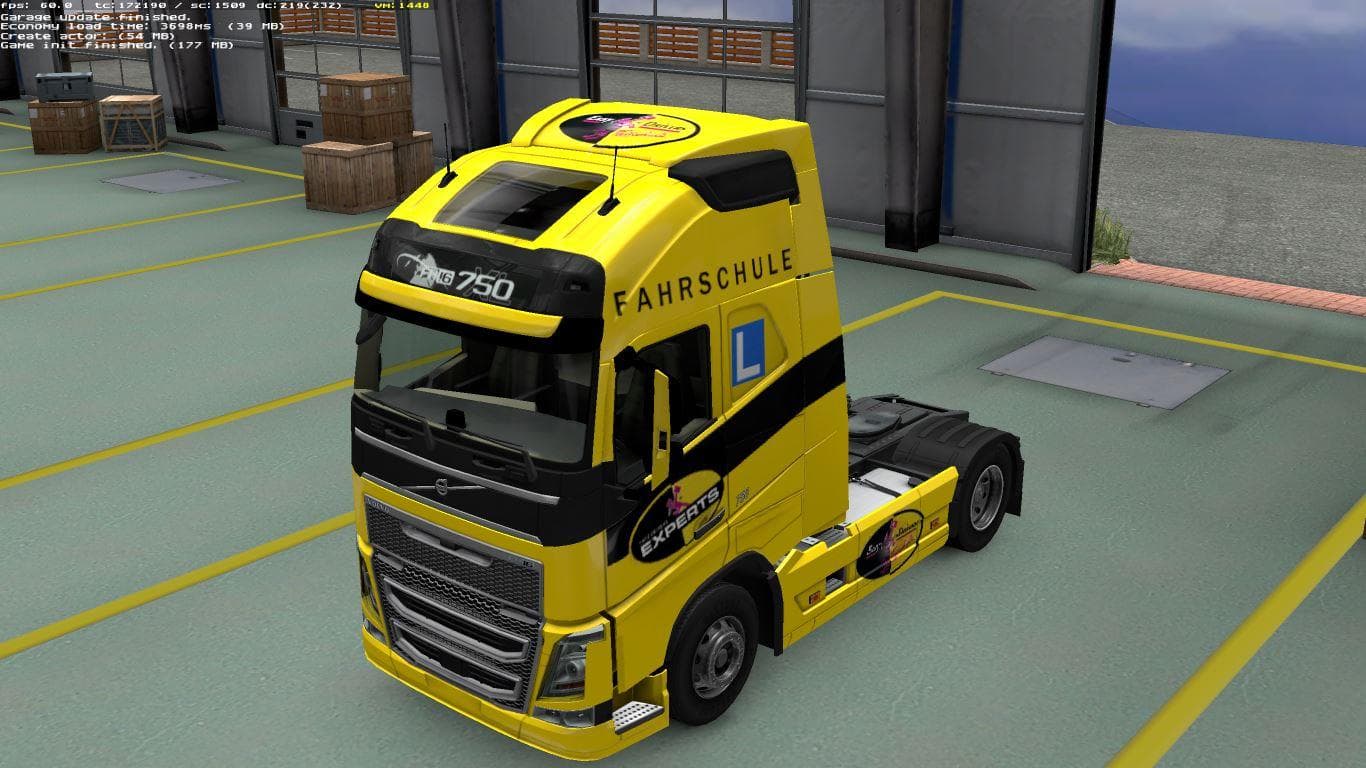
This mod is a skin for the new Volvo truck in ETS2, featuring an Easy-Drivers Driving school design. It is designed for new employees with low EP. The creator,
The EASYDRIVERS DRIVING SCHOOL SKIN FOR NEW VOLVO is a paint job designed specifically for the new Volvo truck model in Euro Truck Simulator 2. This type of mod doesn't alter the truck's mechanics or shape but gives it a fresh visual identity by changing its exterior appearance. Skins like this one are applied through the game's paint shop, allowing players to customize their trucks without affecting gameplay functionality.
Skin mods usually require you to own the base vehicle they were created for, so this skin will only work if you have the new Volvo in your garage. They add personality and variety to your fleet, especially useful for those running multiple trucks or wanting a specific theme for their setup. It's common to see skins that represent companies, driving schools, or other fictional organizations, which adds a bit of roleplay flavor to the game.
When used alongside other mods, skins generally don't conflict since they're cosmetic by nature. Still, it's wise to check load order if you're using several skin packs simultaneously. Typically, the last skin loaded will override earlier ones on the same vehicle model. Compatibility is straightforward as long as no mods change the truck's core files or model structure.
This particular skin appears aimed at representing a driving school theme with Easy-Drivers branding on the new Volvo. It could fit nicely into a modded setup where players want to simulate training scenarios or manage a fleet with varied employee skill levels visually distinguished by different liveries.
Players who enjoy customizing their trucks beyond stock options and those interested in adding immersion through themed skins will find this mod appealing. It suits anyone looking to diversify their Volvo trucks' looks without installing complex mods or affecting performance.
How to install
1. Download the .scs file. 2. Drop it into `Documents/Euro Truck Simulator 2/mod/`. 3. Enable in Mod Manager. 4. Apply the skin in the truck/trailer paint shop.
After the mod loads, save your game inside a safe area (parking lot or service) before deciding whether to keep it. If the game refuses to load with the mod enabled, check that all required DLCs are installed and that the supported ETS2 version chips on this page include your installed game patch.
Reviews
No ratings yetNo reviews yet — be the first to rate this mod.





