DAF XF & 50K SOVTRANSAUTO SKIN 1.22
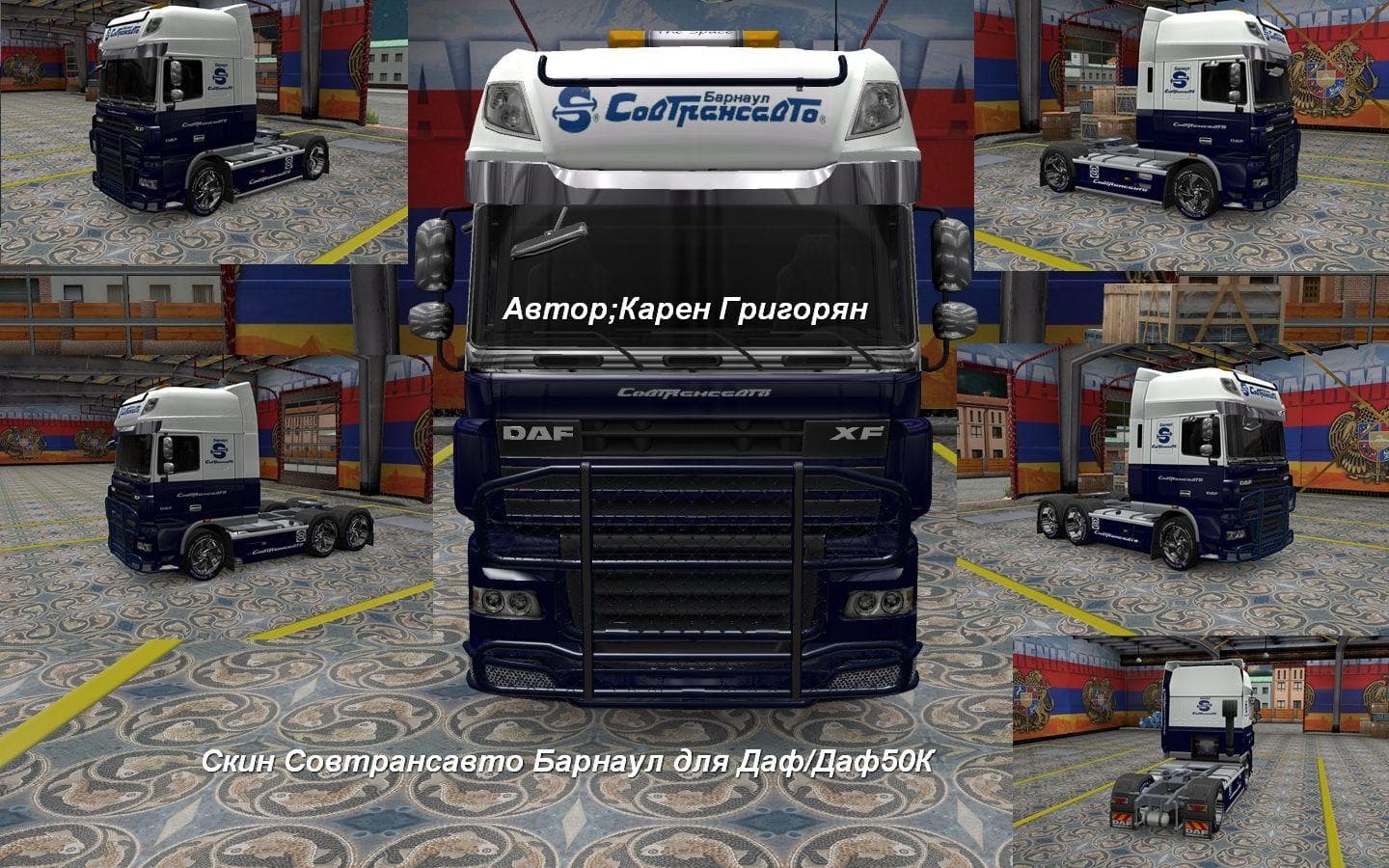
This mod adds a SovTransAuto skin for DAF XF and DAF XF 50k trucks in Euro Truck Simulator 2 version 1.22. Created by Euro truck simulator 2, credits to Карен Г
The DAF XF & 50K SOVTRANSAUTO SKIN 1.22 is a skin mod designed for the DAF XF and DAF XF 50k trucks in Euro Truck Simulator 2, specifically compatible with game version 1.22. This type of mod doesn't alter the truck's model or mechanics but provides a fresh paint job that can be applied in the game's paint shop. It offers a way to personalize your vehicle's appearance without affecting gameplay or performance.
Skin mods like this one repaint existing trucks, trailers, or cabins, relying on the original vehicle model they were made for. Since they don't change the underlying model, they're generally easy to install and use alongside other mods that affect different aspects of your truck or the world. Applying skins is straightforward; you simply select them when customizing your vehicle at a garage or dealership.
In terms of fitting into a modded setup, skin mods usually have minimal compatibility issues because they only impact textures and visuals. However, it's wise to load them after any mods that alter truck models to avoid conflicts. Ensuring your ETS2 version matches the supported one—in this case, 1.22—helps maintain stability when using this skin.
Players who enjoy giving their trucks a unique look or representing particular companies will appreciate this mod. It suits those who prefer visual customization without adding new vehicles or complex changes to their game environment. The SovTransAuto-themed design adds some variety for fans of trucking liveries linked with Eastern European companies.
While the creator remains unknown, the skin has been tested on ETS2 version 1.22, suggesting it should work as intended if you're running that version. Skins like these are ideal if you want to stand out on European roads or just want a different paint scheme for your trusted DAF XF rig.
How to install
1. Download the .scs file. 2. Drop it into `Documents/Euro Truck Simulator 2/mod/`. 3. Enable in Mod Manager. 4. Apply the skin in the truck/trailer paint shop.
After the mod loads, save your game inside a safe area (parking lot or service) before deciding whether to keep it. If the game refuses to load with the mod enabled, check that all required DLCs are installed and that the supported ETS2 version chips on this page include your installed game patch.
Reviews
No ratings yetNo reviews yet — be the first to rate this mod.





