DAF XF 105 V1.0 1
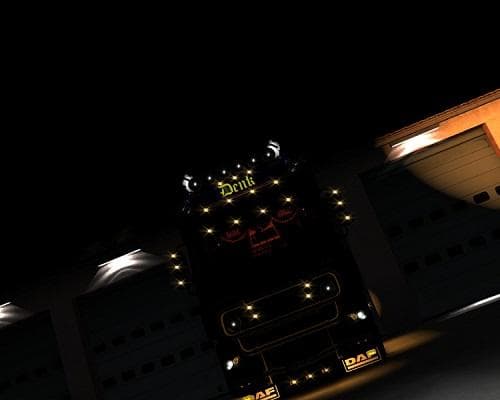
The "DAF XF 105 1" mod is a skin mod for Euro Truck Simulator 2, version 1.0. Created by Euro truck simulator 2, it features a custom skin for the DAF XF truck
The DAF XF 105 V1.0 1 mod is a skin for the DAF XF truck in Euro Truck Simulator 2. Skins like this one repaint the existing truck model without altering its shape or mechanics, offering a fresh look while keeping the original vehicle intact. This kind of mod is installed by placing it in the game's mod folder and activating it through the in-game menu, usually visible at the paint shop when customizing your truck.
Skin mods depend on the base vehicle they were created for, so this particular skin requires owning the DAF XF series to work properly. Since it’s designed for version 1.0 of ETS2, compatibility with later versions might be limited unless updated. These mods are generally straightforward to use and can be stacked with other non-conflicting mods if managed carefully.
In a modded setup, skins fit neatly alongside other cosmetic or gameplay enhancements without interfering with core mechanics. Load order matters when multiple skins or similar modifications are installed; enabling them one at a time and testing can help avoid conflicts or visual glitches.
This skin could appeal to players who want to personalize their DAF trucks with different paint jobs rather than adding new models or parts. It’s ideal for those who enjoy changing their truck’s appearance while preserving game performance and stability.
Since no creator details or file size information are provided, users should exercise normal caution by backing up game data before installation and ensuring compatibility with their current ETS2 version and other mods.
Overall, this mod offers a simple way to refresh your DAF XF 105's look without altering gameplay elements, making it suitable for players focused on aesthetics within their trucking experience.
How to install
1. Download the .scs file. 2. Drop it into `Documents/Euro Truck Simulator 2/mod/`. 3. Enable in Mod Manager. 4. Apply the skin in the truck/trailer paint shop.
After the mod loads, save your game inside a safe area (parking lot or service) before deciding whether to keep it. If the game refuses to load with the mod enabled, check that all required DLCs are installed and that the supported ETS2 version chips on this page include your installed game patch.
Reviews
No ratings yetNo reviews yet — be the first to rate this mod.





