CUSTOM SCANIA VABIS V8 SKIN
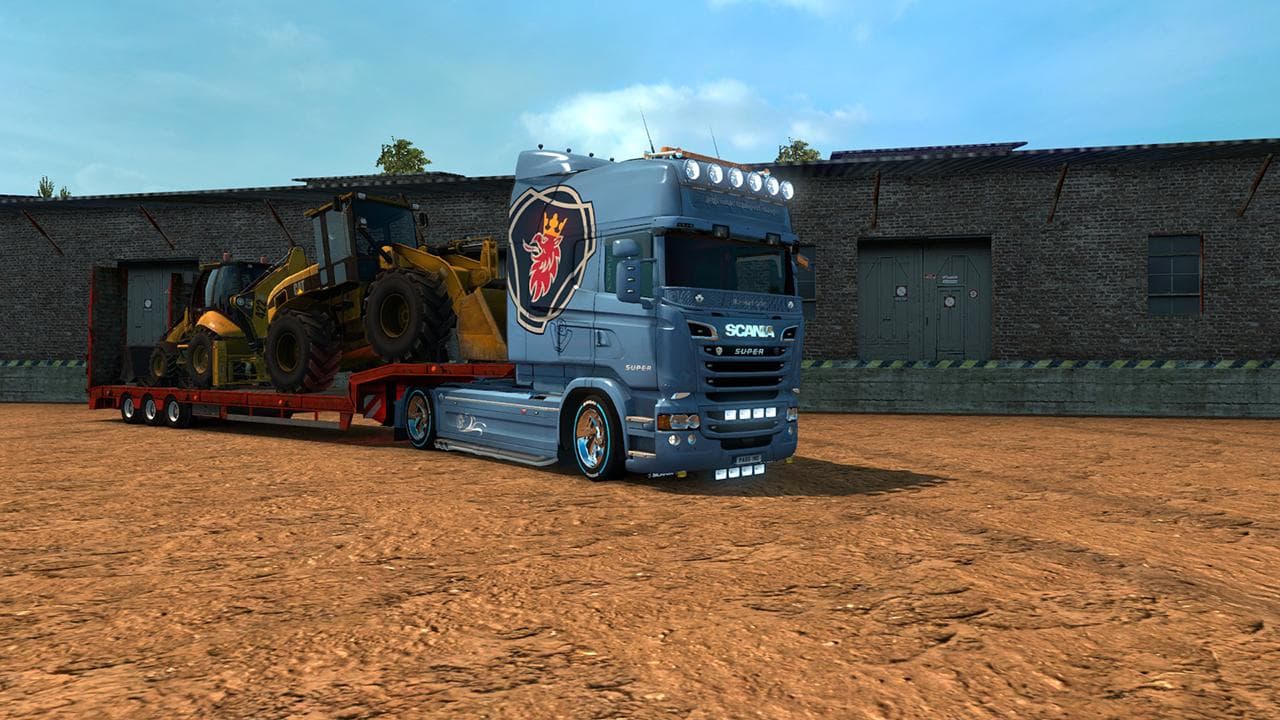
The CUSTOM SCANIA VABIS V8 SKIN is a repaint designed specifically for the RJL Scania truck model in Euro Truck Simulator 2. This type of mod changes the visual appearance of the truck by applying a new paint design without altering the underlying vehicle model. Skins like this one are selected and applied through the in-game paint shop, so they rely on having the correct base truck installed to work properly.
Skin mods generally don't affect gameplay mechanics but add variety and personalization options for players who want their trucks to stand out. They fit well into modded setups that already include compatible truck models, especially when combined with other cosmetic or functional mods to enhance the overall driving experience.
When using skin mods such as this one, it's important to load them after any model or tuning mods to avoid conflicts. Since this mod supports ETS2 versions from 1.3 up to 1.20, it covers a broad range of game updates, though users should check compatibility with their current version and any other active mods to prevent issues.
Drivers interested in customizing their Scania trucks will find this skin appealing because it adds distinct branding elements like a painted stone effect with the Scania logo included. It caters to those who want a fresh look for their vehicles without changing performance or adding complex features.
How to install
1. Download the .scs file. 2. Drop it into `Documents/Euro Truck Simulator 2/mod/`. 3. Enable in Mod Manager. 4. Apply the skin in the truck/trailer paint shop.
After the mod loads, save your game inside a safe area (parking lot or service) before deciding whether to keep it. If the game refuses to load with the mod enabled, check that all required DLCs are installed and that the supported ETS2 version chips on this page include your installed game patch.
Reviews
No ratings yetNo reviews yet — be the first to rate this mod.





