Countrystyle Recycling Volvo FH 2012 skin+lightbox
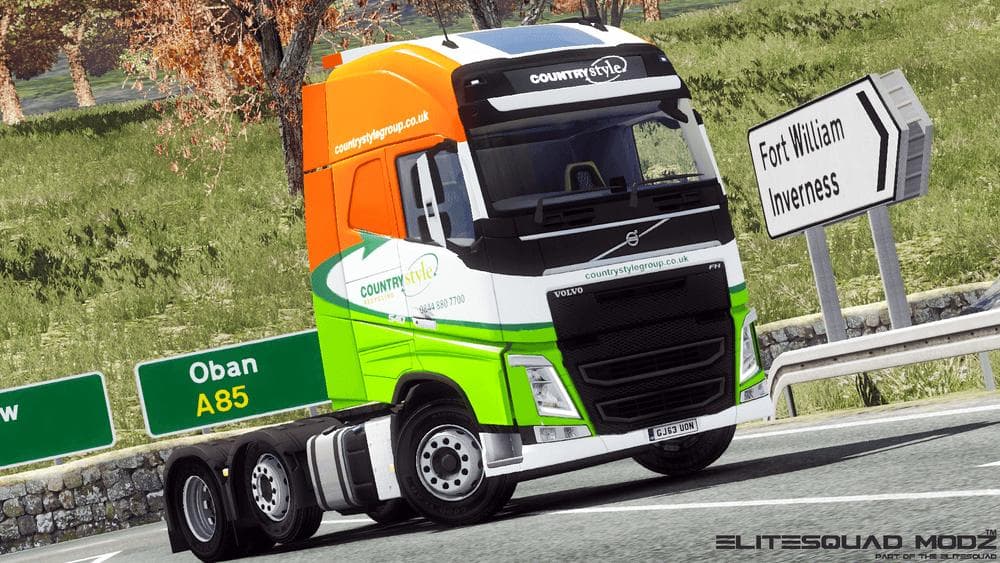
Countrystyle Recycling Volvo FH 2012 skin+lightbox is an ETS2 skins.
The Countrystyle Recycling Volvo FH 2012 skin+lightbox is a paint job mod tailored for the Volvo FH16 (2012) truck model. It features livery designs based on the Countrystyle Recycling company from the United Kingdom, providing a more authentic look for players wanting to add some British industry flavor to their fleet. This type of skin mod simply changes the truck’s appearance without altering any mechanical or gameplay aspects.
Skin mods like this one are installed through the in-game paint shop and rely on compatibility with the base vehicle they were created for. Since it targets the Volvo FH16 (2012), you’ll need that specific truck model to use this repaint. These mods don't affect performance but enhance immersion by adding realistic company logos and textures, often reflecting real-world branding.
When included in a modded setup, skins such as this usually have minimal compatibility issues if loaded after any tuning packs or other vehicle model mods. They typically come after models in your load order because they depend on those models being present first. Conflicts rarely occur unless multiple skins try to overwrite each other for the same truck variant.
This mod suits players who enjoy trucking with authentic liveries and want their trucks to stand out with regional or company-specific designs. If you run fleets themed around UK companies or prefer a more realistic visual experience, repaint mods like this one fit nicely into your collection without complicating gameplay.
Overall, adding company-themed skins enriches your garage visually and helps differentiate trucks across multiplayer convoys or single-player runs. The Countrystyle Recycling skin gives your Volvo FH16 a distinct look tied to British recycling services, perfect for those focused on thematic consistency.
How to install
1. Download the .scs file. 2. Drop it into `Documents/Euro Truck Simulator 2/mod/`. 3. Enable in Mod Manager. 4. Apply the skin in the truck/trailer paint shop.
After the mod loads, save your game inside a safe area (parking lot or service) before deciding whether to keep it. If the game refuses to load with the mod enabled, check that all required DLCs are installed and that the supported ETS2 version chips on this page include your installed game patch.
Reviews
No ratings yetNo reviews yet — be the first to rate this mod.





