COMBO PACK SKIN BATIK PEKALONGAN
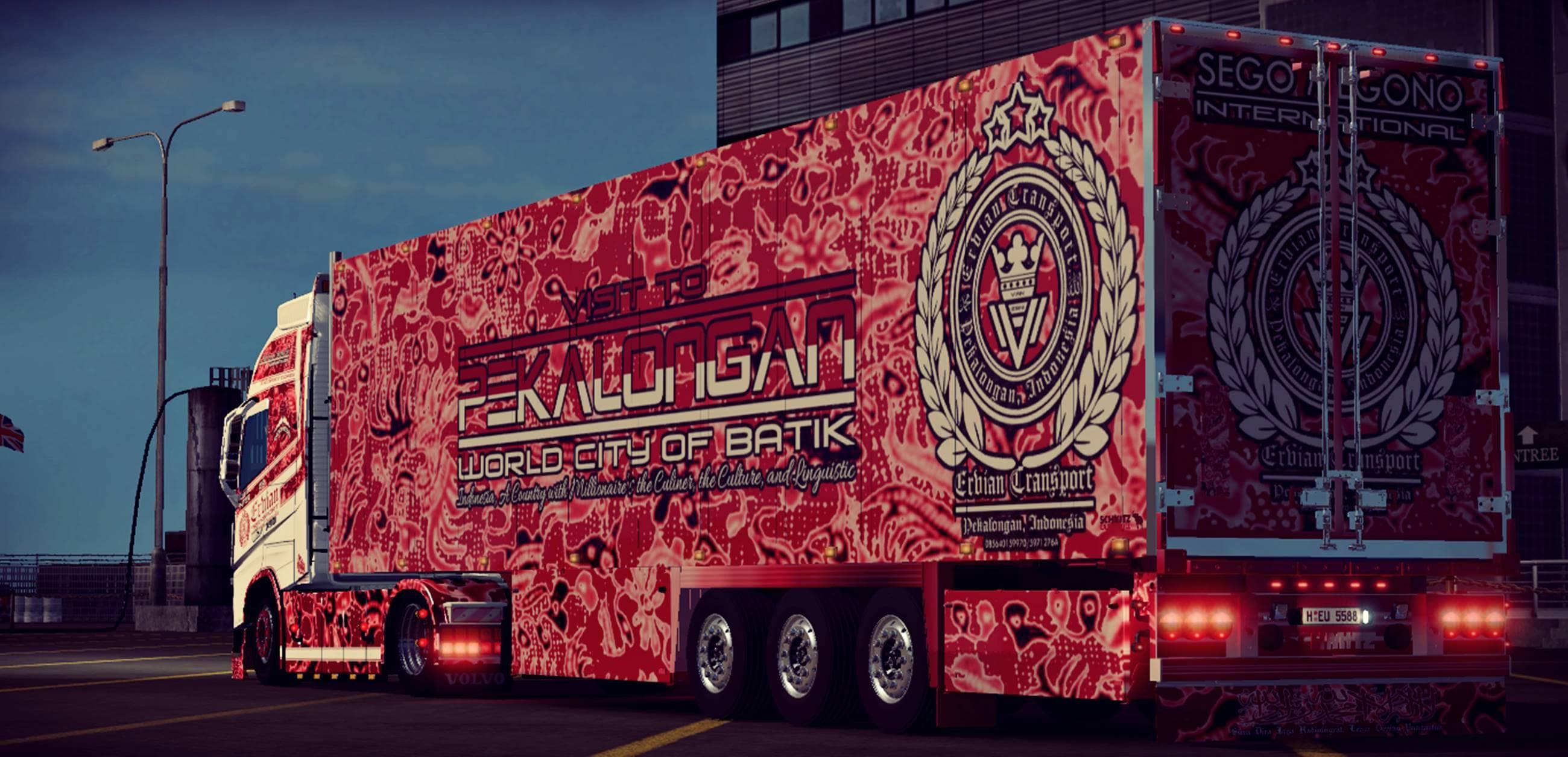
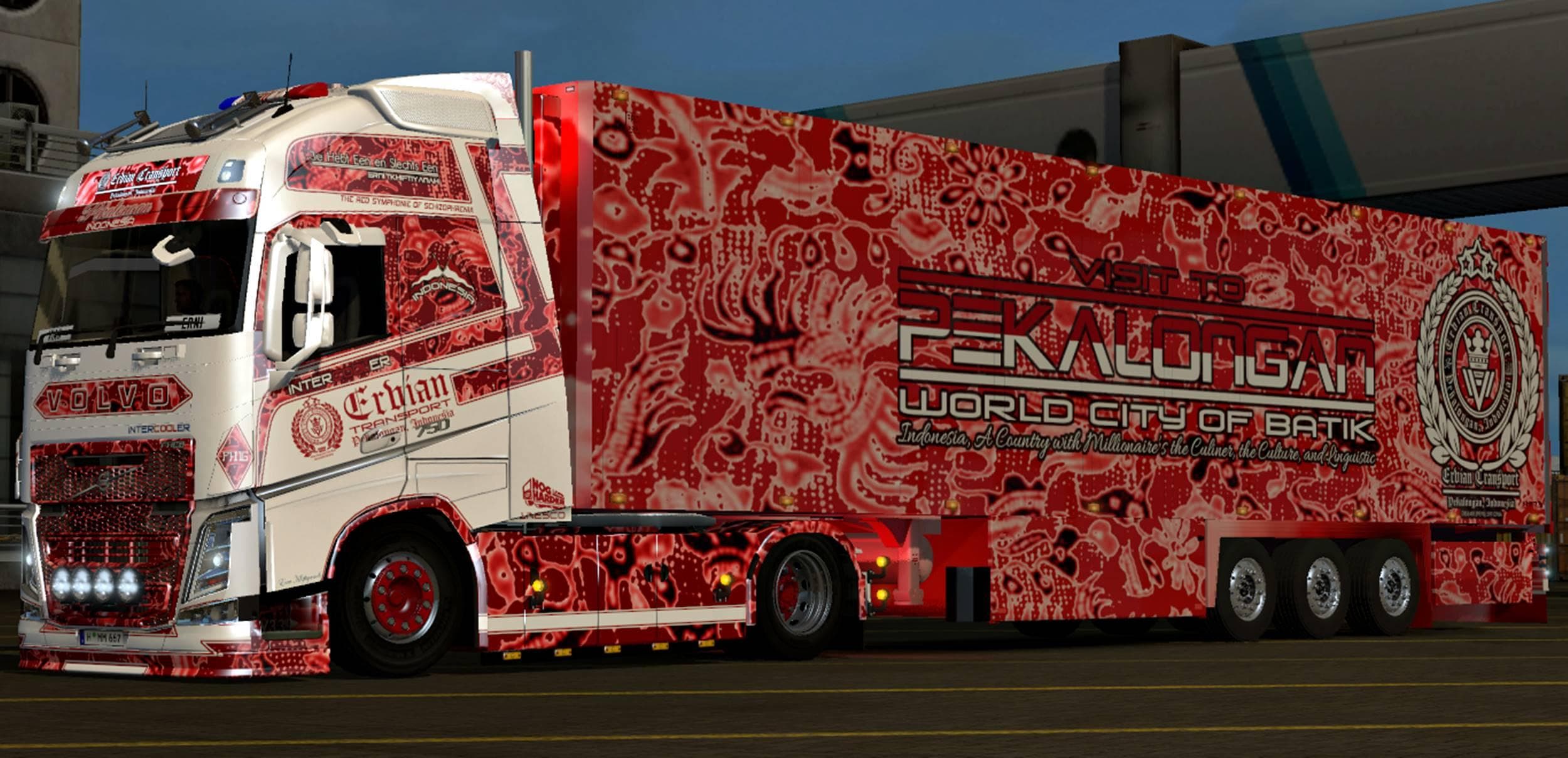
COMBO PACK SKIN BATIK PEKALONGAN is an ETS2 unknown. Listed compatible with ETS2 1.18.
The COMBO PACK SKIN BATIK PEKALONGAN is a skin mod designed for Euro Truck Simulator 2, featuring custom paint jobs inspired by Batik Pekalongan patterns. This mod includes two skins: one for the New Volvo Ohaha truck and another for the Schmitz cargo trailer. It applies new visual designs without altering the base model of these vehicles, meaning it simply changes their appearance in the paint shop.
Skin mods like this one repaint existing trucks or trailers to add variety and personalization to your fleet. They rely on the original vehicle models and are compatible only with specific versions of those models—in this case, tailored for ETS2 version 1.18. Since it’s a combo pack, it offers options both for the truck cabin and its trailer, giving a cohesive look if you want matching designs.
In a modded setup, skin packs typically load after core vehicle or tuning mods to ensure that paint jobs display correctly without conflicts. You’ll want to place this skin mod after any other modifications affecting the Volvo Ohaha or Schmitz trailer models. Compatibility issues are rare with skins as long as they’re designed for your ETS2 version and base game vehicles.
This particular pack would suit players who appreciate cultural or artistic themes applied to their trucks and trailers, especially those interested in unique regional designs like Batik Pekalongan. It’s a good pick if you want to diversify your game's visuals beyond standard European livery options without changing gameplay mechanics.
Installing skin mods is straightforward: after adding them to your mod folder and activating them in-game, you'll find these skins available when customizing your truck or trailer at service stations or dealerships. Because they don’t modify gameplay elements, they usually coexist well with other mods that enhance trucks' performance or add new vehicles.
Overall, if you're running ETS2 version 1.18 and looking to refresh your Volvo Ohaha truck along with its Schmitz trailer with distinctive artwork, this combo pack provides themed skins that fit right into such setups without extra hassle.
How to install
1. Download the .scs file. 2. Drop it into `Documents/Euro Truck Simulator 2/mod/`. 3. Enable in Mod Manager. 4. Apply the skin in the truck/trailer paint shop.
After the mod loads, save your game inside a safe area (parking lot or service) before deciding whether to keep it. If the game refuses to load with the mod enabled, check that all required DLCs are installed and that the supported ETS2 version chips on this page include your installed game patch.
Reviews
No ratings yetNo reviews yet — be the first to rate this mod.





