BLACK AND WHITE INTERIOR FOR SCANIA R
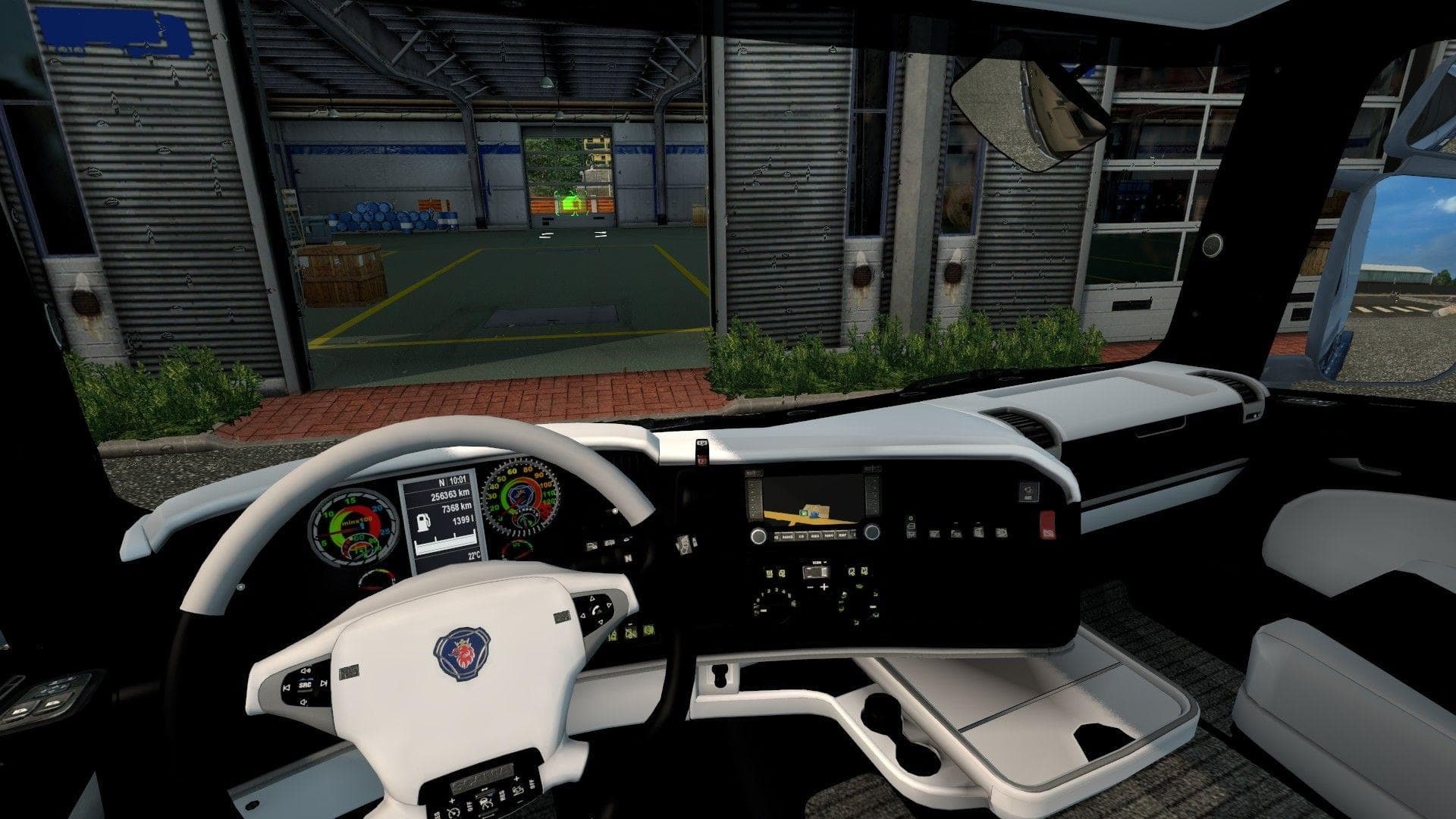
This interior mod for Scania R by Euro Truck Simulator 2 offers a black and white design. Installation instructions are provided for easy setup in the game's Mo
This mod offers a black and white interior design specifically for the Scania R truck model in Euro Truck Simulator 2. It changes the visual style of the cabin, giving it a monochrome look that differs from the standard interiors found in the base game. Interior mods like this one generally replace or modify textures within the truck's cabin to provide a fresh appearance without altering gameplay mechanics.
In ETS2, interior mods are installed by placing their .scs files into the game's mod folder, which is typically located in the My Documents/Euro Truck Simulator 2 directory. Once added, players can activate them through the in-game Mod Manager before starting a profile or session. This method allows for easy enabling and disabling of mods without affecting core game files.
When used alongside other mods, interior skins usually don't conflict with external vehicle modifications or map expansions since they only affect inside visuals. However, if multiple interior mods target the same truck model, load order might determine which texture takes precedence. It’s generally advised to load custom interiors after any comprehensive truck packs or updates to ensure they apply correctly.
Players who enjoy customizing their trucks beyond performance and exterior styling might appreciate this type of mod. It provides a subtle but noticeable change that can enhance immersion or simply offer a different aesthetic during long hauls across regions like Germany, France, or Spain.
Since this mod focuses solely on an interior theme for one truck model, it fits well into setups where visual variety is valued without adding complexity to gameplay or requiring additional dependencies.
How to install
1. Download the file(s) from the original source linked above. 2. Drop them into `Documents/Euro Truck Simulator 2/mod/`. 3. Enable in Mod Manager and restart the game.
After the mod loads, save your game inside a safe area (parking lot or service) before deciding whether to keep it. If the game refuses to load with the mod enabled, check that all required DLCs are installed and that the supported ETS2 version chips on this page include your installed game patch.
Reviews
No ratings yetNo reviews yet — be the first to rate this mod.





