BLACK AMBER
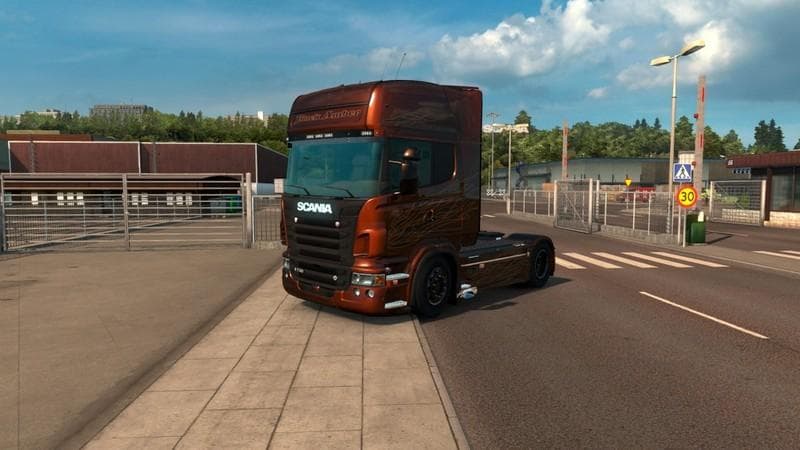
BLACK AMBER is a skin mod designed for Euro Truck Simulator 2 version 1.9. It changes the paint job of an existing truck model without altering the vehicle’s shape or features. Skin mods like this one are usually applied through the in-game paint shop, allowing players to customize their trucks with new colors and patterns that reflect personal style or match a specific theme.
In ETS2, skins serve as a way to refresh the appearance of trucks without requiring complex modeling or affecting gameplay mechanics. They are purely visual and can be easily swapped or combined with other mods, provided they target the same base vehicle. Since BLACK AMBER is a skin, it depends entirely on the original truck model it was created for and won’t work standalone.
When integrating this type of mod into a setup with multiple skins or other cosmetic modifications, it's important to check load order carefully. Skins usually override each other based on their position in the mod manager list, so placing BLACK AMBER higher will give it priority over conflicting skins for the same truck model.
This skin fits well for players who enjoy customizing their vehicles’ look and want something different from default paint options. It’s especially appealing if you’re running a collection of mods focused on visual upgrades rather than gameplay changes. Since details like creator and file size are unknown, users should verify compatibility with their current game version before installation.
How to install
1. Download the .scs file. 2. Drop it into `Documents/Euro Truck Simulator 2/mod/`. 3. Enable in Mod Manager. 4. Apply the skin in the truck/trailer paint shop.
After the mod loads, save your game inside a safe area (parking lot or service) before deciding whether to keep it. If the game refuses to load with the mod enabled, check that all required DLCs are installed and that the supported ETS2 version chips on this page include your installed game patch.
Reviews
No ratings yetNo reviews yet — be the first to rate this mod.





