BJARNE NIELSEN SCANIA RJL SKIN
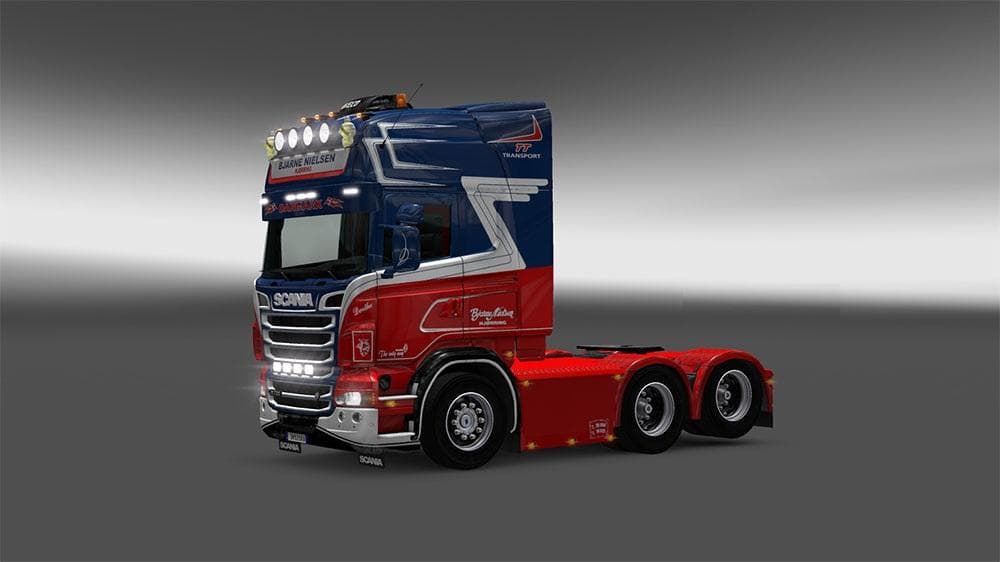
BJARNE NIELSEN SCANIA RJL SKIN is a skin mod for Scania trucks in ETS2 versions 1.4, 1.20, 1.21, and 1.22. Created by Euro truck simulator 2, the file size is 2
The BJARNE NIELSEN SCANIA RJL SKIN is a repaint mod designed specifically for the Scania RJL truck in Euro Truck Simulator 2. This type of mod doesn't alter the truck's model or performance; instead, it changes the visual appearance by applying a new design in the paint shop. Players who want to customize their trucks with unique looks often turn to skin mods like this one to add variety without affecting gameplay mechanics.
Skin mods such as this are popular because they allow for personalization while keeping the original vehicle intact. Since this particular skin supports multiple game versions ranging from 1.4 up to 1.22, it's fairly versatile and should work well with other mods that don't conflict with the Scania RJL base model. Like most skins, it needs to be loaded after any mods that alter the truck's shape or configuration to avoid override issues.
When building a modded setup, skins generally have fewer compatibility problems compared to gameplay or map mods. However, if you use several skins for the same truck model, only one can be active at a time in your profile. This means managing your load order through the game's mod manager is straightforward but necessary to ensure your chosen skin appears correctly.
This mod would suit players who enjoy customizing their vehicles' aesthetics and prefer the Scania RJL as their main rig. It's also a good fit for those who want consistent support across several ETS2 versions without needing frequent updates. Skins like this are easy additions that enhance immersion by reflecting different themes or personal tastes on familiar trucks.
Given its focus on appearance rather than functionality, users can pair this skin with other performance or map mods without much concern about conflicts. It fits neatly into any mod collection aiming to keep visuals fresh while maintaining stable gameplay.
Overall, if you're looking for a simple way to change up your Scania RJL’s look within ETS2 and appreciate having options across various game versions, this skin could be an appealing choice.
How to install
1. Download the .scs file. 2. Drop it into `Documents/Euro Truck Simulator 2/mod/`. 3. Enable in Mod Manager. 4. Apply the skin in the truck/trailer paint shop.
After the mod loads, save your game inside a safe area (parking lot or service) before deciding whether to keep it. If the game refuses to load with the mod enabled, check that all required DLCs are installed and that the supported ETS2 version chips on this page include your installed game patch.
Reviews
No ratings yetNo reviews yet — be the first to rate this mod.





