AWESOME RADIO V1.7
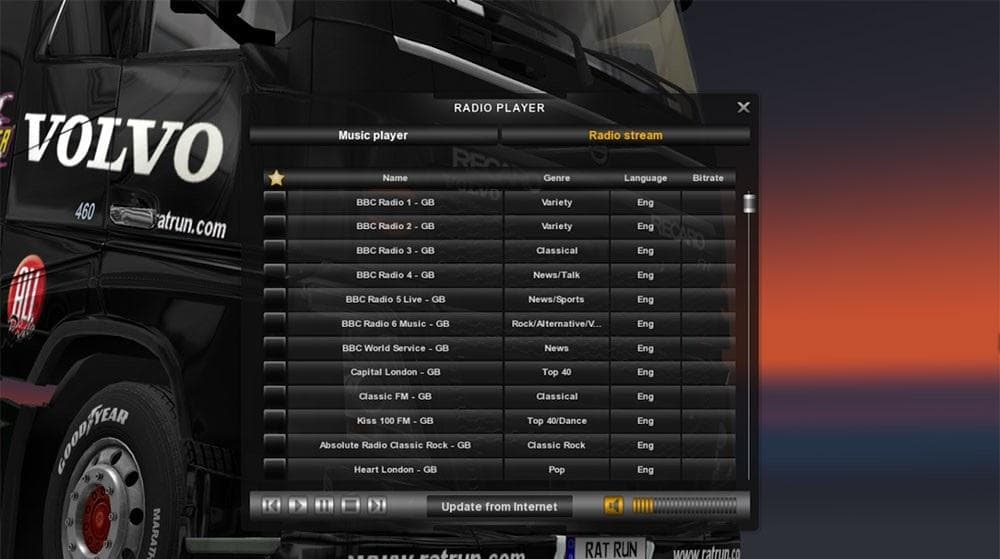
AWESOME RADIO is a sounds mod for ETS2 version 1.7, created by Euro Truck Simulator 2. It includes over 600 European radio stations and 105 UK radio stations.
AWESOME RADIO V1.7 is a sound mod for Euro Truck Simulator 2 that expands the in-game radio options significantly. It adds over 600 European radio stations, including a dedicated UK selection featuring more than a hundred channels. This kind of mod enhances the auditory experience while driving across Europe by providing a broader range of music and talk stations than the base game.
Sound mods like this one replace or add to existing audio elements within ETS2, focusing here on radio content rather than engine or environmental sounds. They typically need to be loaded high in the mod order to ensure their audio files override those from truck or map mods effectively. Players should keep this in mind when combining AWESOME RADIO with other sound-related modifications.
In a modded setup, AWESOME RADIO fits well as part of an immersive audio environment, especially for those who value variety during long hauls. Since it targets ETS2 version 1.7, compatibility is naturally limited to that and nearby versions unless updated. Users should verify that other sound mods do not conflict or overwrite its extensive radio list.
Drivers who prefer realism and diversity in their trucking sessions will appreciate the wide array of European stations included here. Whether cruising through France, Germany, or the UK, having authentic regional broadcasts can enhance immersion without any gameplay changes.
Installing this mod is straightforward and follows common procedures for ETS2 sound mods. After placing it near the top of your load order, players can enjoy richer radio content without needing additional configuration.
How to install
1. Download the .scs file. 2. Drop it into `Documents/Euro Truck Simulator 2/mod/`. 3. Enable in Mod Manager. Sound mods usually need to load **above** truck mods in load order. 4. Restart the game so the audio engine picks up new samples.
After the mod loads, save your game inside a safe area (parking lot or service) before deciding whether to keep it. If the game refuses to load with the mod enabled, check that all required DLCs are installed and that the supported ETS2 version chips on this page include your installed game patch.
Reviews
No ratings yetNo reviews yet — be the first to rate this mod.





