AUTOMIG COMBO SKIN 1.22
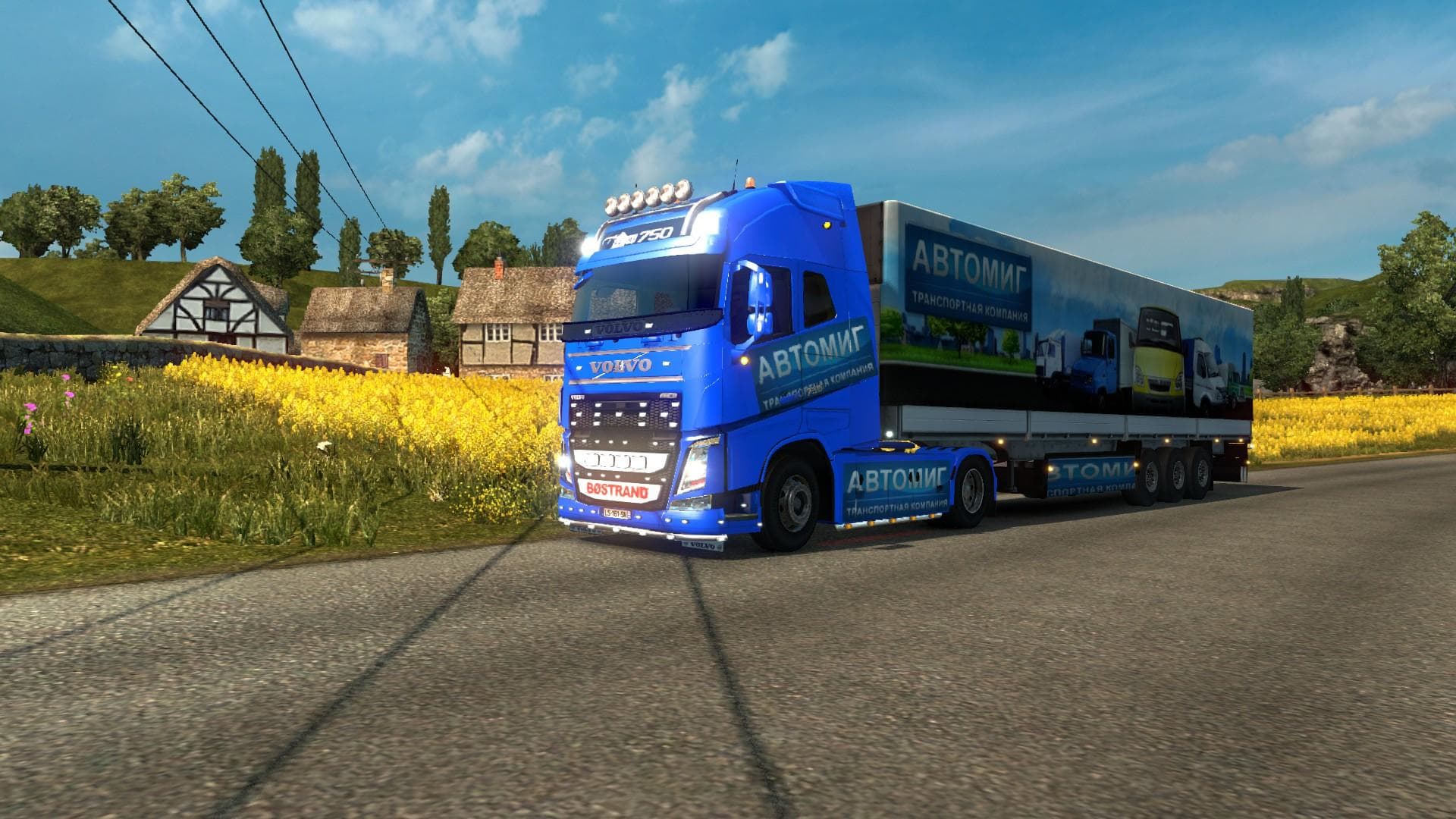
The AUTOMIG COMBO SKIN 1.22 mod is a skin for Volvo FH 2013 Ohaha Truck and Trailer in Euro Truck Simulator 2. It replaces the Trameri trailer and has been test
The AUTOMIG COMBO SKIN 1.22 mod offers a fresh paint design specifically created for the Volvo FH 2013 truck model along with its matching trailer. It repaints these vehicles without altering their shape or structure, giving them a new look while keeping the original model intact. This skin is tailored to be used with ETS2 version 1.22, ensuring compatibility with that game update.
Skin mods like this one are installed through the paint shop in-game, where players can select the new design to apply on the supported truck and trailer. Since skins only affect visual appearance, they work well alongside other types of mods such as gameplay tweaks or map expansions without causing conflicts. However, users should keep in mind that skin mods depend on having the correct base vehicle; here, it requires the Volvo FH 2013 model to display properly.
In a modded setup featuring multiple customizations, it's generally advisable to load skin mods after any truck or trailer replacements to avoid overwriting textures unintentionally. This particular combo skin includes both truck and trailer elements, which helps maintain a consistent look if you use both together rather than mixing different skins from separate sources.
Players who enjoy personalizing their fleet will find this mod useful for adding variety without changing performance or handling characteristics. It fits nicely for those running Volvo trucks who want something different than the default paint jobs but prefer not to add complex vehicle modifications.
Overall, AUTOMIG COMBO SKIN 1.22 is suitable for anyone looking to refresh their Volvo FH 2013 setup visually in ETS2 version 1.22 while keeping things straightforward and compatible with other mods.
How to install
1. Download the .scs file. 2. Drop it into `Documents/Euro Truck Simulator 2/mod/`. 3. Enable in Mod Manager. 4. Apply the skin in the truck/trailer paint shop.
After the mod loads, save your game inside a safe area (parking lot or service) before deciding whether to keep it. If the game refuses to load with the mod enabled, check that all required DLCs are installed and that the supported ETS2 version chips on this page include your installed game patch.
Reviews
No ratings yetNo reviews yet — be the first to rate this mod.





