Asphalt 8 Traffic Pack update 02-03-16
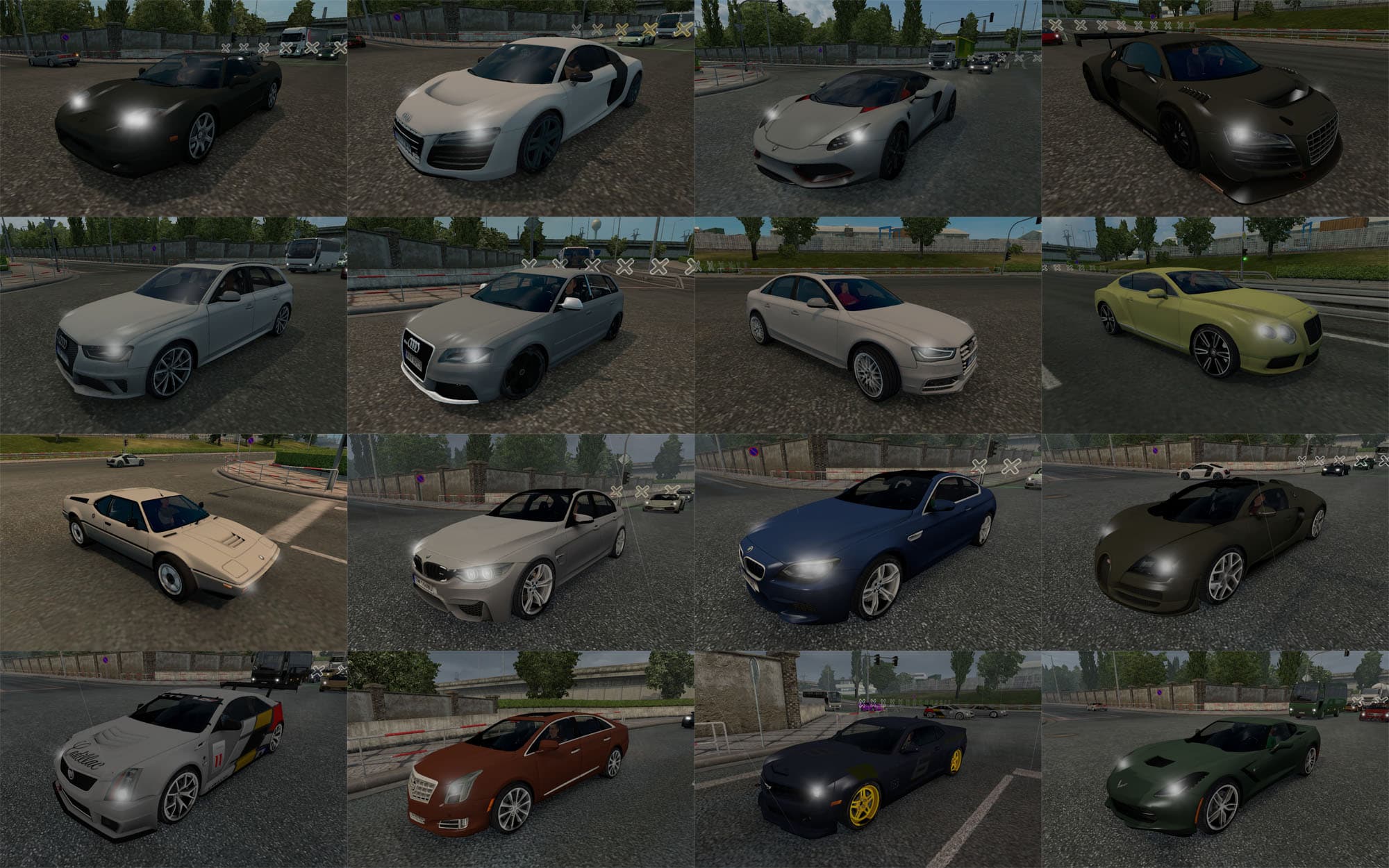
Asphalt 8 Traffic Pack update 02-03-16 adds cars from Asphalt 8 game to ETS2. Includes Acura NSX ’06, Arrinera Hussarya ’15, Audi R8 e-tron Typ 42 ’13, Audi R8
The Asphalt 8 Traffic Pack update 02-03-16 brings a selection of cars inspired by the Asphalt 8 game into Euro Truck Simulator 2. This mod adds various vehicles like the Acura NSX ’06 and Audi R8 models to the traffic, enriching the diversity of road users you encounter during your drives. It’s a nice touch for players who want to see different types of cars beyond the default ETS2 lineup.
Mods like this one generally work by injecting new vehicle models and textures into the game's traffic pool. Once installed through the in-game Mod Manager, they start appearing alongside standard traffic, making your virtual highways feel less repetitive. Because these mods alter traffic patterns, they can significantly change how the roads look without affecting gameplay mechanics or physics.
When adding this mod to a setup with other vehicle or traffic mods, load order matters. Typically, mods that add or modify traffic should be loaded after map and truck mods but before any performance-enhancing tweaks to avoid conflicts. It's always wise to check compatibility with other car packs or AI traffic overhauls if you use them together.
This type of mod fits well into any modded ETS2 experience focused on visual variety and immersion. If you enjoy seeing a wider range of cars as you haul your cargo across regions like California or Germany, it complements those environments nicely without clashing with regional themes.
Players interested in diversifying their AI traffic with sportier, more modern vehicles from Asphalt 8 will find this pack useful. It’s for those who appreciate having a bit more variety on their drives without drastically changing game balance or core mechanics.
How to install
1. Download the file(s) from the original source linked above. 2. Drop them into `Documents/Euro Truck Simulator 2/mod/`. 3. Enable in Mod Manager and restart the game.
After the mod loads, save your game inside a safe area (parking lot or service) before deciding whether to keep it. If the game refuses to load with the mod enabled, check that all required DLCs are installed and that the supported ETS2 version chips on this page include your installed game patch.
Reviews
No ratings yetNo reviews yet — be the first to rate this mod.





