ALWAYS SUNNY WEATHER MOD WITHOUT NIGHT
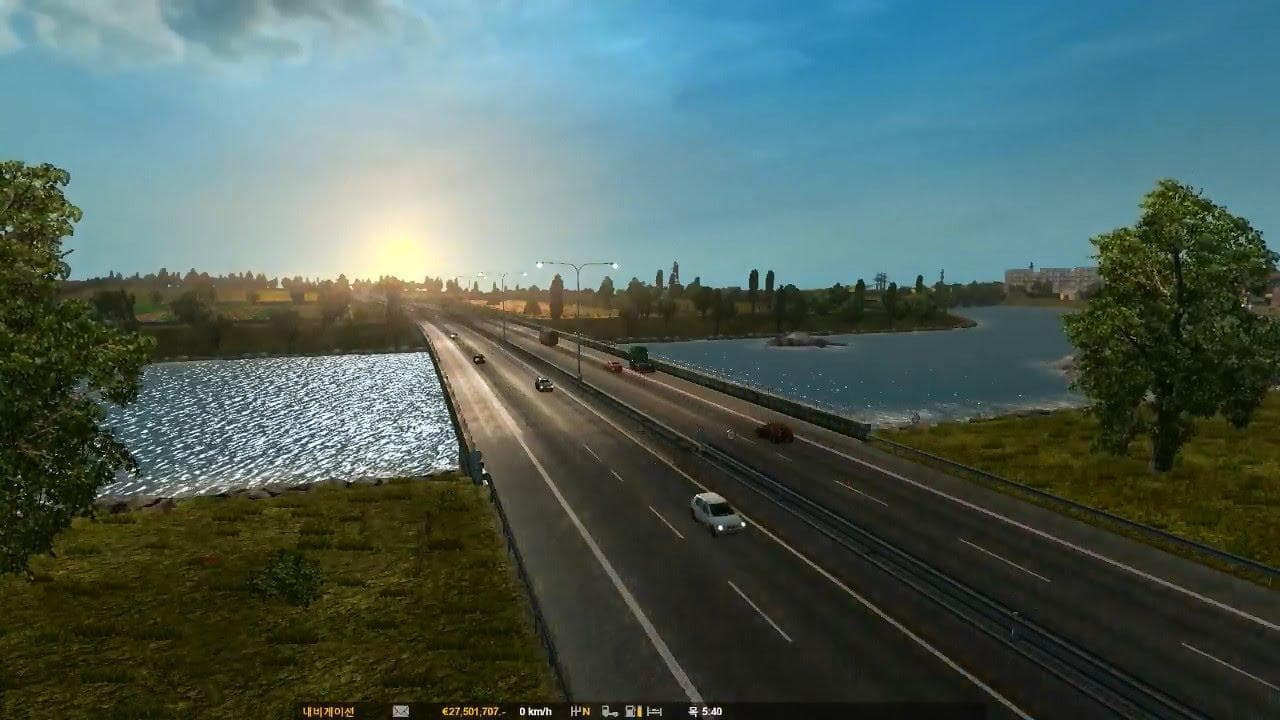
The ALWAYS SUNNY WEATHER MOD WITHOUT NIGHT changes the audio atmosphere in Euro Truck Simulator 2 by focusing on sound elements related to weather conditions. Unlike typical sound mods that might alter engine noises or horns, this one tweaks environmental sounds to reflect a constant sunny setting with no night-time ambiance. It modifies how the game's audio presents weather, making it feel perpetually bright and daylit through sound cues alone.
Sound mods like this usually replace or adjust various in-game audio layers to enhance immersion or alter the mood. They typically need to be placed high in the load order, especially above any truck-specific sound mods, since they affect global ambient sounds rather than individual vehicle sounds. This helps avoid conflicts where multiple mods try to change overlapping audio files.
This mod is compatible with ETS2 versions 1.0 and 1.20, so it's suited for players using these specific game builds who want a consistent sunny soundscape without night-time effects interrupting their experience. Since it alters environmental audio broadly, it fits well into setups that include other visual or gameplay mods focused on weather or time-of-day changes.
Players looking to create a more cheerful and daylight-focused driving environment might appreciate this mod. It's particularly useful for those who prefer not having night sounds or darker atmospheres while playing, allowing them to maintain a steady sunny mood during their long hauls.
Because this mod deals strictly with environmental sounds tied to weather conditions and time of day, it won't conflict with most visual mods but should be loaded carefully alongside other sound modifications to ensure the intended audio effects are preserved.
How to install
1. Download the .scs file. 2. Drop it into `Documents/Euro Truck Simulator 2/mod/`. 3. Enable in Mod Manager. Sound mods usually need to load **above** truck mods in load order. 4. Restart the game so the audio engine picks up new samples.
After the mod loads, save your game inside a safe area (parking lot or service) before deciding whether to keep it. If the game refuses to load with the mod enabled, check that all required DLCs are installed and that the supported ETS2 version chips on this page include your installed game patch.
Reviews
No ratings yetNo reviews yet — be the first to rate this mod.





