AI Traffic Pack by Jazzycat v3.3
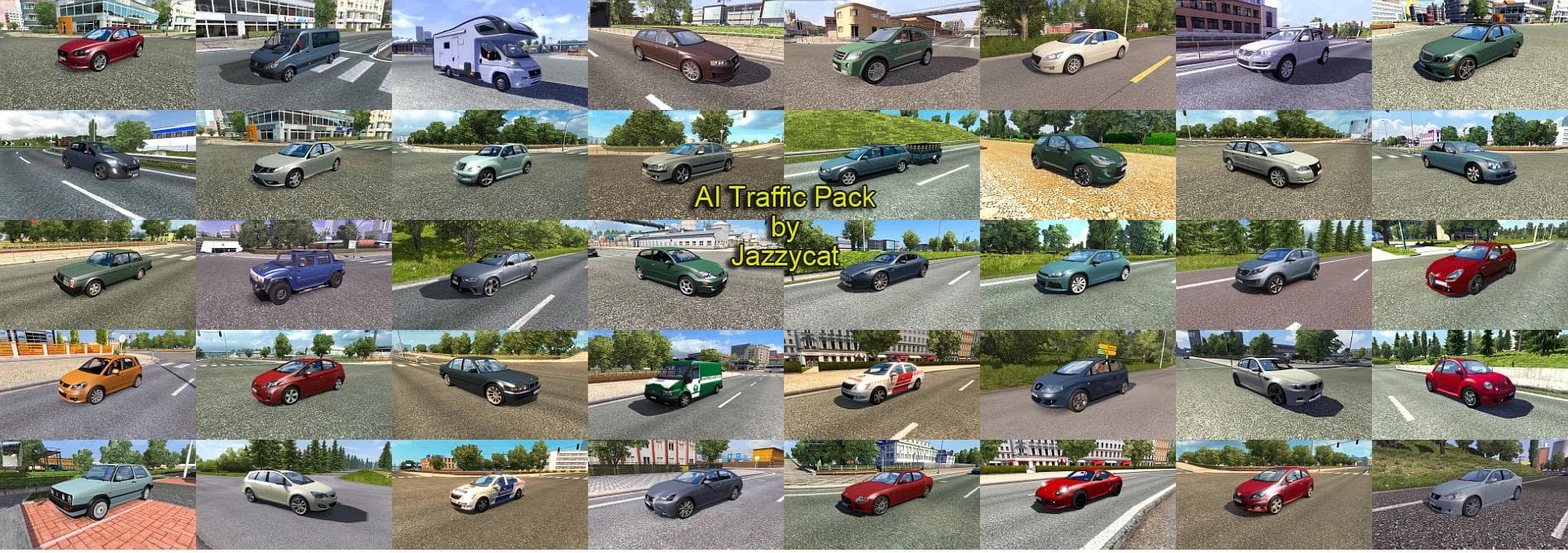
AI Traffic Pack by Jazzycat is a traffic mod for ETS2 version 3.3 that adds 206 new AI cars from various Mercedes-Benz models. Created by Euro Truck Simulator 2
The AI Traffic Pack by Jazzycat v3.3 adds a variety of new AI vehicles to Euro Truck Simulator 2, focusing on expanding the in-game traffic with over 200 additional cars. Among these are various Mercedes-Benz models such as the A-Class, C-Class, and several E-Class and S-Class versions. This type of mod enhances the game's environment by diversifying the traffic players encounter during their drives, making roads feel busier and more dynamic.
Mods like this one typically work by introducing new AI vehicle models that spawn alongside standard traffic. They don't alter gameplay mechanics but enrich the visual aspect and immersion. Installing this kind of mod is done through the in-game Mod Manager, which allows for easy activation and deactivation without needing to replace core game files manually.
When integrating an AI traffic pack into a modded setup, it's worth considering load order since multiple traffic mods can conflict or overwrite each other's vehicle spawns. Usually, these packs should be placed after map or truck mods to ensure proper functionality. Compatibility depends on other installed traffic-related mods; players may need to adjust their mod list if they experience issues.
This particular pack suits players who want a more varied and authentic road experience across different regions such as Germany or France where Mercedes-Benz vehicles are common sights. It blends well with map expansions and other vehicle mods without demanding extensive changes from the user.
Overall, anyone looking to add more depth to ETS2's traffic patterns will find this pack useful. It fits neatly into broader mod collections aimed at realism or simply improving visual variety while driving across Europe.
How to install
1. Download the file(s) from the original source linked above. 2. Drop them into `Documents/Euro Truck Simulator 2/mod/`. 3. Enable in Mod Manager and restart the game.
After the mod loads, save your game inside a safe area (parking lot or service) before deciding whether to keep it. If the game refuses to load with the mod enabled, check that all required DLCs are installed and that the supported ETS2 version chips on this page include your installed game patch.
Reviews
No ratings yetNo reviews yet — be the first to rate this mod.





