A.EBNER TRANSPORTE DAF XF EURO 6 SKIN AND AIRCONDITIONER
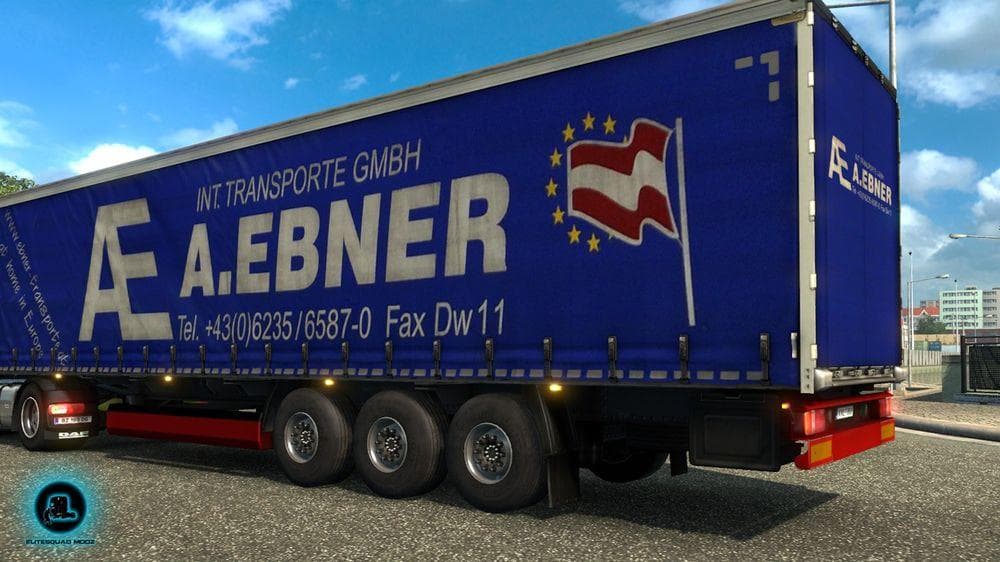
This ETS2 mod offers a skin for the DAF XF Euro 6 truck, featuring realistic textures for A.EBNER Transporte from Austria. The mod also includes an air conditio
The A.EBNER TRANSPORTE DAF XF EURO 6 SKIN AND AIRCONDITIONER is a skin mod designed specifically for the DAF XF Euro 6 truck in Euro Truck Simulator 2. This mod changes the truck’s appearance by applying realistic textures that represent the A.EBNER Transporte company from Austria, giving players a fresh look without altering the base model of the vehicle. It also includes a compact air conditioner detail, adding a bit more visual authenticity to the cabin area.
Skin mods like this one are typically installed through the game's paint shop interface and rely on having the original truck model already available in your ETS2 setup. Since it only modifies the truck's visuals, it won't affect gameplay mechanics or performance but can significantly enhance immersion for those who enjoy roleplaying or want more variety in their fleet's appearance.
When using skins, it's common to consider load order if you have multiple mods affecting the same truck. Generally, skins should be loaded after any larger truck model or tuning mods to ensure they display correctly. Conflicts are rare with skin-only mods, but keeping them organized helps avoid issues when combined with other visual tweaks or company-specific paint jobs.
This particular skin fits well into a modded setup focused on realistic trucking experiences in Europe, especially if you're running Austrian companies or prefer detailed liveries tied to real-world transport firms. Its inclusion of an air conditioner detail shows attention to small design elements that some players appreciate for added realism.
Players who enjoy customizing their trucks visually without changing how they drive will find this mod useful. It's suited for those who want a specific branded look for their DAF XF Euro 6 and don't mind skins that represent actual companies from regions like Austria.
Overall, this skin is one of many options for personalizing your ETS2 garage with authentic designs. It’s easy to add and works well alongside other mods as long as you manage your load order properly and make sure it matches your base game version.
How to install
1. Download the .scs file. 2. Drop it into `Documents/Euro Truck Simulator 2/mod/`. 3. Enable in Mod Manager. 4. Apply the skin in the truck/trailer paint shop.
After the mod loads, save your game inside a safe area (parking lot or service) before deciding whether to keep it. If the game refuses to load with the mod enabled, check that all required DLCs are installed and that the supported ETS2 version chips on this page include your installed game patch.
Reviews
No ratings yetNo reviews yet — be the first to rate this mod.





