50k scania assassins creed 1.22.x
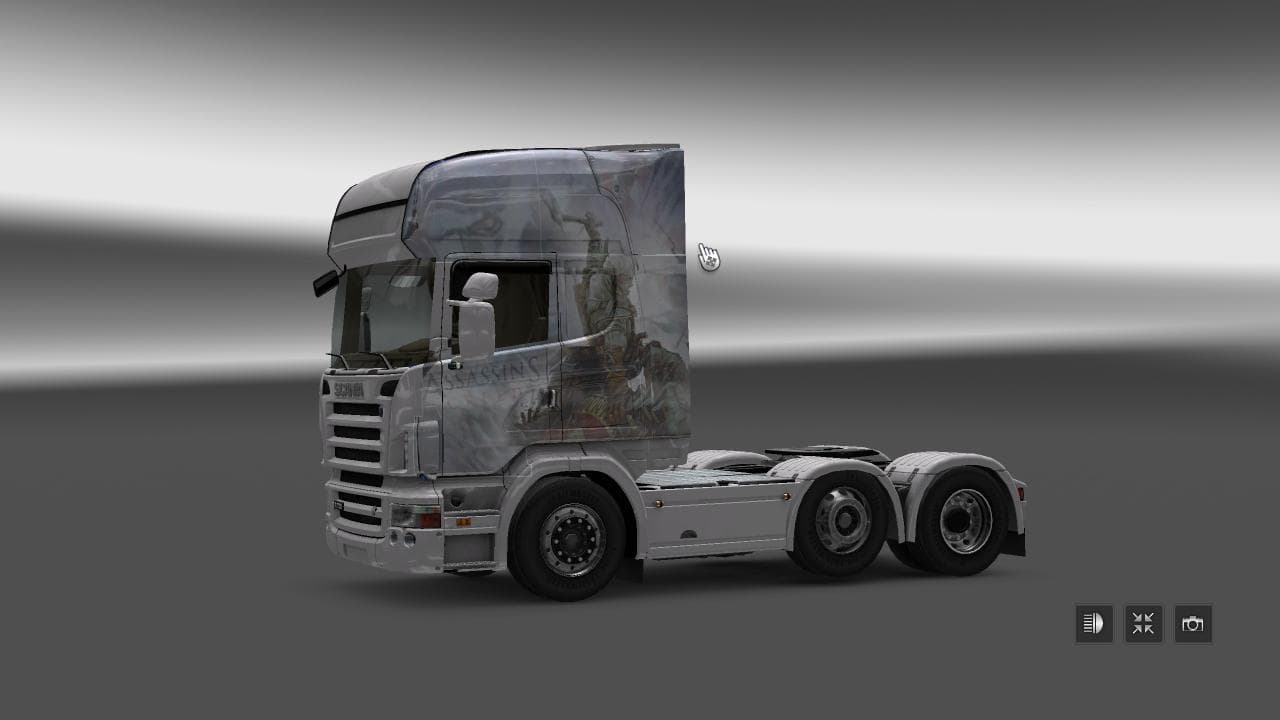
This mod adds a 50k Scania truck with an Assassin's Creed paint job for ETS2 version 1.22. Created by Euro Truck Simulator 2, the mod credits 50 keda, griffsta,
This mod brings a custom paint job themed around Assassin's Creed to the Scania truck in Euro Truck Simulator 2, compatible with version 1.22 of the game. It doesn't change the truck model itself but overlays a unique design on the existing vehicle, giving it a fresh look that fans of the franchise might appreciate. Skins like this one are installed through the paint shop within ETS2 and rely on having the base Scania truck available in your game files.
Skin mods serve as a way to personalize your trucks without altering their core models or performance. They let players add visual variety and express interests or fandoms through their vehicles. Since these mods only repaint existing models, they tend to be lightweight and easy to integrate into modded setups without causing conflicts with gameplay-affecting modifications.
When adding skin mods like this one to your collection, it's generally advised to load them after any mods that modify truck parts or physics. This ensures the paint job displays correctly on top of any other alterations you might have applied. Compatibility is usually straightforward as long as you're running the correct game version—in this case, ETS2 1.22—matching what the mod supports.
This particular skin could appeal to players who enjoy customizing their trucks with themes from popular culture, especially those who want their Scania trucks to stand out with something different from stock colors or generic designs. It fits well for anyone aiming to build a themed fleet centered around recognizable imagery.
While details about file size and author remain unknown, the mod credits multiple contributors for both the base truck modification and the paint job itself. It's always good practice not to re-upload such mods elsewhere without permission, respecting creators' wishes noted by mod authors here.
Overall, if you're running ETS2 version 1.22 and want a distinctive look for your Scania that nods to Assassin's Creed, this skin offers an easy way to update your vehicle's appearance within an existing garage setup.
How to install
1. Download the .scs file. 2. Drop it into `Documents/Euro Truck Simulator 2/mod/`. 3. Enable in Mod Manager. 4. Apply the skin in the truck/trailer paint shop.
After the mod loads, save your game inside a safe area (parking lot or service) before deciding whether to keep it. If the game refuses to load with the mod enabled, check that all required DLCs are installed and that the supported ETS2 version chips on this page include your installed game patch.
Reviews
No ratings yetNo reviews yet — be the first to rate this mod.





