VOLVO VNL 780
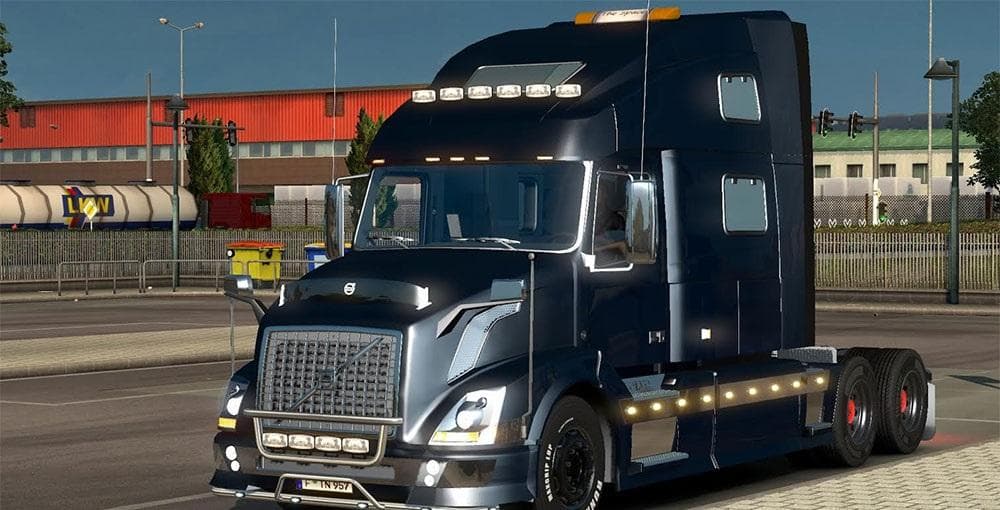
The VOLVO VNL 780 truck mod for ETS2 is compatible with version 1.21 and includes a new engine. It also fixes the bug of shadows in cities, but does not include
The VOLVO VNL 780 mod introduces a new truck model to Euro Truck Simulator 2, adding the distinct cab and chassis of this American-style long-haul vehicle. Like other truck mods, it can be bought from dealers within the game, offering players an alternative rig to drive across various regions. This mod is compatible with ETS2 version 1.21 and includes its own engine setup, which may affect gameplay by providing different performance characteristics compared to stock trucks.
Truck mods such as this one typically come with their own interior design, engine options, transmission choices, and paint slots. This allows for some customization while maintaining authenticity to the truck's real-world counterpart. The inclusion of a new engine in this mod might bring subtle changes to how the truck handles fuel consumption or power delivery during long hauls.
When using truck mods like the VOLVO VNL 780 in a heavily modded setup, it's advisable to pay attention to load order. Since it doesn't include a manifest.sii file, users might need to place it correctly in their mod manager so that it doesn't conflict with other vehicle or sound mods. Ensuring compatibility helps avoid issues such as missing shadows or graphical glitches that sometimes occur with custom trucks in cities or complex environments.
This kind of mod will appeal mostly to players who enjoy American-style trucks within ETS2 or those who want to expand their garage beyond European models. It fits well for users looking for variety in their fleet without switching to entirely different map mods or gameplay styles. Additionally, since it's compatible with version 1.21, players on that update can integrate it smoothly into their game without needing additional patches.
How to install
1. Download the .scs file from the original source linked above. 2. Copy the file to `Documents/Euro Truck Simulator 2/mod/`. 3. Launch ETS2, open the Mod Manager from the main menu, enable the mod, restart the game. 4. Visit any truck dealer to spawn the new truck.
After the mod loads, save your game inside a safe area (parking lot or service) before deciding whether to keep it. If the game refuses to load with the mod enabled, check that all required DLCs are installed and that the supported ETS2 version chips on this page include your installed game patch.
Reviews
No ratings yetNo reviews yet — be the first to rate this mod.





![Fuso Supergreat Hi Cab Truck [1.50 – 1.60] – Trucks mod for Euro Truck Simulator 2](/_next/image?url=https%3A%2F%2F802software.s3.us-east-1.amazonaws.com%2Fets2modspot%2Fscreenshots%2F7494%2F0.jpg&w=3840&q=75)