VOLVO FM V4.7
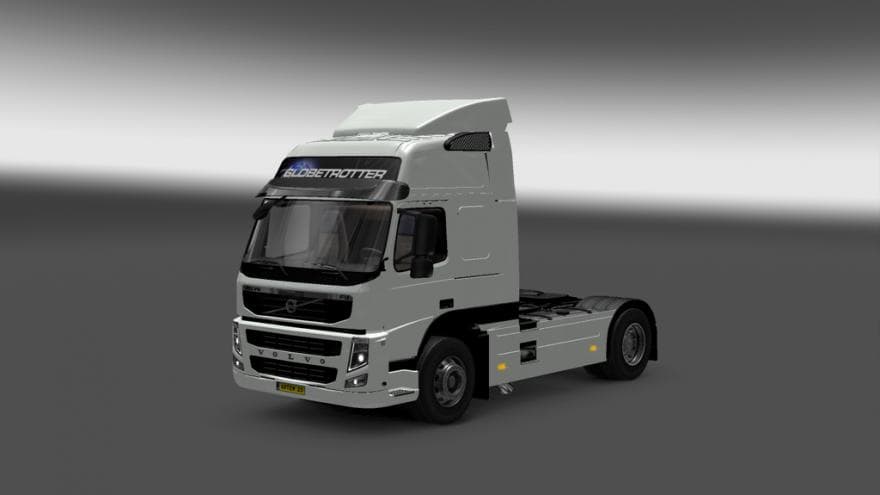
The VOLVO FM mod for ETS2 version 4.7 adds 3 cabin types and various chassis options like 4x2, 6x2/4, and 6x4. It includes custom sounds, compatibility with the
The VOLVO FM V4.7 mod adds a new truck model to Euro Truck Simulator 2, specifically the Volvo FM with multiple cabin options. Players can choose from three different cabins along with various chassis types like 4×2, 6×2/4, and 6×4 configurations. This kind of truck mod introduces a fresh drivable vehicle that can be purchased at dealers within the game.
Truck mods such as this one typically bring their own set of features including custom interiors, engine choices, transmission setups, and paint jobs. The VOLVO FM V4.7 also includes its own sounds, enhancing the immersion when driving this model. Mods in this category tend to replace or add content without interfering with core gameplay mechanics but still require proper installation and loading to work correctly.
This particular mod supports compatibility with DLC like Sabin Accessories, which suggests it integrates additional parts or customization options from official expansions. Users running several mods should pay attention to load order since trucks can conflict if multiple are trying to override similar files or dealer inventories.
Those who enjoy diversifying their fleet or prefer driving Volvo trucks will find this mod useful for expanding their garage options. It fits well in a modded setup where players want more variety beyond the base game's selection without heavily altering gameplay balance.
As always with truck mods, it’s wise to back up your profiles before installing and check community feedback for any reported issues or conflicts. While exact details on supported ETS2 versions or file size are unavailable, these types of mods generally work across multiple updates if maintained by their creators.
How to install
1. Download the .scs file from the original source linked above. 2. Copy the file to `Documents/Euro Truck Simulator 2/mod/`. 3. Launch ETS2, open the Mod Manager from the main menu, enable the mod, restart the game. 4. Visit any truck dealer to spawn the new truck.
After the mod loads, save your game inside a safe area (parking lot or service) before deciding whether to keep it. If the game refuses to load with the mod enabled, check that all required DLCs are installed and that the supported ETS2 version chips on this page include your installed game patch.
Reviews
No ratings yetNo reviews yet — be the first to rate this mod.





![Fuso Supergreat Hi Cab Truck [1.50 – 1.60] – Trucks mod for Euro Truck Simulator 2](/_next/image?url=https%3A%2F%2F802software.s3.us-east-1.amazonaws.com%2Fets2modspot%2Fscreenshots%2F7494%2F0.jpg&w=3840&q=75)