VOLKSWAGEN CONSTELLATION V2.4
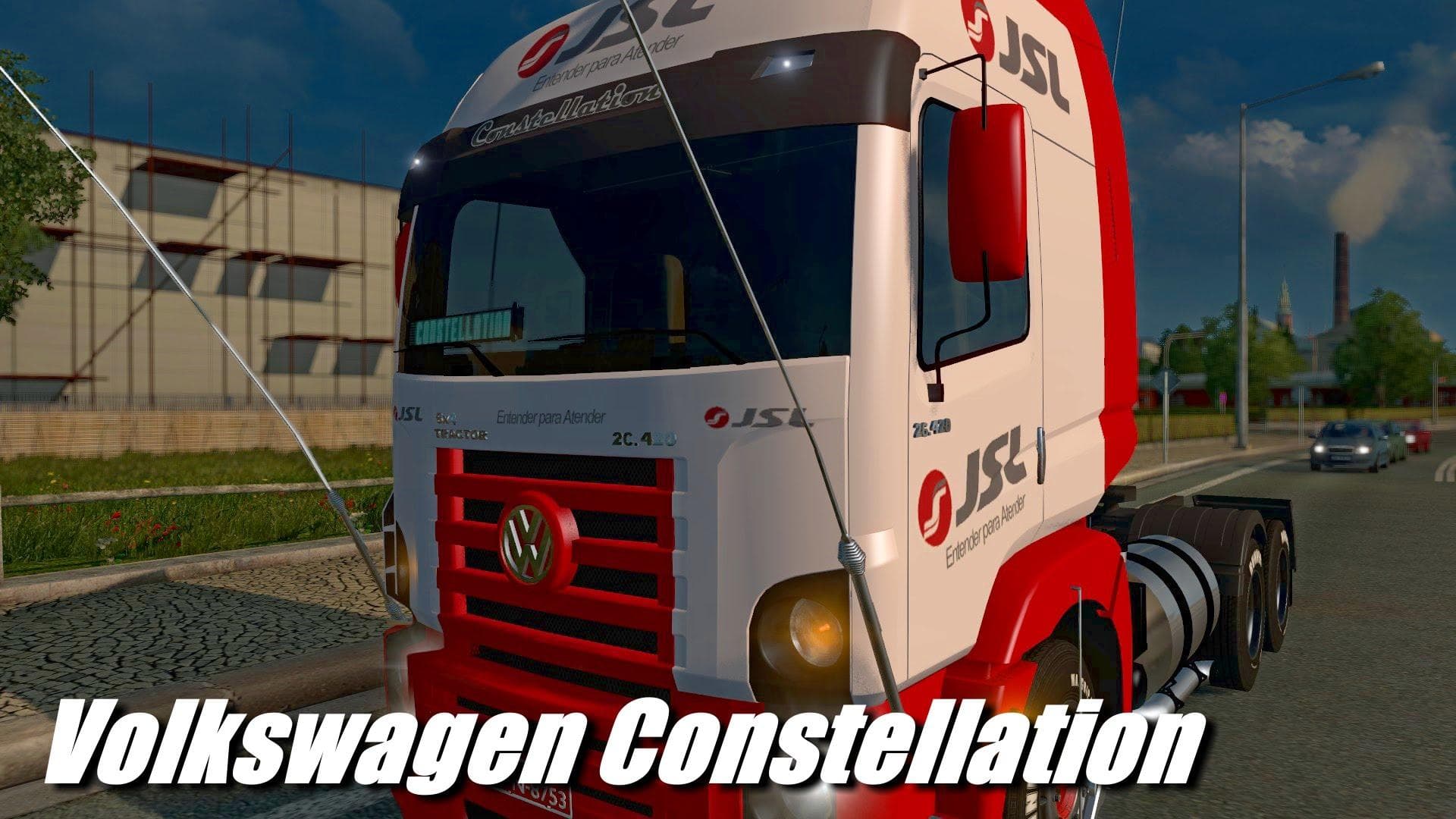
VOLKSWAGEN CONSTELLATION is an ETS2 trucks. Listed compatible with ETS2 1.22.
The Volkswagen Constellation V2.4 is a truck mod designed for Euro Truck Simulator 2, tailored to work with the 1.22 game version. It brings the Volkswagen Constellation as a drivable vehicle, purchasable at dealers within the game. This mod typically includes its own interior design, along with various engine and transmission options to match the truck's style and performance characteristics. Additionally, it offers new paint options that allow players to customize their rig further.
Truck mods like this one add fresh cab and chassis models to ETS2, expanding the variety of trucks available beyond those included in the base game. They usually come with unique visual elements and mechanical configurations that can enhance the driving experience by providing different handling or power setups. The inclusion of dealer availability means you can buy this truck during gameplay instead of relying on external garages or special commands.
In a modded setup, trucks such as the Volkswagen Constellation should generally be loaded according to standard practices for vehicle mods—usually after map mods but before any gameplay mechanics tweaks—to avoid conflicts. Since this mod supports ETS2 version 1.22, it's important to ensure compatibility if you're running a newer or heavily modified game version. Conflicts may arise if multiple truck mods overwrite similar files or use overlapping paint jobs.
This type of mod appeals mostly to players who enjoy diversifying their fleet with less common brands and want to try out trucks not found in the vanilla game roster. Fans of Volkswagen trucks or those looking for something different from mainstream manufacturers will find this addition interesting. It also fits well into thematic setups where players want a South American or Brazilian trucking vibe since the Constellation model is popular there.
Since specific creator details and file size aren't provided, users should always backup their profiles before installing new trucks and check load order carefully when combining several vehicle mods. Testing in a separate profile can help avoid any potential issues with save corruption or incompatibility.
How to install
1. Download the .scs file from the original source linked above. 2. Copy the file to `Documents/Euro Truck Simulator 2/mod/`. 3. Launch ETS2, open the Mod Manager from the main menu, enable the mod, restart the game. 4. Visit any truck dealer to spawn the new truck.
After the mod loads, save your game inside a safe area (parking lot or service) before deciding whether to keep it. If the game refuses to load with the mod enabled, check that all required DLCs are installed and that the supported ETS2 version chips on this page include your installed game patch.
Reviews
No ratings yetNo reviews yet — be the first to rate this mod.





![Fuso Supergreat Hi Cab Truck [1.50 – 1.60] – Trucks mod for Euro Truck Simulator 2](/_next/image?url=https%3A%2F%2F802software.s3.us-east-1.amazonaws.com%2Fets2modspot%2Fscreenshots%2F7494%2F0.jpg&w=3840&q=75)