Volkswagen Amarok V6 v1.60
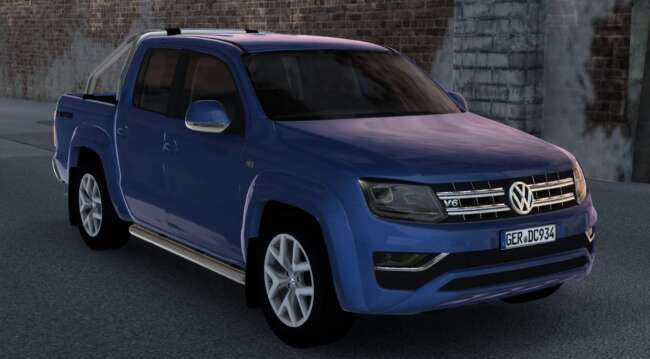
The Volkswagen Amarok V6 mod by ets2mods offers 2 chassis and engine options, a 6-speed transmission, 4 metallic paintjob choices, and various tuning options. I
The Volkswagen Amarok V6 v1.60 mod adds a new truck to Euro Truck Simulator 2, letting you drive the Amarok with two chassis options and a choice between two engines rated at 170 hp and 204 hp. It features a six-speed transmission and offers several metallic paintjobs along with tuning possibilities. This version is compatible with ETS2 game version 1.60, ensuring it fits well within that environment.
Truck mods like this one expand the variety of vehicles available in the game by introducing unique cabs and chassis configurations. They typically come with their own interiors, engine setups, and paint slots, giving players more options for customization and gameplay style. The Amarok mod follows this pattern by delivering distinct driving characteristics compared to standard trucks in ETS2.
When integrating this mod into a heavily modded setup, it's important to consider load order since truck mods should generally be loaded after map or AI traffic mods to avoid conflicts. Because it’s designed for version 1.60 of the game, compatibility with other mods should be checked if you're running a different ETS2 release or using multiple vehicle mods simultaneously.
Players who enjoy smaller, versatile trucks might find this mod appealing since the Amarok isn’t your typical long-haul rig but rather something suited for lighter loads or regional deliveries. It's a good fit if you want to diversify your fleet beyond traditional heavy-duty trucks without straying from licensed vehicle models.
Besides expanding your truck roster, the tuning options let you personalize performance and appearance to suit your preferences or roleplay scenarios. The metallic paint choices add some flair without being over the top, making it easier to blend with other vehicles on the road while still standing out slightly.
How to install
1. Download the .scs file from the original source linked above. 2. Copy the file to `Documents/Euro Truck Simulator 2/mod/`. 3. Launch ETS2, open the Mod Manager from the main menu, enable the mod, restart the game. 4. Visit any truck dealer to spawn the new truck.
After the mod loads, save your game inside a safe area (parking lot or service) before deciding whether to keep it. If the game refuses to load with the mod enabled, check that all required DLCs are installed and that the supported ETS2 version chips on this page include your installed game patch.
Reviews
No ratings yetNo reviews yet — be the first to rate this mod.





![Fuso Supergreat Hi Cab Truck [1.50 – 1.60] – Trucks mod for Euro Truck Simulator 2](/_next/image?url=https%3A%2F%2F802software.s3.us-east-1.amazonaws.com%2Fets2modspot%2Fscreenshots%2F7494%2F0.jpg&w=3840&q=75)